



3,922 products added recently
Page 7 - Popular Science Projects
Delight your students with popular science projects that have a track record of engaging learners. This collection includes volcano models, solar system explorations, and simple robotics. By integrating these projects into your teaching, you can capture students' interest and foster a love for science.

 Show filters

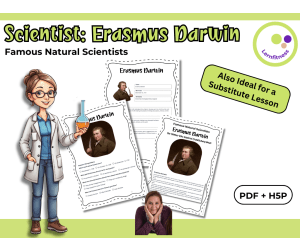
Scientist Erasmus Darwin Fact Sheet, Quiz + Exercises | PDF + H5P
Life Sciences, Science, Biology, STEM, History: World, History, Social Studies, Nature & Plants, Animals, Biographies, Grade 7, 8, 9, 10, Worksheets, Worksheets & Printables, Quizzes, Quizzes and Tests, Teacher Tools, Projects, Activities
Discover Erasmus Darwin – The Thinker Who Inspired Evolutionary Ideas Did you know that Erasmus Darwin, the grandfather of Charles Darwin, was a brilliant scientist, physician, and poet? He was one of the first to suggest that living things change and adapt over time – ideas that later influenced the theory of evolution. Erasmus Darwin’s work combined science and imagination, making him a true pioneer of his time. This teaching resource introduces your grades 7–10 students to the fascinating life and contributions of Erasmus Darwin. Designed for a 45-minute lesson, it includes engaging content and creative tasks to make his revolutionary ideas come alive in the classroom. What’s Included: Concise Informational Text: A clear and engaging overview of Erasmus Darwin’s role in science. Fact Sheet Activity: Encourages students to organize knowledge and work creatively. Quiz with Solutions: Promotes fun, interactive learning and self-assessment. Additional Exercises: Students can create their own questions and collaborate in pairs to deepen their understanding. Flexible Formats: Includes a color and black-and-white printable PDF, as well as interactive H5P tasks for digital learning. Why You’ll Love This Resource: Time-Saving: Perfect for teachers who need a ready-to-go, well-structured lesson. Versatile Use: Ideal for biology, history of science, or cross-curricular lessons in English and science classes. Promotes Independence: Solutions are included, allowing students to check their work and explore the topic at their own pace. Interactive and Engaging: Tasks are designed to keep students actively involved while learning about Erasmus Darwin’s legacy. Whether you use it for a regular lesson, substitute teaching, or as part of a digital learning activity, this resource will make Erasmus Darwin’s contributions come alive for your students. Bring Erasmus Darwin’s fascinating world of science into your classroom and inspire your students to see history and science in a whole new light! Have fun exploring the world of science with your students! Warmly, Lernfitness Did You Know? I teach with a certified therapy dog, and together we focus on creating a positive and inspiring learning environment.
Author Lernfitness
Tags Science, Biology, Famous Scientists Lesson, H5P, Interactive Science Exercises, STEM, History, Scientists, Evolution, Darwin

Research: World of Mammals: Lagomorphs
Science, Life Sciences, Biology, Grade 8, 9, 10, Activities, Projects, Worksheets & Printables, Worksheets
This Research: World of Mammals: Lagomorphs book contains science and literary activities. It has a mixture of activities including a cartooning component. There are anatomical activities,essay, data worksheets on a variety of 13 rabbits, and additonal literary segments. There is a quiz on content knowledge. It is a fun learning independent work book. This Research: World of Mammals: Lagomorphs includes the following topics to be researched to complete the booklet: 1 Essay: What really is a rabbit? 2 Terminology 3 Anatomy of a Rabbit 4 Life Cycle of a Rabbit: Art/ Drawing Activity 5 Pygmy Rabbit 6 Antelope Jackrabbit 7 Snowshoe Hare 8 Arctic Hare 9 Black-tailed Jackrabbit 10 European Hare 11 Alaskan Hare 12 Swamp Rabbit 13 Desert Cottontail 14 Brush Rabbit 15 Eastern Cottontail 16 Mountain Cottontail 17 Marsh Rabbit 18 Science Acrostic Activity : A literary/ stem activity combination 19 Create a Limerick: A literary activity 20 Word Search 21 Cartoon Activity 22 Science Vocabulary Jumble Puzzle 23 Answer key: Science Jumble Puzzle 24 Quiz: Stem/ Science Content Knowledge 25 Answer key: Quiz This Research: World of Mammals: Lagomorphs is designed to be completed either individually, in groups, or pairs of students. It can also be assigned all together or in parts.
Author THE LANTERN OF KNOWLEDGE
Tags Rabbits, World Of Mammals, Lagomorphs, Independent Research, Science Research
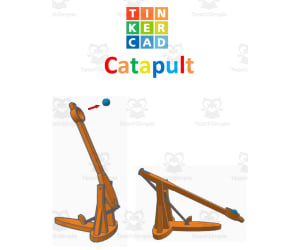
TinkerCAD step-by-step instructions for Catapult
Special Resources, Science, Technology, Engineering, Grade 5, 6, 7, 8, 9, 10, 11, 12, Activities, Projects
TinkerCAD step-by-step instructions for Catapult. Students only need to know the bare basics to complete this. I tested this with a fifth-grade class and most could complete it with no help. Designed to print with no supports for easy printing. Include TinkerCAD tool guide! Has a content page. Great beginners’ tool for learning to make 3D models and learn TinkerCAD. TinkerCAD is a free online program that makes 3D model that work on 3D printers, laser etching machines, water jets, plasma cutters and many more!! Tinkercad is an easy-to-use, browser-based computer-aided design (CAD) software developed by Autodesk. It is primarily used for creating and designing 3D models, particularly in the field of 3D printing. Tinkercad is popular among beginners and hobbyists due to its intuitive interface and simplified tools. Here are some key features and uses of Tinkercad: 1) 3D Modeling: Tinkercad allows users to create 3D models by combining basic shapes and manipulating them using tools such as scaling, rotating, and moving. It provides a wide range of primitive shapes like cubes, spheres, cylinders, and more, which can be customized to create complex designs. 2) Design Customization: Users can apply various modifications to their designs, including resizing, rounding edges, adding text, creating holes, and aligning objects. These tools help in refining the models and making them suitable for specific purposes or fitting them with other components. 3)Import and Export: Tinkercad supports the import of existing 3D models in STL and OBJ formats, allowing users to modify and incorporate them into their designs. It also offers export options to save the designs as STL files, which are widely used in 3D printing. 4) Collaboration and Sharing: Tinkercad provides features for collaboration, allowing multiple users to work on the same project simultaneously. It enables real-time sharing and editing, making it convenient for team projects or educational purposes. 5) Electronics Integration: One notable aspect of Tinkercad is its integration with electronics. It offers a range of electronic components, including resistors, LEDs, motors, and microcontrollers, which can be used to create interactive models and prototypes. Users can simulate circuit connections and test their designs before implementation. 6) Educational Tool: Tinkercad is widely used in educational settings, particularly for teaching students about 3D design, modeling, and prototyping. Its simple interface and beginner-friendly tools make it accessible to users of all ages and skill levels. Overall, Tinkercad is a versatile and user-friendly CAD software that allows individuals to create and customize 3D models. Whether you're a hobbyist, student, or professional, Tinkercad provides a valuable platform for designing, prototyping, and exploring the world of 3D printing and modeling. Total pages: 51 pages Commands to be learned: Group Ungroup Align Mirror Duplicate Holes Solids Rotate Move Drop Subjects: Geometry Engineering Career and technical education Types: Projects Handouts Printables
Author MontyWorks
Tags TinkerCAD, 3D Printing, 3D Printer, Projects
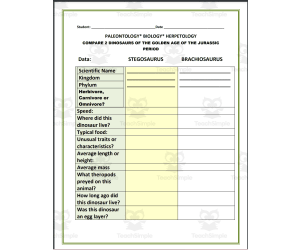
Project: Compare 2 Dinosaurs of the Golden Age of the Jurassic Period
ELA, Writing, Creative Writing, Science, Life Sciences, Biology, Research, Grade 5, 6, 7, 8, Activities, Projects
This Project: Compare 2 Dinosaurs of the Golden Age of the Jurassic Period resource is designed for students to engage in research and compare and contrast two dinosaurs of the same period. Students will practice their research skills, writing skills, and presentation skills. The two dinosaurs students are asked to research with this resource are STEGOSAURUS and BRACHIOSAURUS. The information to be found is listed and includes (but is not limited to): Scientific Name: Kingdom: Phylum: Herbivore, Carnivore, or Omnivore? Speed: Where did this dinosaur live? Typical food: Did this animal have a snout? Average length or height: As students begin to find this information, they can fill in the spaces provided for easier organization. Students can present their findings in different ways: Oral presentation, posters , digital slides , brochures, etc. And they also can be required to turn in this resource! This resource Project: Compare 2 Dinosaurs of the Golden Age of the Jurassic was designed for middle school students, however it can also be used for high schoolers. Students may work independently, in pairs, or in groups. If students work in groups, make sure each student has their part of the research assigned so that everyone does their part in completing the research project. Find more interesting resources in my store here!
Author THE LANTERN OF KNOWLEDGE
Tags Paleontology, Biology, Hepetology, Dinosaurs, Golden Age, Jurassic Period, Writing, Research Project
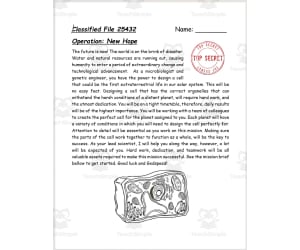
Extraterrestrial Organelle Design
Science, Basic Science, Grade 7, 8, 9, Activities, Projects
Extraterrestrial Organelle Design A comprehensive teaching resource meticulously constructed for Grade 7, Grade 8, and Grade 9 Science educators. This dynamic instructional tool offers a unique approach to practical studies on cell biology. The Theme Following an imaginative theme of space exploration - framed within the hypothetical stakes of the next SpaceX New Hope mission – this project instigates research, creativity, and teamwork among students. Teams embark on a thrilling quest to fabricate organelles designed for challenging alien environments. The Stages Understanding their assigned planet's specifics. Conceiving cells suitable for survival there. Naming the organelle based on its function in the cell. Sketching its proposed appearance inside the cell. Giving a thorough explanation exhibiting their understanding of each organelle’s role. The Elements Included: Detailed charts for designing and naming organelles. \ Propositions for extension activities.\n An easy-to-follow rubric for unbiased evaluation. This structured task is included in 17 integral pages available as Microsoft Word file type format allowing adaptability across varied educational settings like small group work or whole-class instruction – ideal both home-based learning as well as public school curricula purposes. Designed adhering carefully around Basic Science standards required at junior high levels; Educators can cater this innovative project-based learning proposal regularly or sparingly based on their specific teaching objectives proving handy both as fun-filled recaps post-lecture sessions or intensive coursework assignments.
Author Mitchell Zuvela
Tags Organelle Design, Extraterrestrial Theme, Cell Biology, Practical Studies, Space Exploration
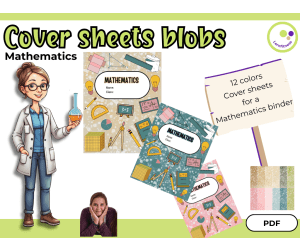
Mathematics Binder Covers – Templates for Classroom Use
Science, STEM, Basic Science, Special Resources, Montessori, Classroom Management, Resources for Teachers, Math, Physics, Technology, Homeschool Templates, Grade 6, 7, 8, 9, Worksheets, Worksheets & Printables, Teacher Tools, Projects, Activities, Workbooks, Drawing Templates & Outlines, Templates, Graphic Organizers, Classroom Decor
Mathematics Binder Covers – Templates for Classroom Use Organize your Math handouts, notes, and units with visual clarity Simple and flexible templates to help organize your Mathematics materials In my math classes, it can be a challenge to keep things organized - especially when it comes to multiple units, lab notes, worksheets and review materials. To make it easier for my students and myself, I designed these simple binder sleeves. There are 12 different pages. The covers have a clean, colorful blob layout that is friendly but not distracting. I usually print them out and use them as cover sheets or as dividers in folders for students or teachers. They also work well for digital learning environments, e.g. as section covers in PDF files or on classroom platforms. I like that the color scheme allows students to quickly find what they are looking for, and it brings a little more structure to a subject that is often riddled with formulas and technical terms. When used as cover sheets, students can choose their favorite color for their cover sheet. This resource is handy - and has saved me a lot of time in lesson preparation and follow-up. What’s included: 12 math-themed cover pages different colors zu choose as a cover sheet as a divider between the individual Mathematics topics I've printed these on colored paper for my own binder and also used them digitally in student notebooks. Works well for both teacher organization and student-facing materials. 📍 Best wishes, Heike from Lernfitness Math teacher (Chemistry teacher, Biology teacher) in Germany Did You Know? I teach with a certified therapy dog, and together we create a positive and inspiring learning environment. 🐶✨
Author Lernfitness
Rating
Tags Science, STEM, Binder, Cover Sheet, Template, Organizer, Organize, GoodNotes, Mathematics, Math
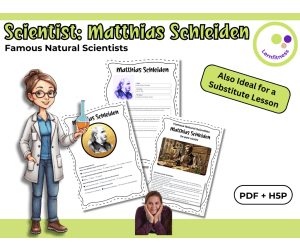
Scientist Matthias Schleiden Fact Sheet, Quiz + Exercises PDF + H5P
Life Sciences, Science, Biology, STEM, History, Social Studies, Biographies, Inventors, Basic Science, Nature & Plants, Grade 6, 7, 8, 9, Worksheets, Worksheets & Printables, Quizzes, Quizzes and Tests, Teacher Tools, Projects, Activities
Discover Matthias Schleiden – The Scientist Who Laid the Foundation of Cell Theory 🔬 Make Cell Theory Come Alive in Your Classroom! Your students may already know that all living things are made of cells—but do they know who first proposed this revolutionary idea? Introduce them to Matthias Schleiden, the co-founder of cell theory, who, alongside Theodor Schwann, transformed our understanding of biology. His discoveries laid the foundation for modern cell biology, and this ready-to-use teaching resource helps you explore his contributions in an engaging and interactive way—all in just 45 minutes! 🧪 Why This Resource is a Must-Have for Biology Teachers ✅ No-Prep, Ready-to-Use Lesson – Save valuable planning time! ✅ Engaging & Interactive – Includes fact sheets, quizzes, and creative exercises to enhance understanding. ✅ Perfect for Grades 7–10 – Designed to be flexible and adaptable for different student levels. ✅ Blended Learning Ready – Available in printable PDF and interactive H5P exercises for digital use. ✅ Encourages Critical Thinking – Students not only learn who Schleiden was, but also why his work matters today. 📚 What’s Included? 📄 Informational Text on Matthias Schleiden – A clear and engaging reading passage explaining his role in cell theory. 📝 Fact Sheet Activity – Helps students organize key facts and summarize Schleiden’s contributions. ❓ Quiz with Solutions – A fun way to reinforce learning through self-assessment and review. 🎭 Creative & Interactive Tasks – Students create their own questions, exchange them, and engage in peer discussions. 🎨 Customizable Templates – Choose between color and black-and-white versions for easy printing or digital use. 🖥 H5P Digital Exercises – Perfect for blended learning and interactive lessons. 📌 How to Use This Resource in Your Classroom 1️⃣ Students read the informational text about Matthias Schleiden. 2️⃣ They complete a fact sheet summarizing his scientific discoveries. 3️⃣ Quiz questions reinforce their knowledge of Schleiden’s contributions. 4️⃣ Students create their own questions and challenge their classmates in pairs. 💡 Great for Biology Lessons, Substitute Teaching, and Digital Classrooms! 🌟 Why Biology Teachers Love It ✔ Brings Science History to Life – Connects students to real scientific discoveries. ✔ Simplifies a Key Concept – Helps students grasp the origins of cell theory in an easy-to-understand way. ✔ Flexible for Different Teaching Styles – Use for direct instruction, independent learning, or group activities. ✔ Encourages Active Participation – Turns a scientific breakthrough into an interactive experience. 🔬 Help Your Students Understand the Origins of Modern Biology! Give your students a deeper appreciation for how scientific discoveries shape our understanding of life with this engaging fact sheet, quiz, and interactive activities. 🚀 Download now and bring the legacy of Matthias Schleiden into your biology lessons today! 📍 Best wishes, Heike from Lernfitness Did You Know? I teach with a certified therapy dog, and together we create a positive and inspiring learning environment. 🐶✨
Author Lernfitness
Tags Science, Biology, Famous Scientists Lesson, H5P, Interactive Science Exercises, STEM, History, Scientists, Matthias Schleiden, Cytology

Astronomy: A student’s book: history & facts about telescopes project
Social Studies, ELA, Biographies, Writing, Science, Inventors, Earth and Environmental Sciences, Space, Grade 4, 5, 6, 7, Activities, Projects, Worksheets & Printables, Worksheets
Astronomy: A student’s book: history & facts about telescopes project This Astronomy: A student’s book: history & facts about telescopes project is a booklet on the history/facts about telescopes and the lives of seven different inventors! Students are to research the information necessary to complete this Astronomy: A student’s book: history & facts about telescopes. Students are sure to increase their knowledge concerning tools of astronomy as well as the parts of the telescope. Additionally, there are opportunities for students to practice their essay writing skills with specific topics. There are 2 Quizzes included in this booklet as well as the Answer keys for easy checking. This Astronomy: A student’s book: history & facts about telescopes project includes the following TABLE OF CONTENTS: 1 Just what is a telescope? 2 Terminology 3 Parts of a telescope (Refracting telescope-fill in 3 a Answer key: Parts of a Refracting telescope 3 b: Research/Respond: What are the parts of a Reflecting Telescope? 4 Essay #1: How do telescopes work 5 Different types of telescopes 6 Essay #2 7 Essay #3: What is Optics 8 What is an observatory? 9 What is a planetarium? 10 What is the difference between a telescope and a periscope? 11 Leonardo da Vinci 12 Galileo Galilei 13 Hans Lippershey 14 Zacharias Janssen 15 Isaac Newton 16 Lyman Spitzer 16 a Edwin Hubble: His discoveries/ Hubble Telescope 17 Word Jumble/ Science Vocabulary 18 Answer key: Word Jumble 19 Word Search 20 Quiz #1:Fill in Facts about telescopes 21 Answer key: Quiz: Facts about telescopes 22 Mystery Quote Challenge 23 Answer key: Mystery Quote Challenge 24 Quiz #2: James Webb Telescope 25 Answer key: Quiz #2: James Webb Telescope This Astronomy: A student’s book: history & facts about telescopes project contains 32 pages and it is ready to print and use!
Author THE LANTERN OF KNOWLEDGE
Tags Astronomy, Telescopes, Da Vinci, Galileo, Hans Lippershey

Scientists and Inventors Social Media Profile Project | Biography
ELA, Social Studies, Writing, Creative Writing, Science, Inventors, Biographies, Research, Grade 4, 5, 6, Activities, Projects
Explore the lives and achievements of notable and remarkable genius minds from different generations with this Scientists and Inventors Social Media Profile Project. This resource is made for 4th, 5th and 6th primary grade level learners, EFL/ESL students, and homeschoolers that can be used for English Language Arts and Science and Technology subjects. The project is aimed to develop the students’ language skills, research proficiency, and creative skills through the imagined social media profile of their chosen scientists or inventors. Featuring 12 genius minds from different ages and fields, these activities are a sure win in capturing the attention and unleashing the creativity of the learners as they learn and explore the lives and achievements of these scientific geniuses. The activities included in this set are: 1. 12 Scientists and Inventors Worksheets (Albert Einstein, J. Robert Oppenheimer, Alexander Graham Bell, Galileo Galilei, Stephen Hawking, Steve Jobs, Isaac Newton, Charles Darwin, Nicolaus Copernicus, Nikola Tesla, Thomas Edison, Leonardo da Vinci) 2. 1 colored Albert Einstein Sample Profile 3. 1 Profile Template 4. Lesson Plan 5. Student’s Instructions Page 6. List of Scientists and Inventors 7. Feedback Rubric This project is designed as supplemental activity or project for lessons relating to lives and achievements of notable and famous scientists and inventors from different generations and fields, and biography lessons or topics in the curriculum. This can also be used as assessment tool for the said lessons, teacher-friendly resource for emergencies and sub plans. With the fun and engaging nature of this project, it will definitely achieve your lesson objectives as well as collecting amazing outputs from your learners!
Author It's Teacher L
Tags Scientists Biographies, Inventors Biographies, Biography Project, ELA Activities, Biography Research

Clouds Mini Project Resource Pack
Science, Earth and Environmental Sciences, Earth Sciences, Preschool, Grade 1, 2, Activities, Projects
This Clouds Mini Project Resource Pack gives the teacher a multitude of ideas for how to design a full science project for with geography, language, science, and art ideas. Students get to apply their knowledge through writing and drawing activities to apply to their projects.
Author Lilibette's Resources
Tags Clouds Project, Science Project, Clouds Printables, Geography, Clouds

TinkerCAD step-by-step instructions for Snowflake Ornament
Special Resources, Science, Technology, Engineering, Grade 5, 6, 7, 8, 9, 10, 11, 12, Activities, Projects
TinkerCAD step-by-step instructions for Snowflake Ornament Students only need to know the bare basics to complete this. I tested this with a fifth-grade class and most could complete it with no help. Designed to print with no supports for easy printing. Include TinkerCAD tool guide! Has a content page. Great beginners’ tool for learning to make 3D models and learn TinkerCAD. TinkerCAD is a free online program that makes 3D model that work on 3D printers, laser etching machines, water jets, plasma cutters and many more!! Tinkercad is an easy-to-use, browser-based computer-aided design (CAD) software developed by Autodesk. It is primarily used for creating and designing 3D models, particularly in the field of 3D printing. Tinkercad is popular among beginners and hobbyists due to its intuitive interface and simplified tools. Here are some key features and uses of Tinkercad: 1) 3D Modeling: Tinkercad allows users to create 3D models by combining basic shapes and manipulating them using tools such as scaling, rotating, and moving. It provides a wide range of primitive shapes like cubes, spheres, cylinders, and more, which can be customized to create complex designs. 2) Design Customization: Users can apply various modifications to their designs, including resizing, rounding edges, adding text, creating holes, and aligning objects. These tools help in refining the models and making them suitable for specific purposes or fitting them with other components. 3)Import and Export: Tinkercad supports the import of existing 3D models in STL and OBJ formats, allowing users to modify and incorporate them into their designs. It also offers export options to save the designs as STL files, which are widely used in 3D printing. 4) Collaboration and Sharing: Tinkercad provides features for collaboration, allowing multiple users to work on the same project simultaneously. It enables real-time sharing and editing, making it convenient for team projects or educational purposes. 5) Electronics Integration: One notable aspect of Tinkercad is its integration with electronics. It offers a range of electronic components, including resistors, LEDs, motors, and microcontrollers, which can be used to create interactive models and prototypes. Users can simulate circuit connections and test their designs before implementation. 6) Educational Tool: Tinkercad is widely used in educational settings, particularly for teaching students about 3D design, modeling, and prototyping. Its simple interface and beginner-friendly tools make it accessible to users of all ages and skill levels. Overall, Tinkercad is a versatile and user-friendly CAD software that allows individuals to create and customize 3D models. Whether you're a hobbyist, student, or professional, Tinkercad provides a valuable platform for designing, prototyping, and exploring the world of 3D printing and modeling. Total pages: 30 pages Commands to be learned: Group Ungroup Align Mirror Duplicate Holes Solids Rotate Move Drop Subjects: Geometry Engineering Career and technical education Types: Projects Handouts Printables
Author MontyWorks
Tags TinkerCAD, 3D Printing, 3D Printer, Projects

Human Body System and Some Main Organs Lapbook
ELA, Reading, Reading Comprehension, Science, Life Sciences, Human Body, Biology, Research, Grade 4, 5, 6, Activities, Projects
Human Body System and Some Main Organs Lapbook is a project for lessons on body systems and / or main organs of the body. It can be a supplemental work and assessment tool for Science lessons on these topics that is aimed to showcase what the learners learn through this creative medium. This file contains two sets of lapbooks for male and female body systems. This project features a distinctive representations of the body systems and main organs that are easy to distinguish and understand. Each component of the lapbook is designed to be entertaining and engaging that will surely keep your young minds active and occupied!
Author It's Teacher L
Tags Assessment, Homework, Lapbook, Science Lapbook, ELA, Research Project
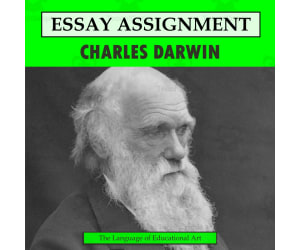
Research Organizer & Essay Assignment: Charles Darwin
Social Studies, History, History: World, Science, Life Sciences, Biology, Grade 7, 8, 9, 10, 11, 12, Activities, Projects, Worksheets & Printables, Worksheets
It's hard to imagine a figure more important to the field of biology than Charles Darwin. This resource provides your students with the opportunity to independently learn about and summarize the life of the father of evolution with this engaging research planner and essay assignment. This carefully scaffolded and easy-to-assign-AND-assess resource has been designed to guide student learning from Charles Darwin fact-collection to the careful development of a five-paragraph research essay. Teaching this resource could not be easier! Start by handing out the background research and note-taking worksheet (you could also ONLY hand this out if you want a shorter lesson!). Once students have found their facts and sources, provide them with the essay outline activity, which guides them step-by-step through the requirements of a short research essay. From there, drafting their essay, using the provided peer review checklist, and submitting their final draft will be no problem at all. And then you can assess their work with the provided Common Core rubric! Use this entire resource as a complete research lesson or just part of it as a short research activity or sub plan! This TeachSimple download includes: - A Charles Darwin essay writing assignment with directions, requirements, research essay writing tips, a peer review checklist, and Common Core-tied grading rubric - An editable rubric, provided as a link, that lets you make adjustments to the grade values and guidelines. This link is provided as as Google Sheet specifically built for integration into Google Classroom, although you can also modify it for use in other Learning Management Systems (LMSs) - A Charles Darwin biography and note-taking worksheet that will guide your students through information gathering. This straightforward two-page handout includes instructions for background research, a fun drawing section, and an area to cite quality sources and organize conducted research - A research essay outlining worksheet, so students build on their Charles Darwin notes in a clear and simple manner as they build their work towards a draft and final paper - All 6-pages of this lesson are provided in full-color and B&W versions Although this resource can be fitted for any secondary Language Arts classroom, it has been carefully designed to work best in grades 8 through 11. The included rubric is subtly but specifically tied to Common Core ELA Standards for Language (3) and Writing (2 and 7). This resource is provided as a print-ready, bookmarked, and adjustable PDF file. The rubric is also included as an editable Google Sheet. This resource contains 6 pages and 1 Google Sheet.
Author The Language of Educational Art, LLC
Tags Essay, Rubric, Research, Notetaking, Outlining, Charles Darwin

Crime Scene Investigation Student Activity
Science, Chemistry, Grade 5, 6, 7, Activities, Projects
This resource is a Crime Scene Investigation Student Activity . Included in this lesson is a 9 day unit plan, instructions for all the experiments and activities, and packet for a crime scene investigation. You will receive a PDF download which includes the teacher notes/lessons plans as well as the student packets. This is a highly authentic and engaging unit- it's designed so that you are able to teach the scientific method using real world and inquiry based application. It's easy to follow, and amazingly fun. Sally Scarecrow has suffered a deadly hiccup attack at the hands of a teacher in the building. Student detectives spent the first day in detective school brushing up on content vocabulary, reviewing our suspect list, making predictions and observing the crime scene from a far. Over the next several days you will ask questions, compose experiments testing the cola from the crime scene for poison with litmus juice, dusting for finger prints, analyzing handwriting and more. We concluded our CSI by drafting a composite sketch of who we thought the culprit was, serving the culprit with an arrest warrant and reading her/him their Miranda Rights. Students will love solving the mystery of Sally Scarecrow! This is a great back to school or end of the year activity . There is not a better or more applicable way to teach students about the Scientific Method. The report portion of the packet can be used as the assessment component of the unit and includes a rubric. It covers everything!
Author Hey Teacher Shoppe
Tags Chemistry, CSI, Laboratory, Science Project, DNA, Crime Scene Scenarios For High School Students

Mission to Space Rocket Straws Project
Science, Earth and Environmental Sciences, Space, Grade 4, 5, 6, Activities, Projects
This resource is a Mission to Space Rocket Straws Project. Student groups will choose a planet to travel to. The project spends a few days covering the research of their planet. After they have completed their planets they will create rockets from straws and soap bottles. They will attempt to land on their planets with straw rockets in a relay type fashion.
Author Hey Teacher Shoppe
Tags General Science, Planets, Astronomy, Mission To Space, Project, Straw Rockets Lesson Plan
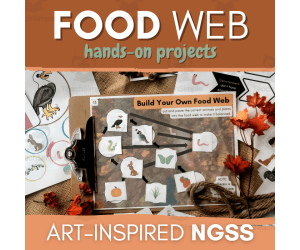
3rd Grade Food Web Project – NGSS 3-LS4-4
Science, Life Sciences, Animals, Grade 3, Activities, Projects
Looking for an hands-on food web/food chain project that will help you students truly understand life science? Grab this art-inspired third grade NGSS-aligned lesson pack! SUPPLIES LIST -Printed worksheets -Coloring utensils -Pencil and eraser -Scissors -Gluestick COMPLETES NGSS 3-LS4-4 Make a claim about the merit of a solution to a problem caused when the environment changes and the types of plants and animals that live there may change. Happy learning! -Abbey Allen Owner & Designer of ARTventurous Animals
Author ARTventurousanimals
Rating
Tags Ngss, Ngss Projects, Food Web Project, Food Web Activity, Food Chain, Ngss 3-LS4-4, Energy Flow, Life Science, Animal Science, Ngss Activity, 3-ls4-4, 3-ls4-3, Food Web Ideas

My 5 Senses Pop-Up Board Project Grade 1 2 3 ELA Science
ELA, Reading, Reading Comprehension, Science, Life Sciences, Human Body, Grade 1, 2, 3, Projects, Activities
Explore a fun and meaningful way of learning about our senses with this “My 5 Senses Pop-Up Board” and integrated ELA and Science project! Perfect for Grades 1, 2, 3, homeschoolers, and EFL / ESL learners, these pop-up boards are designed to let students have a hands-on practice with topics about 5 senses, body parts, practice writing / speaking sentences using “I can...” and other related lessons. This resource is made to help learners improve their vocabulary skills, reading and writing skills, creative skills and improve their comprehension skills about the topics. This set includes the following: -5 Senses Pop-Up Board with this contents: 5 senses: Touch smell sight hear taste -2 pop-up designs -2 genders choices -6 colored board design -6 black and white board design This “My 5 Senses Pop-Up Board” is a supplemental tool for teaching and learning about 5 senses and is an amazing integration of ELA and science subjects in any curriculum. This can also be used as an assessment tool as a project that can be used as an inclusion for students' portfolio and a cute addition to your classroom display!
Author It's Teacher L
Tags Body, Senses, Pop-up Board, ELA Project, Science Project

Ocean Animal Report
ELA, Writing, Science, Life Sciences, Animals, Research, Grade 2, 3, Activities, Projects
This is an Ocean Animal Report utilizing the TIDE format. Included in this file you will find a parent letter about the project, prompts for each paragraph, TIDE graphic organizers for three paragraphs of informative writing along with writing paper for the first drafts of each, a blank page for them to create a cover for the report, a page for pictures of the ocean animal, final draft paper, an example of completed organizers and a final draft to match, and a couple of rubric options for both writing and/or oral presentation. The three paragraphs will address: • Why students chose the ocean animal they chose • A few basic facts about the ocean animal (e.g., habitat, diet, physical description) • A few cool or unique facts about the ocean animal Generally, this project takes my students about 4-5 days to complete. The oral presentation takes another day or two. I send home the parent letter a week in advance. I’ve done this with both second and third graders and found it to work well for both. Here’s a further breakdown of the paragraphs: Paragraph One Writing Prompt: Write an informative paragraph explaining why you chose the ocean animal you chose for your report. Paragraph Two Writing Prompt: Write an informative paragraph explaining three basic facts about your ocean animal (e.g., diet, habitat, physical characteristics). Paragraph Three Writing Prompt: Write an informative paragraph explaining three unique facts about your ocean animal (e.g., speed, communication, lifestyle). This resource is a thorough and engaging way to build research and writing skills.
Author At the Core
Tags Ocean Animals, Animal Report, Cross Curricular, Science Research, Writing Prompts, Paragraph Writing, Graphic Organizer, Topic Sentences, Conclusions

Astronauts | Astronaut Report | Research Project
Science, Earth and Environmental Sciences, Space, Research, Grade 4, 5, 6, Projects, Activities
Engage your students with this fun and comprehensive Astronaut Research Report resource. It helps has make report writing easy! It contains Geography questions, organizers, tools and forms to use for your students to create, develop, write, edit, illustrate, present, and assess your students’Astronaut Research Report This report (or performance task) is also designed to not only to learn and explain the new information, but answer some higher level thinking questions (Common Core Essential Questions) to apply the knowledge they have learned. This resource can be for their formal report or utilized as a study guide to develop their report for them to type or write on their own. This packet is designed for you to pick and choose the parts of the report that you’d like to use, or just use it all! There are many text dependent questions for your students to research and cite their evidence of where they found the information, a vocabulary section, and some essential questions where your students can apply the knowledge they have learned at a deeper, higher level. We encourage you to have your students use a wide variety of resources to gather the necessary information to complete this report. This packet contains the following: Template includes: Questions about the factual information about many aspects of Astronauts Biography pages for choosing an astronaut to research Essential Questions designed for application of knowledge and higher level thinking A page to help your students find information for their report. Resource page and Bibliography Template- I use the Resource Page template because my students are not ready to learn the rules of a true bibliography, but if you teach bibliography skills I have included a template for you. Note Taking page for students to take notes and a note taking page in bullet format. Copy as needed. Rubrics - Performance Task for the Written Report Editing and Revising Checklist. Teacher Notes and Ideas.
Author The Teacher Team
Tags Astronomy Research, Astronaut Life, Astronaut Report, Research Project, Outer Space Printable, Astronaut Project Ideas

Properties of Water Science Lab
Science, Chemistry, Grade 6, 7, 8, Activities, Projects
This resource is a Properties of Water Science Lab. Students will explore three things with this lab: - Tension - Cohesion - Viscosity By following procedures, making observations and collecting data, students will have a better understanding of properties of water.
Author Maude in the Middle
Tags Science Lab, Properties Of Water, Observation, Chemistry, Data Table
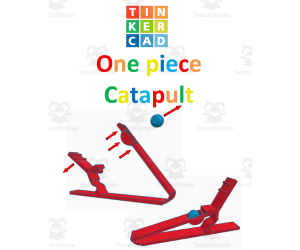
TinkerCAD step-by-step instructions for One Piece Catapult
Special Resources, Science, Technology, Engineering, Grade 5, 6, 7, 8, 9, 10, 11, 12, Activities, Projects
TinkerCAD step-by-step instructions for One Piece Catapult. Students only need to know the bare basics to complete this. I tested this with a fifth-grade class and most could complete it with no help. Designed to print with no supports for easy printing. Include TinkerCAD tool guide! Has a content page. Great beginners’ tool for learning to make 3D models and learn TinkerCAD. TinkerCAD is a free online program that makes 3D model that work on 3D printers, laser etching machines, water jets, plasma cutters and many more!! Tinkercad is an easy-to-use, browser-based computer-aided design (CAD) software developed by Autodesk. It is primarily used for creating and designing 3D models, particularly in the field of 3D printing. Tinkercad is popular among beginners and hobbyists due to its intuitive interface and simplified tools. Here are some key features and uses of Tinkercad: 1) 3D Modeling: Tinkercad allows users to create 3D models by combining basic shapes and manipulating them using tools such as scaling, rotating, and moving. It provides a wide range of primitive shapes like cubes, spheres, cylinders, and more, which can be customized to create complex designs. 2) Design Customization: Users can apply various modifications to their designs, including resizing, rounding edges, adding text, creating holes, and aligning objects. These tools help in refining the models and making them suitable for specific purposes or fitting them with other components. 3)Import and Export: Tinkercad supports the import of existing 3D models in STL and OBJ formats, allowing users to modify and incorporate them into their designs. It also offers export options to save the designs as STL files, which are widely used in 3D printing. 4) Collaboration and Sharing: Tinkercad provides features for collaboration, allowing multiple users to work on the same project simultaneously. It enables real-time sharing and editing, making it convenient for team projects or educational purposes. 5) Electronics Integration: One notable aspect of Tinkercad is its integration with electronics. It offers a range of electronic components, including resistors, LEDs, motors, and microcontrollers, which can be used to create interactive models and prototypes. Users can simulate circuit connections and test their designs before implementation. 6) Educational Tool: Tinkercad is widely used in educational settings, particularly for teaching students about 3D design, modeling, and prototyping. Its simple interface and beginner-friendly tools make it accessible to users of all ages and skill levels. Overall, Tinkercad is a versatile and user-friendly CAD software that allows individuals to create and customize 3D models. Whether you're a hobbyist, student, or professional, Tinkercad provides a valuable platform for designing, prototyping, and exploring the world of 3D printing and modeling. Total pages: 49 pages Commands to be learned: Group Ungroup Align Mirror Duplicate Holes Solids Rotate Move Drop Subjects: Geometry Engineering Career and technical education Types: Projects Handouts Printables
Author MontyWorks
Tags TinkerCAD, 3D Printing, 3D Printer, Projects

Characteristics of Living Things Mini Research
Science, Life Sciences, Biology, Research, Grade 6, 7, Activities, Projects
This is a Characteristics of Living Things Mini Research. All you have to do is print and go. Your science students will explore more about living things through research. They will have a graphic organizer to help them jot notes as they research. Then they will used to lined paper to complete an informative writing piece.
Author Sarah Miller Tech
Tags Living Things, Science Project, Biology, Research, Writing Prompts, Characteristics Of Living Things Activity

My 5 Senses Pop-Up Board Grade 1 2 3 ELA Science
ELA, Reading, Reading Comprehension, Science, Life Sciences, Human Body, Grade 1, 2, 3, Activities, Projects
Explore a fun and meaningful way of learning about our senses with this “My 5 Senses Pop-Up Board” and integrated ELA and Science project! Perfect for Grades 1, 2, 3, homeschoolers, and EFL / ESL learners, these pop-up boards are designed to let students have a hands-on practice with topics about 5 senses, body parts, practice writing / speaking sentences using “I can...” and other related lessons. This resource is made to help learners improve their vocabulary skills, reading and writing skills, creative skills and improve their comprehension skills about the topics. This set includes the following: -5 Senses Pop-Up Board with this contents: 5 senses: Touch smell sight hear taste -2 pop-up designs -2 genders choices -6 colored board design -6 black and white board design This “My 5 Senses Pop-Up Board” is a supplemental tool for teaching and learning about 5 senses and is an amazing integration of ELA and science subjects in any curriculum. This can also be used as an assessment tool as a project that can be used as an inclusion for students' portfolio and a cute addition to your classroom display!
Author It's Teacher L
Tags Body, Senses, Pop-up Board, ELA Project, Science Project
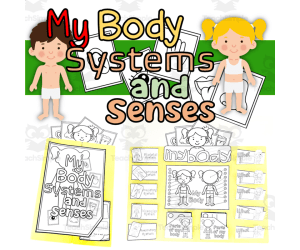
My Body Systems And Senses Lapbook
ELA, Language Development, ESL, Science, Life Sciences, Human Body, Grade 1, 2, 3, Activities, Projects
My Body Systems And Senses Lapbook Integrating visuals and hands-on activities, the My Body Systems And Senses Lapbook offers an intricate guide to human anatomy. This resource provides a distinct learning opportunity for students in grades 1 through 3, making it also suitable for home education or English language learners. Multi-Subject & Inclusive Design This instructional lapbook is designed to cover multiple subject areas - Language Arts, Science, and specifically caters to ESL learners by reinforcing vocabulary in English relating to body systems. Two versions are available for male or female bodies which further ensures inclusive learning as all genders are represented. In-depth & Interactive Content on Body Systems and Senses Covers five primary body systems - skeletal, respiratory, circulatory, nervous and muscular. Detailed content on five principal senses. In-depth information on twenty main parts of the body – front and back- included in pocket folds for a practical approach. Vibrant & Engaging Visual Aids In each lapbook folder are organized inserts that showcase each system with black-and-white images that can be colored by students. This feature not only increases the visual appeal but also prompts engagement of diverse age groups. Pedagogically Aligned Resource With Infinite Re-usability The My Body Systems And Senses Lapbook makes teaching about human anatomy effective during group lessons or small-sized sessions tailored as per class dynamics as well as utilize it as independent study material given student-to-student preference. It matches educational standards outlined within Common Core Standards for both English Language Arts (ELA)and Science syllabus hence promoting consistency across curriculum elements. Furthermore, this PDF-file interactive project type resource can be repurposed repeatedly thanks to its durable file format causing no hindrances in printability making it a flexible long term solution. Overall My Body Systems And Senses is a dynamic learning resource for teachers and home educators looking for diversified, standard compliant, practical yet low cost solutions to teach about human body systems and senses.
Author It's Teacher L
Tags Body Systems, Senses, Human Anatomy, Lapbook, Interactive Project