search
user.png
vertical menu

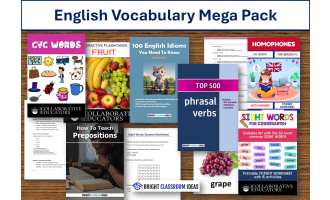
Interactive Flashcards - FRUIT

Interactive Flashcards - FRUIT preview
Interactive Flashcards - FRUIT preview 2

Look Inside · 10 pages

Cover of Interactive Flashcards - FRUIT, a fruit vocabulary set by Collaborative Educators, with fruit photos
Cover introducing the fruit flashcard set
Fruit vocabulary flashcard 1: a red apple photo, the lowercase initial letter 'a', and an audio icon
Card 1 of 30: apple
Fruit vocabulary flashcard 2: an apricot photo, the lowercase initial letter 'a', and an audio icon
Card 2 of 30: apricot
Fruit vocabulary flashcard 3: an avocado photo, the lowercase initial letter 'a', and an audio icon
Card 3 of 30: avocado
Fruit vocabulary flashcard 4: a yellow banana photo, the lowercase initial letter 'b', and an audio icon
Card 4 of 30: banana
Fruit vocabulary flashcard 5: a photo of blackberries, the lowercase initial letter 'b', and an audio icon
Card 5 of 30: blackberries
Fruit vocabulary flashcard 6: a photo of blueberries, the lowercase initial letter 'b', and an audio icon
Card 6 of 30: blueberries
Fruit vocabulary flashcard 7: a photo of two cherries, the lowercase initial letter 'c', and an audio icon
Card 7 of 30: cherries
Fruit vocabulary flashcard 8: a whole coconut photo, the lowercase initial letter 'c', and an audio icon
Card 8 of 30: coconut
Fruit vocabulary flashcard 9: a photo of cranberries, the lowercase initial letter 'c', and an audio icon
Card 9 of 30: cranberries

About This Product

Every stage of the classroom can benefit from the usage of flash cards, which are a very practical tool. Once students are comfortable with the exercises used in class, they can be distributed to early finishers for use in small groups. They are also an excellent approach to introduce, practice, and reuse language.

This flashcard set is especially designed to teach the vocabulary of fruit to young learners. There are 30 flashcards in total, displaying not only the most common fruit, but most exotic ones as well. They can be used in two ways, totally offline:

  1. Digitally

    Show them on your device (computer, laptop, IWB, projector, tablet, etc.). The first click shows the picture and the first letter of the word. The second click reveals the full name of the fruit. The third click plays the audio, so you can here the word pronounced correctly. You don't need an internet connection for any of these.

  2. Printed

    Alternatively, you can save this as a PDF file, print it out and use the flashcards in your classes.

0 Reviews

Explore related searches
you may also like...

Check out these other great products