Pixel Pics Spreadsheet Activity: Fall Edition



About This Product
Whether students are in the classroom or in the computer lab, you may be on the hunt for some computer skills resources that you know students will love. Many of our students, young and old, enjoy putting their tech skills to use. It is always impactful when we can give them opportunities to show what they know and/or teach them new things!
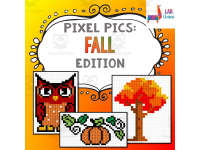
This is a Pixel Pics Spreadsheet Activity. It is the Fall Edition.
This activity would work for any age of students who have learned about different computer applications, including Google Spreadsheets.
Students will be given access to 1 spreadsheet. On this spreadsheet, there are 5 tabs. Students can complete all 5 tabs, you can assign which tabs you want them to complete, or you can let the students choose which ones to complete.
The tabs include:
-Pumpkin
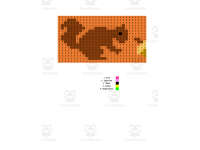
-Squirrel
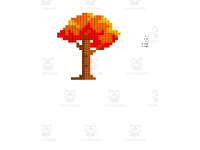
-Autumn Tree
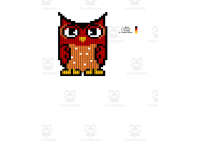
-Owl
-Scarecrow
On each tab, students will follow the color code to complete the picture. A completed example spreadsheet is included.
Here are more resources to enjoy in my store:
https://teachsimple.com/product/excel-stories-pirate-edition-computer-science-project
https://teachsimple.com/product/excel-stories-detective-edition-computer-science-project
https://teachsimple.com/product/finger-placement-practice-teaching-typing-lesson
https://teachsimple.com/product/spot-the-differences-activity
Check out many more resources at my storefront here: https://teachsimple.com/contributor/lab-llama-computer-skills-resources
I can be contacted for questions and concerns at labllamasam@gmail.com.
What's Included
2 editable spreadsheets
Resource Tags
0 Reviews
Check out these other great products