search
user.png
vertical menu

Rock Wall Carving Photoshop Activity

Rock Wall Carving Photoshop Activity preview
Rock Wall Carving Photoshop Activity preview 2
Rock Wall Carving Photoshop Activity preview 3

Look Inside · 10 pages

Opening page of the petroglyph Photoshop lesson: intro text and four photos of real rock carvings as inspiration
Introduction to the petroglyph tutorial
Steps 1–3 of the tutorial: the rock wall photo with a climber, the two servicemen photo, and opening rockface.jpg
Starting images and steps 1–3
Steps 4–6: Shift+F2 to lighten Photoshop's color theme to gray, opening carve.jpg and Ctrl+A to select it
Directions for steps 4 through 6
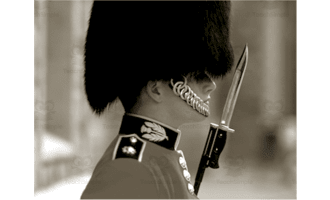
Steps 7–9: copying the servicemen photo, pasting it onto the rock face as Layer 1, and an intro to how layers work
Steps 7–9 and the start of the layers explanation
Layers explained with a hat, shirt and head diagram, then steps 10–11: Magic Wand Tool with Tolerance set to 30
Layers diagram and steps 10–11
Steps 12–15: Magic Wand selects the white around the servicemen, Delete removes it, then Ctrl+T Free Transform
Removing the white background, steps 12–15
Steps 16–20: resizing the servicemen to 150%, pressing D for default colors and X to swap them, then Filter Gallery
Resizing and color steps 16–20
Step 21: the Filter Gallery window with a Colored Pencil preview, then clicking the Sketch folder
Filter Gallery window and step 21
Steps 22–23: Sketch filters such as Bas Relief and Chalk & Charcoal, choosing Photocopy, Detail 2 and Darkness 25
Photocopy filter settings, steps 22–23
Steps 24–27: servicemen black outlined in white, clicking OK, and setting Layer 1's blending mode to Color Dodge
Blending mode directions, steps 24–27
Attributes
Grades

Grade 7, 8, 9, 10

Types

Activities

Editable
No
Author
OK Products
Rating
Add To Collection
Add to collection Add to collection

About This Product

Students will work with digital tools in the Rock Wall Carving Photoshop Activity.

Students will learn how to make a photograph looked like it is carved into a mountain rock's face.

Step by step directions are included.

What's Included

1 zip folder with JPG files

1 Word doc with lesson

0 Reviews

Explore related searches
you may also like...

Check out these other great products