search
user.png
vertical menu

Spring Color by Code Music Game

Spring Color by Code Music Game preview
Spring Color by Code Music Game preview 2
Spring Color by Code Music Game preview 3
Spring Color by Code Music Game preview 4
Spring Color by Code Music Game preview 5

Spring Color by Code Music Game preview 6

Look Inside · 7 pages

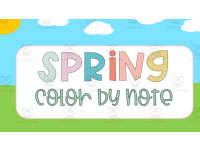
Cover of the interactive spring music coloring game, displaying the words 'SPRING color by note'.
Opening cover of the music coloring game
Directions for the music game: click the correct musical symbol to color the picture; go back if incorrect.
Directions for choosing musical symbols
Question 1 asks students to click the quarter note (ta) in an uncolored scene featuring two butterflies.
Question 1: find the quarter note
Try Again feedback slide tells students to click the butterfly to go back and retry their symbol choice.
Retry feedback after an incorrect choice
Question 2 asks students to click the half note (too); the larger butterfly now has bright pink wings.
Question 2: find the half note
Question 3 asks students to find the whole note and look closely; the pink butterfly now has a yellow body.
Question 3: find the whole note
Question 4 asks students to click the eighth notes (ti-ti); the larger butterfly now has green wing spots.
Question 4: find the eighth notes
Attributes
Add To Collection
Add to collection Add to collection

About This Product

This resource is a spring color by code interactive music game.

On each slide, students will click the correct musical symbol to color the picture.

What's Included

1 PowerPoint with 22 interactive slides

0 Reviews

Explore related searches
you may also like...

Check out these other great products