



3,933 products added recently
Page 32 - Decimals Lesson Plans
Support your students in grasping decimals through lesson plans that offer concrete examples and interactive exercises. These resources help bridge the gap between fractions and decimals. Implement them to enhance numerical literacy and computational skills.

 Show filters


Number & Operations: Grouping Objects & Number Lines - Learn the Skill - PC Software
Math, Number Lines, Common Core, Kindergarten, Preschool, Grade 1, 2, Teacher Tools, Lesson Plans
Number & Operations: Grouping Objects & Number Lines - Learn the Skill – PC Software This dynamic teaching resource, focusing on number operations and grouping objects via number lines, is an invaluable tool for educators aiming to enhance math comprehension skills in their students. Suitable for preschool to Grade 2 level learners, this versatile product covers a broad range of academic foundations. Connection with Real-World Applications The key content relies heavily on connection with real-world applications. Core concepts are presented through relatable and exciting word problems, making pupils more likely to grasp abstract notions concerning number grouping and the purpose of number lines. Built-in Math Tools for Enhanced Learning Educators can further aid conceptual understanding using the software's built-in math tools. These interactive elements add a tactile dimension to learning activities that usually remain only theoretical. This feature caters to multiple methods of learning thus beneficial for classrooms with diverse learners. Inclusive Learning: The product includes both English and Spanish voice overs and text options—perfect for multicultural environments or early introduction of foreign languages alongside mathematics concepts. Standards Compliance: This software complies with Common Core State Standards ensuring lessons align well with traditional plans developed by broadly across schools/states market wide. It also fits perfectly into STEM-focused curriculum planning or adheres to NCTM guidelines. Versatile Usage:The package can be used in different settings including whole class teaching scenarios as well as small group projects; they even make excellent homework materials! No more bulky folders jammed with handouts thanks to our digital approach—the entire package is streamlined into one downloadable zip file compatible with any PC equipped classroom or homeschooled environment! In sum, by prioritizing practicality and maintaining rigid adherence to educational standards; "Number & Operations: Grouping Objects & Number Lines - Learn the Skill – PC Software," serves as a modern, innovative and engaging addition to any math teaching toolkit.
Author Classroom Complete Press
Tags Math Lesson Plan, Numbers, Operations, Number Lines, PC Software

Number & Operations: Base-Ten & Place Value - Learn the Skill - PC Software
Math, Place Value, Common Core, Grade 3, 4, 5, Teacher Tools, Lesson Plans
Number & Operations: Base-Ten & Place Value - PC Software The Number & Operations: Base-Ten & Place Value software is a versatile and powerful teaching resource developed with the needs of 3rd to 5th grade teachers in mind. This intuitive program primarily focuses on instilling a sound understanding of base-ten concepts and place values under the umbrella of number operations. Key Features: Rigorous Curriculum Guidelines: This digital learning model introduces learners to real-life word problems, which enhances their academic skills while equipping them with practical problem-solving abilities. Bilingual Functionality: The software can be switched between English (Default) and Spanish modes, thereby meeting diverse learner groups' unique needs. Allignment with Educational Norms: The solution aligns exactly with Common Core State Standards and STEM initiatives; it echoes NCTM principles as well. Teachers can use this software-based learning resource in various ways: To conduct whole-group sessions for collective understanding, To form smaller groups for more focused attention, To assign as homework material for students' independent study or home revisions. Downloading this product after purchase is extremely easy. Users will receive a zip file containing the PC-compatible software upon finalizing their order on teachsimple.com All these benefits combined make our "Number & Operations: Base-Ten & Place Value" an excellent tool that enriches educators’ teaching methodologies while keeping students engaged in their math lessons!
Author Classroom Complete Press
Tags Base Ten, Place Value, Numbers, Operations, Classroom
Number & Operations: Fractions - Addition & Subtraction - Practice the Skill 3 - PC Software
Math, Fractions, Common Core, Grade 3, 4, 5, Teacher Tools, Lesson Plans
A Comprehensive Teaching Resource The Number and Operations: Fractions - Addition and Subtraction—Practice the Skill 3 is a dynamic teaching resource developed expressly for educators in public schools, as well as homeschoolers. Purposefully crafted for 3rd to 5th graders, this software delivers critical practice in adding and subtracting fractions—an essential skill in mathematical number operations. Interactive Learning Experience This user-friendly PC software serves as an enriched, focused chapter guide aimed at enhancing students' proficiency while underscoring the vital concept of fraction equivalence via simplification to the lowest form. It cleverly integrates timed drill activities that prompt learners to find equivalent fractions from supplied ones- consequently facilitating active engagement and reinforcing comprehension. Dual-Language Inclusivity A noteworthy characteristic is its bi-lingual feature. Available are standard English voiceovers complemented by text and an option to switch over to Spanish voiceovers with matching text—making it more inclusive by catering different student backgrounds towards promoting language inclusivity. Incorporated Learning Tools This comprehensive program incorporates invaluable math tools packaged within it that assist students throughout their learning journey: Making complex concepts more easily understandable; Potential for use across diverse educational set-ups like whole-group demonstrations, small-group exercises or individual assignments. Closely Aligns with National Standards: Developed while meticulously considering national standards', our content thoughtfully aligns with Common Core State Standards (CCSS) and STEM initiatives whilst adhering strictly with guiding principles outlined by The National Council of Teachers of Mathematics (NCTM). Easy Access after Purchase All materials are provided compactly within a single downloadable zip file containing the easy-to-use PC software. Regardless- rain or shine, class or home, benefiting from tech-enriched teaching becomes appreciably easier using Number & Operations: Fractions - Addition & Subtraction Practice the Skill 3 software.
Author Classroom Complete Press
Tags Math Skills, Fractions, Operations, Fractions Printable, Adding Fractions

Data Analysis & Probability: Probability - Practice the Skill 2 - FLASH-MAC
Math, Statistics, Common Core, Grade 1, 2, Teacher Tools, Lesson Plans
Data Analysis & Probability: Probability - Practice the Skill 2 - FLASH-MAC As an educator, you're constantly seeking interactive and engaging tools germane to your students' learning needs. The Data Analysis & Probability: Probability - Practice the Skill 2 - FLASH-MAC is a digital teaching resource, designed purposefully for Grade 1 and Grade 2 teachers to aid them in elucidating the fundamentals of data analysis, statistics and probability. Engaging Structure: Structured in the form of timed drill activities within a mini-chapter context, this software brings a touch of innovative learning approach. Inclusive Questions: Posing questions like what's likely to be the outcome if a student rolls one standard six-sided die promotes practical understanding amongst pupils around probability concepts. Add-on Math Tools:An added benefit is the inclusion of enriched math tools within this resource that make mathematical figures fun and easier to grasp for youngsters. The approach engages young learners wholeheartedly whether you are instructing as part of group lessons or considering it for individual homework assignments. Besides that understanding children have varied ways of comprehending subjects, this resource incorporates dual language options: English and Spanish voice overs alongside their corresponding texts. It allows educators broad flexibility when utilizing it in linguistically diverse classrooms or targeting ESL students. This software crafted with considerations for various teaching environments accommodates public schools or homeschooling settings. Crafted respecting Common Core State Standards (CCSS) as well as STEM initiatives, offering content attuned with NCTM guidelines too. Catering Diverse Educational Needs with One Resource! The aforementioned benefits make Data Analysis & Probability: Probability - Practice the Skill 2 - FLASH-MAC a teaching asset facilitating better mathematical comprehension among young learners with insightful features. The single purchase provides exceptional versatility enabling enhancement of early-grade statistical education manifold! Note: This product contains one software file compatible especially with MAC systems. Modern Learning Tool for Modern Tech-Equipped Educational Spaces This program is truly beneficial within modern tech-equipped educational spaces where MACs are frequently used.
Author Classroom Complete Press
Tags Software (Mac)

Algebra: Patterns - Learn the Skill - FLASH-MAC
Math, Algebra, Common Core, Grade 3, 4, 5, Teacher Tools, Lesson Plans
Algebra: Patterns - Learn the Skill - FLASH-MAC A comprehensive and practical teaching resource designed for educators of grades 3-5. This tool focuses on enhancing students' understanding of Algebra patterns, an essential mathematical concept crucial in achieving proficiency in more complex areas of mathematics. Learning Outcomes: The software offers 'learn the skill' real-world word problems to help pupils translate theoretical knowledge into functional skills. Each problem is expertly crafted, mirroring scenarios that students may encounter daily—leading to a holistic development of critical thinking abilities. Educational Tools: This resource also integrates math tools tailored to aid educators in delivering effective sessions by facilitating flexible learning opportunities such as: Whole class instruction, Small group activities, At-home assignments. Allignment with Educational Standards: The content aligns with Common Core State Standards (CCSS), STEM initiatives and conforms compliantly with standards stipulated by NCTM. Diversification of Languages: As a reflection of our commitment towards accessible education, this tool includes dual language options: English voice-over with corresponding text translation, Spanish voice-over along with equivalent text translation. This suitability for multi-lingual classrooms recognizes the diversity among 21st-century classrooms. Note: Exclusive rights are reserved only for Mac platform users as per its file type accessibility, making it ideal for educators utilizing Apple hardware resources within an education setting or homeschooling modality. Conclusion: Algebra: Patterns - Learn the Skill - FLASH-MAC empowers teachers with necessary tools while engaging young minds towards effectively grasping algebra patterns, a progressive step closer to their full-scale exploration into nascent but dynamically captivating world of mathematics.
Author Classroom Complete Press
Tags Software (Mac)
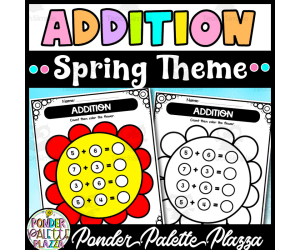
Spring Addition Worksheets - Count then color
Math, Early Math, Addition and Subtraction, Addition, Counting, Holiday & Seasonal, Seasons, Spring, Creative Arts, Graphic Arts, Kindergarten, Preschool, Grade 1, 2, 3, 4, Worksheets & Printables, Worksheets, Coloring Pages, Teacher Tools, Assessments, Lesson Plans, Activities, Centers, Crafts
Spring is in the air, and so is math, but don’t worry, it’s the fun kind! These Spring Addition Worksheets are your new seasonal sidekick, here to bring peace, productivity, and a pop of color to your classroom. Each page features two 1-digit numbers to add (think 7 + 5 or 2 + 6), keeping things simple and focused. Once students find the correct sum (up to 18), they’ll color the flower that matches , because why not sneak in a little joy with the math? Perfect for kindergarten and first grade , this no-prep packet makes your life easier and your math block smoother. No glue sticks. No cutting. Just crayons and number magic. Ways to Use It: 🌼 Morning work that gently wakes up math brains 🌼 Low-maintenance math centers 🌼 Independent practice (cue the happy hum of quiet working) 🌼 Homework that won’t get “lost” on purpose Why Teachers Love It: ✔️ Boosts addition fluency painlessly ✔️ Strengthens number sense with every problem ✔️ Combines coloring + math = win ✔️ Keeps students focused, busy, and quietly learning Let them add, let them color, and let yourself enjoy that rare moment of calm! Pdf file includes 10 pages.
Author Ponder Palette Plazza
Rating
Tags Addition, Spring Addition, Numbers, Math, Math Worksheets, Spring Math, Spring Activities, Addition Worksheets, Coloring, Spring Coloring

Geometry: Area, Volume & Surface Area - FLASH-PC
Math, Geometry, Grade 3, 4, 5, Teacher Tools, Lesson Plans
Geometry: Area, Volume & Surface Area - FLASH-PC FLASH-PC is a comprehensive teaching resource designed to enhance students' understanding of core geometrical concepts. Specifically targeted at Grade 3, Grade 4 and Grade 5 students, this product combines software and printables to help children truly comprehend the fundamentals of area, volume and surface area calculations. Educators tasked with teaching Geometry will find great value from the FLASH-PC's multi-faceted approach that includes both digital resources and hands-on tangible materials. The package contains pre-assessment tasks for gauging knowledge levels prior to instruction. A lesson plan crafted with thoughtful educational expertise. Real-world word problems for practical comprehension. Timed drills within set academic standards for focused practice. The adaptability of the Geometry Module in different settings such as whole groups in classroom, small focus groups or during dedicated one-to-one student teacher interactions adds its versatility. These resources can even be assigned as homework tasks for reinforcing learned concepts at home. Focused on Interactive Learning: Inclusion of math tools such as board games and memory match games make learning interactive while instilling key geometrical principles amongst children in an enjoyable manner. Spinner games provide a tactile way to visualize mathematical solutions are included too. In order ensure inclusivity across bilingual classrooms or homeschooled environments where Spanish language might be required the FLASH-PC comes with default English voiceover/text accompanied by Spanish substitutions. Detailed Teacher Guide: An accompanying detailed teacher guide lends pedagogical perspective while assisting seamless integration into established curricula framework leading towards solidified student learning outcomes. Innovative Assessment Tool: It concludes with access to SMART response assessment tool aiming at analytical evaluation metrics synced real-time from learner interaction driving precise future instruction. In summary, FLASH-PC module is an effective teaching aid for delivering Geometry lessons in a fun, interactive and educationally sound way to help students achieve proficiency in understanding area, volume and surface area dimensions.
Author Classroom Complete Press
Tags Software (PC)

Data Analysis & Probability: Bar Graphs - FLASH-MAC
Math, Statistics, Grade 1, 2, Teacher Tools, Lesson Plans
Data Analysis & Probability: Bar Graphs - FLASH-MAC A comprehensive teaching resource for Grade 1 and Grade 2 Math Statistics. This resource revolves around demystifying bar graphs in Data Analysis and probability through an engaging chapter mini-series. It offers: Pre- assessment segment: Aims to establish students' comprehension levels before the start of detailed lessons. Note-worthy lesson plans: Curriculum-centered content that aids understanding of complex concepts through real-world word problems. Follow-up activities: Include timed drill activities to enhance mathematical agility and understanding by actively challenging students' problem-solving skills. Incorporates games like Memory Match Game, Board Game, and Spinner Game for making learning exciting and memorable while reinforcing mathematical concepts. The teaching tool is also designed for software compatibility, suitable with Mac hardware platforms ensuring user-friendly interfaces across devices. A Note on Bilingual Learning The package is unique because it includes a Spanish voice over along with text option in addition to the default English format, catering to a diverse range of students. Educator Support Tools Techer guide, Returns helpful tips on using educational material effectively supplemented by conveniently provided printables minimizing content preparation efforts. Assessment u/>, An advanced evaluation tool not just measuring outcomes but also providing strategic improvement tips creating a holistical learning environment driven by technology-aided precision. In conclusion, Data Analysis & Probability: Bar Graphs - FLASH-MAC is a dynamic educational aide interlacing instruction, application, and assessment into one comprehensive learning experience.
Author Classroom Complete Press
Tags Software (Mac)

Geometry: Polygons - Practice the Skill 1 - FLASH-MAC
Math, Geometry, Common Core, Grade 3, 4, 5, Teacher Tools, Lesson Plans
Geometry: Polygons - Practice the Skill 1 - FLASH-MAC Software A highly interactive and engaging teaching tool, aimed at enhancing geometry learning among Grade 3 to Grade 5 pupils. Program Highlights: Constructed on solid, curriculum-based content. Promotes understanding through interactive timed drill activities that teach polygon identification. Incorporates math tools into system design for easy problem-solving. "Ensuring accessibility and inclusivity", this program features: An English voice over with text guide for auditory and visual learners alike. A Spanish version ensuring linguistic inclusivity. Educational Standards Compliance: This resource aligns seamlessly with both the Common Core State Standards (CCSS) & National Council of Teachers of Mathematics (NCTM) standards, thus complying with national education norms and providing comprehensive coverage of geometry curriculum requirements. Utilization: Whole-class teaching sessions where geometric shapes are projected on smart boards for collective identification. Small group activity sessions encouraging productive discussions about polygons. Homework assignments promoting independent study. The design incorporates 'STEM' initiatives equipping students for fields like engineering at later stages. In summary, Geometry: Polygons - Practice The Skill 1- FLASH-MAC offers high-quality instruction using diversified techniques leaving no room for obscurity around geometry's rigorous concepts!
Author Classroom Complete Press
Tags Software (Mac)

Measurement: Measuring Time - FLASH-MAC
Math, Measurements, Grade 1, 2, Teacher Tools, Lesson Plans
Measurement: Measuring Time - FLASH-MAC Measurement: Measuring Time - FLASH-MAC is a comprehensive educational resource developed primarily for grade 1 and grade 2 educators as well as homeschooling parents. This package focuses on the subject of Math, particularly Measurements. Our aim with this meticulously designed package is to simplify the task of explaining concepts related to the measurement of time to young learners. Content Offering Packed with curriculum-based content, the FLASH-MAC ensures a thorough understanding and easy assimilation of knowledge about measuring time. Teachers can benefit from using this resource in several ways thanks to its inclusivity and versatility; it can be applied in various learning scenarios – whole group instruction, small group activities or even individual homework assignments. Each set comes complete with a precursory assessment activity that enables educators to gauge students' prior understanding. A well-rounded lesson plan forms the crux of this resource allowing teachers an effective execution route for introducing these often tricky concepts. The kit also includes engaging real-world word problems which add relevance and interest while timed drill activities help reinforce knowledge and enhance speed through practice. The inclusion of math tools further assists active learning processes promoting clear comprehension. Educational Games & Tools Included within are captivating games like memory match board game and spinner game that assist in imparting practical know-how in an enjoyable manner thereby fostering enhanced retention among students. Evaluation Functionality A state-of-the-art SMART Response Assessment functionality allows educators to conduct responsive evaluations effectively tracking individual student growth over time. Multilingual Support To make things easier for teachers who might be dealing with Spanish speakers, there is a Spanish voice over along with text option included as well – helping break any language barriers that may arise during instruction. Printable Resources & Guides We conclude our features by including printable resources along with a helpful teacher guide giving teachers supplementary support during their instructional journey flying through the concept of measuring time! In conclusion, serves as an all-encompassing go-to tool serving various pedagogical needs while ensuring cross-curricular connections in your Math and Measurement lessons. Note that though specifically designed for the Mac platform, its prudent layout ensures functionality remains undeterred even if accessed via alternate software platforms.
Author Classroom Complete Press
Tags Software (Mac)
I WONDER - Where Does A Pentagon Get Its Name | Animated Video Lesson
Shapes, Early Math, Math, Geometry, Grade 3, 4, 5, 6, 7, 8, 9, Lesson Plans, Teacher Tools
Video Introduction An amazing video designed for the students to learn more about STEM. I WONDER - Where Does A Pentagon Get Its Name | Animated Video Lesson Shapes are all around us. What are your favourite ones? And can you give us some real life examples? Can you name the difference between the 2D shapes and 3D shapes? Have you ever tried to calculate the surface area of the square? If yes can you write the equation down? What is the perimeter of the rectangle? And can you tell the difference between radius and diameter of a circle? Can you mention what is the difference between the right angle and the acute angle? Have you ever heard about the obtuse angle? I WONDER - Where Does A Pentagon Get Its Name | Animated Video Lesson The video is perfect for encouraging the researching skills for the students, while learning more about this fantastic topic. I WONDER - Where Does A Pentagon Get Its Name | Animated Video Lesson This friendly designed video is suitable for students at school, homeschooling, and as a group activity. Format Available in MP4 format.
Author Educational Voice
Rating
Tags Where Does A Pentagon Get Its Name, Pentagon, Pentagon Facts, Pentagon Video, Pentagon Video For Kids, Pentagon Facts For Kids, Pentagon Shape, Pentagon Name, Shapes Video For Kids

Bushel Basket of Apples Curriculum Pack
Creative Arts, Art, ELA, Math, Early Math, Science, Basic Science, Kindergarten, Lesson Plans, Teacher Tools
If your students are studying fruits or are about to begin an apple unit, I have just the resource to provide you with everything you need and more! This is a Bushel Basket of Apples Curriculum Pack complete with an abundance of printable resources and engaging activities for students to complete. This curriculum was designed for your preschool students. The curriculum goal is to impart information related to the curriculum theme of apples, while incorporating skill-building activities and concepts. The vocabulary that students will focus on is apples, orchard, fruit, Macintosh, Granny Smith, harvest, slice, nutritious, peel, and core. This curriculum will come with a letter of the week (A) and colors of the week (red, yellow, and green). This curriculum pack includes: --Sensory Table Ideas --Art Activities --Cooking Experience --Community Time --Math Activities --Home/School Connection Ideas --Science Table Enrichments --Science Concepts/Activities --Prop Box Ideas/Dramatic Play Enrichments --Movement and Motor --Playground/Walk Activities --Transition/Waiting Ideas --Block Area Enrichments --Flannel Board --Teacher Made Enrichment Ideas --Field Trip Ideas --Supplemental Learning Ideas/Activities At the start of this pack, you will receive a list of supplies needed for activities and projects. The worksheets, activities, and tasks included in this pack are intended to be completed in a variety of formats – whole group, small group, and independent work. I hope you enjoy!
Author Learning Foundations
Tags Transition Ideas, Apples, Curriculum, Flannel Board, Bulletin Board Ideas, Enrichment Ideas, Pretend Play, Science Experiments, Learning Foundations

Year 1 End-of-Term Mathematics Review Pack | Australian Curriculum
Math, Grade 1, Lesson Plans, Teacher Tools, Assessments, Worksheets & Printables
Year 1 End-of-Term Mathematics Review Workbook Pack | Australian Curriculum Looking for a Year 1 Maths Review Workbook that makes end-of-term revision simple, meaningful, and stress-free? This no-prep maths review pack gives students targeted practice with essential Year 1 skills while helping teachers quickly see what learners have mastered. Perfect for revision weeks, assessment preparation, homework, fast finishers, or independent maths practice, this Year 1 Maths Review Workbook is aligned with Australian Curriculum v9.0 Mathematics skills. What’s Included ✅ 55-page printable student workbook ✅ Teacher’s Guide with planning support ✅ Complete answer key for easy marking ✅ End-of-Term Review Challenge ✅ Student progress chart ✅ Family support page ✅ Certificate of achievement Maths topics included: ⭐ Addition & subtraction within 20 ⭐ Number bonds and fact families ⭐ Place value to 120 ⭐ Tens and ones ⭐ Skip counting patterns ⭐ Measurement using informal units ⭐ Mass and capacity comparisons ⭐ Time to the hour and half-hour ⭐ 2D and 3D shapes ⭐ Data, graphs, and word problems How It Works in the Classroom Use this Year 1 Maths Review Workbook for: ✔ End-of-term maths revision ✔ Morning work ✔ Independent practice ✔ Small group intervention ✔ Homework packets ✔ Assessment evidence ✔ Early finisher activities ✔ Holiday review packs Each section begins with confidence-building activities, moves into skill practice, and finishes with problem-solving tasks so students can show deeper understanding. Standards & Learning Goals Aligned with Australian Curriculum v9.0 Mathematics (Year 1) skills including: • Adding and subtracting within 20 • Representing and ordering numbers • Partitioning numbers into tens and ones • Recognising and creating patterns • Comparing measurement attributes • Reading simple times • Identifying shapes and features • Collecting and interpreting data • Solving practical word problems Students strengthen fluency, reasoning, and problem-solving while reviewing the major Year 1 maths concepts. Why Teachers Love It ❤️ Saves planning time with ready-to-print pages ❤️ Covers multiple maths strands in one resource ❤️ Includes answers for quick checking ❤️ Supports differentiation with challenges and review tasks ❤️ Helps identify areas needing reteaching ❤️ Great evidence for reporting and parent conversations This complete Year 1 Mathematics Review Pack gives you everything needed for an organized, engaging, and purposeful end-of-term review. Download today and make maths revision easier for you and your students!
Author Bright Classroom Ideas Marketplace
Rating
Tags Math, Australia, End-of-term, Review, Winter, Lesson

First Week of School Grade 7 | No-Prep Worksheets
ELA, Math, Grade 7, Lesson Plans, Teacher Tools, Worksheets & Printables
First Week of School Grade 7 | No-Prep Worksheets Help students make a confident transition into middle school with this First Week of School Activities for 7th Grade resource! This no-prep back-to-school packet combines math, literacy, writing, collaboration, and social-emotional learning activities to help students build classroom community while reviewing essential sixth-grade concepts. Through five engaging days of learning, students strengthen academic skills, establish routines, and start the year with confidence. What’s Included ✅ 30-page student workbook ✅ 5 ready-to-teach themed learning days ✅ Comprehensive Teacher Guide ✅ Complete Answer Key ✅ Student introduction activities ✅ Summer narrative writing ✅ SMART goal-setting activities ✅ Rates and rational number review ✅ Classroom community-building activities ✅ Linear expressions practice ✅ Proportional relationships activities ✅ Graphing proportional relationships ✅ Argument writing prompts ✅ Student interviews ✅ Collaboration and conflict-resolution activities ✅ Rational number operations ✅ Percent applications and real-world math ✅ Two-step equations and inequalities ✅ Geometry activities with circles and angles ✅ Data analysis and probability ✅ Phrases and clauses practice ✅ Sentence types review ✅ Word meaning and connotation activities ✅ Greek and Latin roots ✅ Figurative language practice ✅ Central idea and evidence activities ✅ End-of-week certificate ✅ No-prep print-and-go format How It Works in the Classroom This 7th Grade First Week of School Packet is organized into five engaging instructional days that help students review foundational skills while building relationships and classroom expectations. Day 1: Welcome & Goals Student introductions Summer narrative writing SMART goals Rates and percents Rational numbers Day 2: Classroom & Community Classroom values and expectations Linear expressions Proportional relationships Graphing proportional relationships Mathematical reasoning Day 3: Collaboration Argument writing Student interviews Team-building activities Conflict resolution Communication skills Day 4: Number Sense Rational number operations Percent applications Two-step equations Inequalities Geometry with circles and angles Data analysis and probability Day 5: Language & Literacy Phrases and clauses Sentence types Word meaning and connotation Roots and affixes Figurative language Central idea and evidence Perfect for: Back-to-school lessons Advisory periods Bell ringers Independent practice Whole-group instruction Small-group learning Skill review Informal assessments Early finisher activities The included teacher guide provides lesson plans, pacing suggestions, discussion prompts, differentiation strategies, and implementation support for every day of instruction. Standards & Learning Goals Students will practice: ⭐ Narrative writing ⭐ Argument writing ⭐ SMART goal setting ⭐ Rates and unit rates ⭐ Rational numbers ⭐ Linear expressions ⭐ Expanding and factoring expressions ⭐ Proportional relationships ⭐ Graphing and interpreting data ⭐ Collaboration and teamwork ⭐ Conflict resolution ⭐ Percent applications ⭐ Two-step equations and inequalities ⭐ Geometry concepts ⭐ Area and circumference of circles ⭐ Probability and statistics ⭐ Phrases and clauses ⭐ Sentence structure ⭐ Word meaning and connotation ⭐ Greek and Latin roots ⭐ Figurative language ⭐ Central idea and supporting evidence ⭐ Critical thinking and problem-solving skills This resource reviews important sixth-grade skills while preparing students for the rigor and expectations of seventh-grade mathematics, literacy, and collaborative learning. Why Teachers Love It ❤️ No prep required ❤️ Designed specifically for middle school learners ❤️ Covers the entire first week of school ❤️ Integrates math, literacy, writing, and SEL ❤️ Encourages student ownership and accountability ❤️ Builds classroom culture and positive relationships ❤️ Includes teacher guide and answer key ❤️ Reviews prerequisite skills before new instruction begins ❤️ Provides opportunities for informal assessment ❤️ Supports classroom routines and expectations ❤️ Includes built-in differentiation strategies ❤️ Promotes collaboration, communication, and critical thinking Created specifically for seventh-grade students, this resource balances academic review with relationship-building activities to help teachers create a productive, welcoming classroom environment during the crucial first week of school. Give your students a strong start to the school year with this First Week of School Activities for 7th Grade packet! Build classroom community, reinforce essential academic skills, and establish a positive learning environment that supports student success from the very first day.
Author Bright Classroom Ideas Marketplace
Rating
Tags Back To School, Ela, Math, Lesson, Plan, Worksheet, First Week

Measurement: Volume & Surface Area - FLASH-PC
Math, Measurements, Grade 3, 4, 5, Teacher Tools, Lesson Plans
An Overview of FLASH-PC: Measurement - Volume & Surface Area Teachers looking to deepen the understanding of their students in concepts related to Measurements, specifically volume and surface area will find FLASH-PC an instrumental software package. Not only does it aim at enhancing learners' comprehension but consistently assesses their learning progress. What's in the Package? A Comprehensive Lesson Plan: Apt for third to fifth-grade students, it provides a clear guideline for effective teaching of such critical mathematical concepts. Assessment Materials: The package includes pre- assessment tools which lessen preparation burdens on teachers. Presentation of Real-World Problems: Questions derived from daily scenarios are included which instill practical knowledge among learners while helping them sharpen their problem-solving skills. Growth-Stimulating Activities:: For quick-thinking stimulation or serving as homework assignments or quizzes, timed drill activities are offered within this package. Making Learning Fun and Interactive The unique characteristic about this FLASH-PC resource is its inclusion of engaging games—like memory match game, board game and spinner game—which make learning fun while enhancing volume and surface area comprehension among children. These games are flexible enough to cater both small groups needing focused attention during class or whole class involvement during math periods. Aiding Classroom Teaching Effectively This package also incorporates supplementary tools like math instruments essential for measuring lessons related to volume and surface area ensuring every necessary assistance needed by teachers is available when required. Detailed Teacher Guides & Printables : Equipped with adequate instructions on proper usage alongside printables for ensuring error-free implementation of lesson plans. Language Inclusivity Considering the diverse language needs within a classroom, the product not only contains default English text and voice-over but also includes a Spanish voice-over, making mathematical learning inclusive for all! To Conclude The Measurement: Volume & Surface Area – FLASH-PC resource serves as an instrumental medium providing resources in one accessible file. It enhances math lessons thereby aiding in creating a progressively fruitful learning journey for every student.
Author Classroom Complete Press
Tags Software (PC)
Number & Operations: Percentages with Fractions - Practice the Skill 2 - FLASH-MAC
Math, Percentages, Common Core, Grade 3, 4, 5, Teacher Tools, Lesson Plans
Number & Operations: Percentages with Fractions - Practice the Skill 2 - FLASH-MAC The Number & Operations: Percentages with Fractions - Practice the Skill 2 - FLASH-MAC resource is an exceptional teaching tool designed to empower educators in their mathematics education initiatives. As its name suggests, this product offers insight into fractions and percentages, cornerstones of numerical representation and calculation. This resource stands as a formidable instrument for Grades 3 through 5. The Product’s alignment with Educational Guidelines: In line with Common Core State Standards Reflects STEM principles Conforms to guidelines set by the NCTM (National Council of Teachers of Mathematics) Each drill carefully asks students to find fraction equivalents for the provided percentages. This method keeps learning interactive while enforcing important mathematical concepts and ensuring these skills are honed over time. Bilingual Facility: A distinguishing feature of this product is its bilingual facilities – not only does it come standard with English voice over and text instructions but also includes Spanish versions too! Modularity: A significant advantage lies in its modularity – instructors can utilize this invaluable resource in different ways based on their needs or student preferences; whether as a group assignment during class hours or an interactive homework task for individual learners at home. It affords teachers much-needed versatility without compromising instructional quality. Digital Platform Compatibility: The Number & Operations: Percentages with Fractions - Practice the Skill 2 - FLASH-MAC lesson plans come packaged as Software (Mac) files which ensures seamless compatibility across platforms favored by teachers everywhere! Nevertheless, among all its virtues perhaps one stands tallest; like any good teacher our software guide encourages curiosity while equipping young minds to figure things out on their own—truly embodying learning through discovery!
Author Classroom Complete Press
Tags Software (Mac)
I WONDER - What Is A Cuboid | Animated Video Lesson
STEM, Math, Geometry, Grade 1, 2, 3, 4, 5, 6, 7, 8, Lesson Plans, Teacher Tools
Video Introduction An amazing video designed for the students to learn more about STEM. I WONDER - What Is A Cuboid | Animated Video Lesson Do you like STEM subjects? what is your favorite one? Have you ever tried to plant a seed? If yes, tell us more about it. Or have you ever tried to invent something? If yes, tell us more about it. And how do you think it will help us? Have you ever seen a microorganism under a microscope? What was it? And how it looked like? Mathematics is a marvelous subject. Let' sharpen our brains and solve some equations. Do you like timetable tricks? What is your favorite one? Do you know how to code? Have you ever created an app or a game before? If yes, how was it like? I WONDER - What Is A Cuboid | Animated Video Lesson The video is perfect for encouraging the researching skills for the students, while learning more about this fantastic topic. I WONDER - What Is A Cuboid | Animated Video Lesson This friendly designed video is suitable for students at school, homeschooling, and as a group activity. Format Available in MP4 format.
Author Educational Voice
Tags What Is A Cuboid, What Is A Cuboid Video, Cuboid, Cuboid Video, Cuboid Video For Kids, Cuboid Facts, Cuboid Facts For Kids, Cuboids, Shapes, Shapes For Kids
Measurement: Perimeter & Area - Learn the Skill - FLASH-MAC
Math, Measurements, Common Core, Grade 3, 4, 5, Teacher Tools, Lesson Plans
Measurement: Perimeter & Area - Learn the Skill - FLASH-MAC The Measurement: Perimeter & Area is a carefully crafted chapter mini designed to enrich Mathematics learning for Grades 3 to 5, focusing specifically on teaching the perimeter and area of measurements. Structured around real-world word problems , it enables better comprehension by linking theoretical knowledge with practical scenarios. This product features built-in Math tools for instrumental assistance during lessons. Compatible with Mac software, it serves as a useful tool not just in whole group or small group setups but even in distance learning contexts where physical materials are inaccessible. Standards Compliance and Ensured Quality Built compliant with Common Core State Standards and STEM initiatives In conformity with National Council of Teachers of Mathematics (NCTM) guidelines Suitable for homeschoolers keen about maintaining educational standards at home Linguistic Diversity Taking into account diverse language competence among learners, this product includes English voice-over instructional tools along with text aids. A Spanish version is also provided making this resource inclusive within your classroom setting. Add Measurement: Perimeter & Area – Learn The Skill – FLASH-MAC as an essential tool in your measurement topics delivery today!
Author Classroom Complete Press
Tags Software (Mac)
Algebra: Ordering & Grouping - Practice the Skill 2 - MAC Software
Math, Algebra, Common Core, Kindergarten, Preschool, Grade 1, 2, Teacher Tools, Lesson Plans
Algebra: Ordering & Grouping - Practice the Skill 2 - MAC Software Offering a solid, straightforward approach to enrich understanding of Ordering and Grouping in Algebra. This resource serves as a mini-chapter packed with timely drill activities that foster hands-on learning. This curriculum -aligned software is efficient for instructing students on describing relationships between provided numbers. Learners practice using greater than (>), less than (<), or equal to (=) symbols through repetitive drills, enabling them to grasp these mathematical comparisons embedded in algebra effectively. Multi-Language Support: Available in both English and Spanish voice over together with text versions fostering inclusivity during lessons. Audience:Caters primarily towards preschoolers through second graders. Versatility:Ideal for both public school teachers and homeschooler educators alike. Can be used during whole group instruction or even as homework assignments Fellowshipping contemporary academic standards, it aligns with the Common Core State Standards , supports STEM initiatives and follows NCTM guidelines– providing confidence about its relevance against contemporary education benchmarks. Packaged as a zip file compatible with MAC devices; ease-of-use meets effectiveness making algebraic teaching all the more manageable! Introducing "Algebra: Ordering & Grouping - Practice the Skill 2" - MAC Software, an exceptional tool for tackling foundational algebra topics!
Author Classroom Complete Press
Tags Algebra Lesson, Ordering Numbers, Grouping Objects, Math Skills, Digital Lesson
Number & Operations: Fractions - Addition & Subtraction - Learn the Skill - FLASH-MAC
Math, Fractions, Common Core, Grade 3, 4, 5, Teacher Tools, Lesson Plans
FLASH-MAC: Number & Operations: Fractions - Addition & Subtraction - Learn the Skill This teaching resource delivers comprehensive education on adding and subtracting fractions. Primarily designed for grades 3-5, it explores key mathematical concepts in number operations. Curriculum-based Learning This curriculum-based chapter mini program offers real-world problem-solving experiences to help students understand the arithmetic of fractions. Emphasis is more on understanding addition and subtraction techniques within relatable scenarios, furthermore enhancing their problem-solving ability using different math tools provided in this resource. Dual Language Capability The product features English voice-over and text as default along with a Spanish option, ensuring diverse learners' needs are met. Focused Lesson Plans This educational tool meets Common Core State Standards echoing nationally recognized norms for Focused Lesson Plans across all states. It can be used effectively across whole group discussions or even smaller subgroup brainstorm sessions due to its comprehensive design. Digital Format Accessibility A standout feature of this product is its accessibility through Mac software, which enables seamless integration into digital classrooms or homeschooling setups. Furthermore, it also provides homework assignment opportunities to users free from physical limitations! In Conclusion... Tutors seeking reliable teaching resources will undoubtedly find FLASH-MAC helpful. This resource not only offers students insights into fractal arithmetic but also enhances their critical thinking skills applicable in overlooked everyday situations!
Author Classroom Complete Press
Tags Software (Mac)

Fractions for Grade 3
Fractions, Math, Grade 3, Lesson Plans, Teacher Tools, Presentations, Worksheets, Worksheets & Printables
The components of a whole or group of items are represented by fractions. There are two components to a fraction. The numerator is the number at the top of the line. It indicates the number of equal portions picked from the entire collection. The denominator is the number that is below the line. It displays the total number of identical items in a collection or the total number of equal portions into which the whole is divided. The number of pieces we take is a fraction when the total is divided into equal parts. A cake is considered to have 1/8 of the cake on each dish if it is cut into eight equal pieces and one piece is put on each plate. It is read as ‘one-eighth’ or ‘1 by 8’. This ebook is an gradual and easy introduction to fractions. It is designed especially for Grade 3. There re many colourful activities included, and their answers are provided at the end.
Author Bright Classroom Ideas Marketplace
Rating
Tags Fraction, Math, Grade 3
Evaluating Open Source Evidence (OSINT)
Math, Measurements, Money, Statistics, Time, Business, Life Studies, Finance, Career, Home Economics, Grade 6, 7, 8, 9, 10, 11, 12, Worksheets & Printables, Workbooks, Worksheets, Word Searches, Teacher Tools, Assessments, Lesson Plans, Quizzes and Tests, Quizzes, Tests
Transform your students from passive consumers of information into sharp, critical digital investigators! In an age of corporate greenwashing and slick marketing, this comprehensive curriculum on Open Source Intelligence (OSINT) equips high school students with the essential skills to pierce the veil of public relations and uncover factual truth. This is not your average media literacy lesson. This is a deep dive into the real-world tools used by journalists and investigators to hold powerful entities accountable. Students will learn to navigate complex public databases, deconstruct corporate narratives, and synthesize evidence to form their own reasoned conclusions. Move beyond discussing "fake news" and empower your students to actively verify information using primary source data from the SEC, EPA, OSHA, and more. This complete, no-prep unit is perfect for Civics, Economics, Media Literacy, Journalism, and AP-level courses. It's meticulously structured into three phases: Introduction & Methodology: Four engaging chapters that build the theoretical foundation of corporate OSINT, introducing key databases and the C.O.R.E. investigative methodology. Student Workbook: Ten rigorous worksheets, including a final capstone investigation, that turn theory into practice. Students will tackle real-world scenarios, analyze mock press releases, and get hands-on experience with database research. Teacher Resources: Everything you need to teach with confidence, including visual aids (flowcharts and diagrams), a comprehensive answer key with model answers and grading rubrics, and a detailed Teacher Implementation Guide covering pacing, instructional strategies, and crucial ethical frameworks. Equip your students with the 21st-century's most vital skill: the ability to think critically and verify everything. Keywords: Media Literacy, OSINT, Open Source Intelligence, Critical Thinking, Digital Citizenship, Fact-Checking, Corporate Accountability, High School, Research Skills, Civics, AP Government, Economics, Journalism, Fake News, Primary Source, Data Analysis, SEC EDGAR, EPA, Project-Based Learning, No-Prep, Curriculum. Why Parents/Schools Love It: Builds Real-World Skills: This curriculum teaches practical, 21st-century skills in critical thinking, data analysis, and digital verification that are directly applicable to college, careers, and informed citizenship. Comprehensive & Teacher-Friendly: It is a complete, ready-to-use package with student-facing material, visual aids, and a robust teacher guide with answer keys and rubrics, saving educators dozens of hours of prep time. Promotes Ethical Digital Citizenship: The dedicated "Ethical Frameworks" section ensures students learn to use these powerful skills responsibly, focusing on verification and accountability, not online vigilantism. Engaging & Relevant Content: Students investigate timely, relevant issues like environmental claims ("greenwashing") and labor practices, making learning more dynamic and impactful than a standard textbook. Cross-Curricular Application: Its versatile design allows it to be seamlessly integrated into multiple subjects, including Social Studies, English Language Arts, and even STEM, making it a valuable resource for an entire school. Target Audience Analysis : Based on the advanced vocabulary ("epistemological," "fiduciary duty"), complex subject matter (SEC filings, lobbying disclosures), and the explicit "Teacher Implementation Guide" on page 33, this PDF is targeted at: Grade Level: Advanced High School (Grades 10-12) and potentially introductory College/University students. The guide mentions 8th grade, but the content is most suitable for older, more mature students. Specific Classes: AP Government / Civics: Perfect for units on corporate influence, lobbying, and regulatory agencies. Economics: Excellent for analyzing corporate finance, risk, and the gap between marketing and financial reality (Form 10-K). Media Literacy / Digital Citizenship: A cornerstone unit for teaching students to be critical consumers and verifiers of online information. Journalism: An essential, practical toolkit for aspiring investigative reporters. Advanced English / Rhetoric: A fantastic resource for analyzing non-fiction texts (corporate PR vs. legal filings) and understanding persuasive strategies. Computer Science: Can be used in a data literacy or data ethics context, teaching students how to query and interpret structured data from public databases. Copyright/Terms of Use: This Book was copyrighted by Syed Hammad Rizvi. This resource is for personal and single classroom use only. You may not alter, redistribute, or sell any part of this resource. In other words, you may not put it on the Internet where it could be publicly found and downloaded. If you want to share this resource with colleagues, please purchase additional licenses from Teachsimple. Thank you for respecting these terms of use. This product is happily brought to you by Syed Hammad Rizvi
Author Creative Book Store
Rating
Tags OSINT, OpenSourceIntelligence, MediaLiteracy, FactChecking, DigitalLiteracy, CorporateAccountability, VerifyingSources, OSINTforEducation, InvestigativeJournalism, DataLiteracy

Multiplication Practice Worksheets
Math, Multiplication and Division, Multiplication, Early Math, Basic Operations, Grade 1, 2, 3, 4, 5, 6, Activities, Teacher Tools, Assessments, Centers, Lesson Plans
Tired of hearing groans when it's multiplication time? These Multiplication Practice Worksheets turn “I don’t get it” into “I’ve got this!” With 36 pages of targeted practice, this resource is your secret weapon for building math confidence one problem at a time. Whether you’re tackling the times tables for the first time or reinforcing skills, these worksheets make math mastery achievable, and dare we say, enjoyable. Ways to Use: Daily Practice: Perfect for warm-ups, homework, or quick reviews. Math Centers: Keep students busy with purposeful practice during rotations. Test Prep: Ace those standardized tests with solid multiplication foundations. Early Finishers: Say goodbye to “I’m done! Now what?” chaos. Independent Work: Ideal for strengthening focus and self-reliance. Advantages: Comprehensive Coverage: All the key multiplication facts from 1 to 12, drilled to perfection. Engaging Design: Clean, easy-to-read layouts, because nobody needs extra math anxiety. No Prep Needed: Print and teach, spend less time prepping and more time sipping coffee. Flexible Use: Tailor it to fit your classroom schedule and needs. Confidence Boosting: Watch students go from struggling to “Look, I can do it!” Bring out the multiplication rock stars in your class with this no-nonsense, all-practice resource. Say goodbye to “Math is hard” and hello to “I’m crushing it!” Enjoy!
Author Ponder Palette Plazza
Tags Multiplication, Multiplication Worksheets, Multiplication Practice, Math Worksheets, Math Test, Multiplication Test, Mental Math, Basic Operations
Measurement: Measuring Weight - Learn the Skill - PC Software
Math, Measurements, Common Core, Kindergarten, Preschool, Grade 1, 2, Teacher Tools, Lesson Plans
"Measurement: Measuring Weight - Learn the Skill PC Software" Whether teaching in a traditional classroom or searching for resources as a homeschooler, this software constitutes an effective educational tool. It's designed to assist students from Preschool to Grade 2 in mastering weight measurements. Key features: Introduces key components of measuring weight via curriculum-based content and real-world applications Fosters analytical thinking and enhances problem-solving abilities Includes math tools designed specifically for elementary-aged students Accommodates both English and Spanish speakers with default voice over options and text. This software aligns perfectly with the benchmarks set by the Common Core State Standards and National Council of Teachers of Mathematics (NCTM). Ensuring your students are on track with nationwide learning objectives. "How adaptable is it?" It either supports collective instruction during whole group sessions or complements well during small group discussions or even individual homework assignments that demand mastery over these skills. Note: The software is delivered in a zip file format compatible with PC operating systems. Your enriching learning experience is thus accessible at any time while being highly customizable to unique classroom settings or individual needs. Boost your child's math fluency through innovative integration between technology & hand-picked curriculum-oriented problems & lessons by using 'Measurement: Measuring Weight - Learn-the-Skill PC Software'.
Author Classroom Complete Press
Tags Math Lesson Plan, Measurement Lesson, Digital Math, Weight, Math Skills