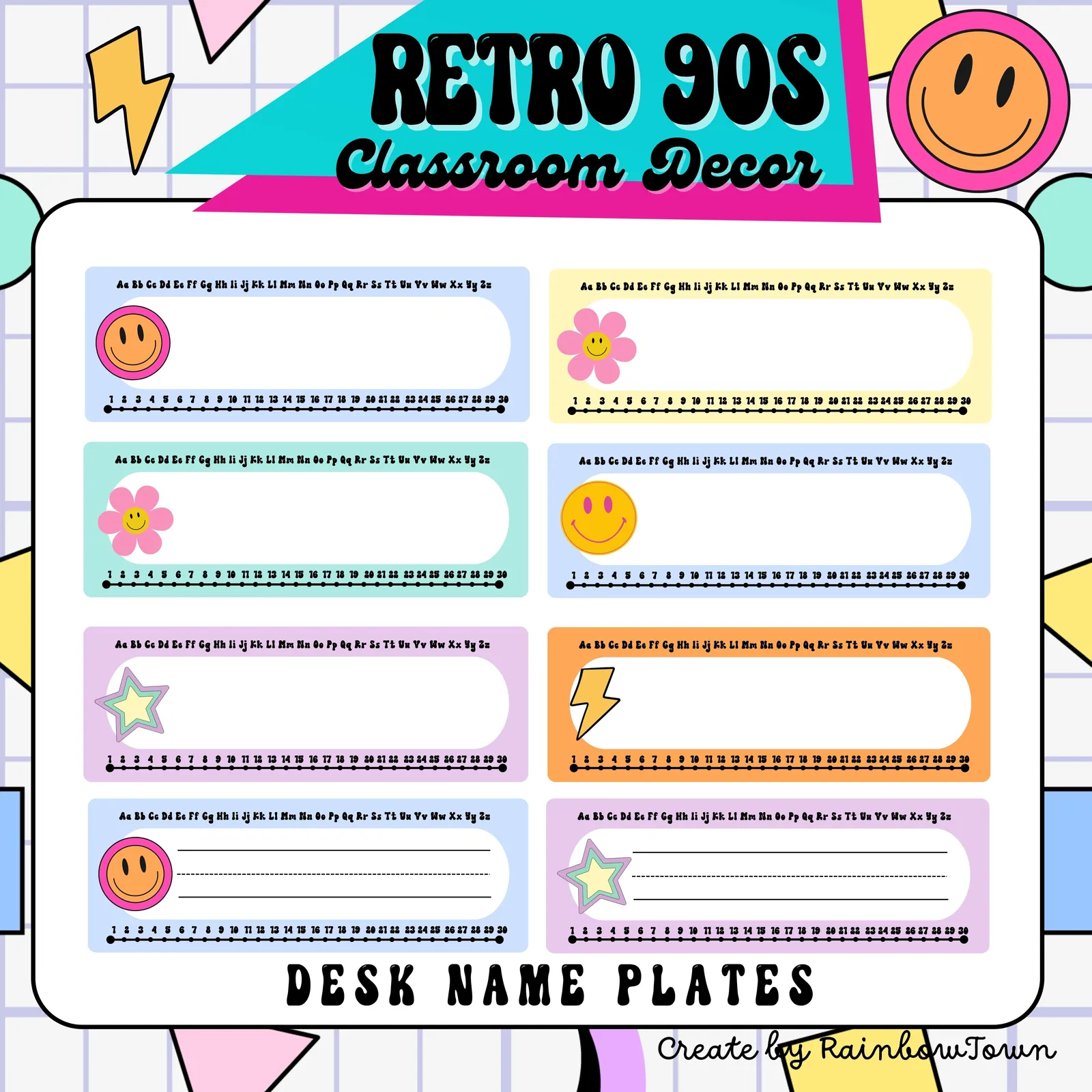
90s Retro Theme Student Desk Name Plates Editable
- Grades
- Not Grade Specific
- Pages
- 16
- File type
- Multiple File Types
- Editable
- Yes


- Subject
- Classroom Management
- Topic
- Desk name plates, Alphabet strip
- Resource types
- Classroom Decor, Teacher Tools
- Editable
- Yes
Product description
From the author
Editable Desk Name Plates
90s Retro Classroom Decor
What’s included :
- Blank Templates for adding your customized fonts and colors
Instructions for use :
- Each page is the size of 8.5 x 11 (US Letter paper)
- Format files: PPT file for Editable and PDF file for Print and Hand Write
- You must have PowerPoint or Google Slides to use the editable version
- Editable refers to the text within the file being customizable. Images and color palettes are not editable.
- Personal use only
Related resources
More resources teachers may find useful
24 related resources were found using this product's title, contributor, categories and tags.


In the classroom
Teaching tips & learning objectives

Teaching tips
Type names into the PowerPoint placeholders when the class needs matching printed plates; the PDF is the faster route when names are going to be written in by hand.
The lined deck suits a class still forming letters and the unlined deck suits older students, since the two editable files are otherwise identical in layout.
Laminating keeps the Aa to Zz strip and the 1 to 30 number line usable as a desk reference through the year rather than as a name label alone.

No reviews yet
Downloaded this resource? Tell other teachers how it went.
Resource details
Topics covered
 Topics
Explore more
Categories this resource belongs to
Explore related searches
More to explore
You may also like