Create your own bookmarks - 42 Editable Bookmarks - Nature #1


About This Product
Create your own bookmarks - 42 Editable Bookmarks - Nature #1
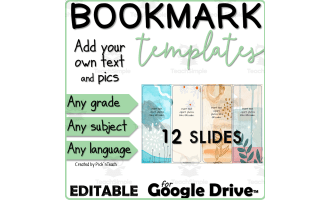
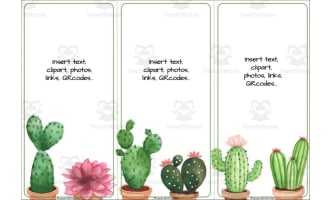
This resource is a set of 42 EDITABLE bookmarks (3 bookmarks per page).
They were designed for ANY CLASS, ANY SUBJECT, ANY GRADE, ANY LANGUAGE.
They can be used by the teacher and the students. My students really love to create their own bookmarks !
With this Create your own bookmarks - 42 Editable Bookmarks - Nature #1 All you have to do is edit the bookmarks and print them out:
- Add text, clip art images, shapes, photos, drawings, charts, graphics, QR codes, tables…
- Copy / paste your notes, lessons, directions, activities… or type original text.
- Choose your fonts, your colors, your sizes…
- Save as pdf and print the size you like
How to use this Create your own bookmarks - 42 Editable Bookmarks - Nature #1:
Use them as presents for Earth Day, Easter, Back to school, spring, Thanksgiving... birthdays, school trips, parents night... Mother's Day, Father's Day... ANY OCCASION
Provide reading tips, useful expressions... punchcard bookmarks, library bookmarks, vocabulary, grammar, operations, revision bookmarks...
Have your students write or type poems, notes... for their classmates, parents, teachers...
The possibilities are endless with this Create your own bookmarks - 42 Editable Bookmarks - Nature #1!
Format: PowerPoint
Please note:
The clip art images used in this resource belong to their owners (see CREDITS page) and are not editable (background, frames and clip art images).
For similar resources and engaging activities for your students, visit my store HERE !
What's Included
Content: 1 PowerPoint with 14 editable slides
- 42 templates to use year after year
- 14 slides with different layouts for each bookmark
- 3 bookmarks per slide
- Lines for easy cutting
- The text boxes were already made for you - you can add more and move them where needed.
0 Reviews
Check out these other great products