search
user.png
vertical menu

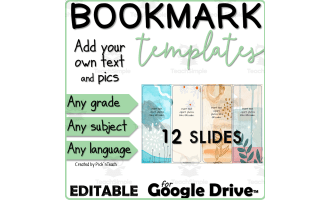
33 editable BOOKMARKS for students and teachers "Nature"

33 editable BOOKMARKS for students and teachers "Nature" preview
33 editable BOOKMARKS for students and teachers "Nature" preview 2
33 editable BOOKMARKS for students and teachers "Nature" preview 3

Look Inside · 9 pages

How to use this resource: make a backup copy, choose and copy slides, edit fonts, download as PDF and print
Instructions page before the bookmark templates
Google Drive steps to save the bookmark slides as a PDF: File > Download as > PDF document, with a menu screenshot
Google Slides to PDF conversion steps
Google Drive steps to save the slides in PowerPoint format: File > Download as > Microsoft PowerPoint (.pptx)
Google Slides to PowerPoint conversion steps
Google Drive tips for using the templates: how to insert text, images, videos and audio in Google Slides
Google Slides editing tips for the templates
PowerPoint tips for using the templates: how to insert text, pictures, videos, audio and a link
PowerPoint editing tips for the templates
Movable bullets to select, copy and paste onto the bookmarks: 48 icons such as arrows, a clock, a star and a globe
Icon bullets to add to the bookmark designs
Bookmarks 1–3: editable templates with yellow flowers and blue leaves and the prompt 'Insert text, clipart, photos'
First template slide, three bookmarks to cut apart
Bookmarks 7–9: line-art templates with daisies, peonies and leaves on cream, ready for text, photos or links
Third template slide in the bookmark set
Bookmarks 10–12: watercolor templates with coral, teal and yellow wildflowers and space to add text or clipart
Fourth of the 11 template slides
Attributes
Subject
Editable
Yes
Author
Pick'n Teach
Rating
Add To Collection
Add to collection Add to collection

About This Product

33 editable BOOKMARKS

They were designed for ANY CLASS, ANY SUBJECT, ANY GRADE, ANY LANGUAGE.

These 33 BOOKMARK templates can be used by the teacher and the students.

My students really love to create their own bookmarks !

All you have to do is edit the bookmarks with text, links, QR codes, photos, clipart, graphics and more - and then print !

Content:

  • 33 templates to use year after year

  • 11 slides with different layouts for each bookmark

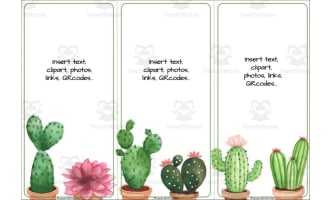
  • 3 bookmarks / slide

  • Lines for easy cutting

  • The text boxes were already made for you - you can add more and move them where needed.

How to use:

Use them as presents for Christmas, Easter, Back to school, spring, Earth Day, Thanksgiving, birthdays, school trips, parents, night... for ANY OCCASION !

Provide reading tips, useful expressions... punchcard bookmarks, library bookmarks, vocabulary, grammar, operation, revision bookmarks...

Have your students write or type poems, notes... for their classmates, parents, teachers...

The possibilities are endless !

Format: PowerPoint

  • Add text, clip art images, shapes, photos, drawings, charts, graphics, QR codes, tables…

  • Copy / paste your notes, lessons, directions, activities… or type original text.

  • Choose your fonts, your colors, your sizes…

  • Save as pdf and print the size you like

Please note:

The clip art images used in this resource belong to their owners and are not editable (background, frames and clip art images).

For similar resources and engaging activities for your students, visit my page HERE !

0 Reviews

Explore related searches
you may also like...

Check out these other great products