search
user.png
vertical menu

Photoshop Series Booklet

Photoshop Series Booklet preview
Photoshop Series Booklet preview 2
Photoshop Series Booklet preview 3
Photoshop Series Booklet preview 4
Photoshop Series Booklet preview 5

Look Inside · 10 pages

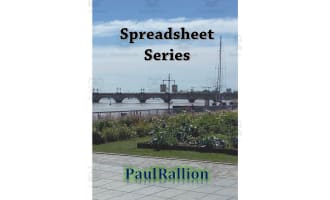
Cover of the Photoshop teaching booklet, titled 'Photoshop Series' and credited to author Paul Rallion
Front cover of the Photoshop booklet
Handout 11 introduces Photoshop basics: saving an original copy, cropping pictures, adding text, and Undo
Lesson 11: Basic Photoshop tasks
Lesson 11 assignments include a scan, crop, and text project, four homework questions, and a four-question quiz
Project, homework, and sample quiz for lesson 11
Handout 12 explains the Photoshop toolbar with labeled tools, hidden tool groups, and ways to move the panel
Lesson 12: Toolbar guide and labeled tools
Lesson 12 assignments ask students to try unfamiliar tools and answer homework and quiz questions on the toolbar
Project, homework, and sample quiz for lesson 12
Handout 13 teaches copying originals, using layers and filters, adjusting color or brightness, and resizing
Lesson 13: Adjusting pictures
Lesson 13 assigns filter practice, followed by homework and quiz questions about copies, layers, and resizing
Project, homework, and sample quiz for lesson 13
Handout 14 teaches red-eye correction, blemish removal, and old photo restoration with before-and-after portraits
Lesson 14: Retouching and restoring pictures
Lesson 14 assigns scanning and retouching an old photo, plus homework and a quiz on red-eye and blemishes
Project, homework, and sample quiz for lesson 14
Handout 15 gives seven steps for changing a photo background using selection, moving, resizing, and saving
Lesson 15: Changing a picture's background
Attributes
Add To Collection
Add to collection Add to collection

About This Product

This is a Photoshop Series Booklet that comes with 6 different focus pages to engage your computer students in.


There are 6 objectives for students to complete:

-- You will learn how to perform basic tasks in Photoshop®.

-- You will learn the tools of Photoshop’s toolbar.

-- You will learn how to adjust a picture in Photoshop®.

-- You will learn how to retouch a picture in Photoshop®.

-- You will learn how to change the background of a picture with Photoshop®.

-- You will learn how to add color to a black and white picture in Photoshop®.


Each handout will be 2 pages long and include the following:

-- Objective

-- Mini-Lesson

-- Class Assignment

-- Homework Assignment

-- Sample Quiz


The class assignments can be completed independently or with a partner. The homework assignments and sample quizzes will each consist of 2-4 questions.


I hope you enjoy!


Take A Look at My Best Sellers:

”Classes Re-Zoomed” eBook 

“10 Tips to Become a National Board Certified Teacher” eBook

15 Computer Tips eBook

Visiting London eBook

Spanish: Middle School Parents eBook

“Growing Modern Obesity” eBook


You can find more resources at my storefront here: https://teachsimple.com/contributor/paul-rallion

What's Included

1 PDF with 12 usable pages

0 Reviews

Explore related searches
you may also like...

Check out these other great products