Bop or Flop – Music Class Listening Game


- Grades
- Grades 3–8
- File type
- Microsoft PowerPoint
- Editable
- Yes


- Subject
- Music
- Topic
- Music listening, Song comparison
- Resource types
- Games, Activities
- Editable
- Yes
Product description
From the author
This resource is a Bop or Flop music game for students to enjoy in music class or in regular class for an engaging music activity. On each slide, students will listen to 2 different songs.
Then they will decide if the songs they listened to are a "bop" (song they like) or a "flop" (song they don't like).
There are many interactive ways to get students moving as they make their choices. This is also a great way for students to see who has music taste in common with their own.
Related resources
More resources teachers may find useful
24 related resources were found using this product's title, contributor, categories and tags.


In the classroom
Teaching tips & learning objectives

Learning objectives
Listen to paired songs and form an opinion about each
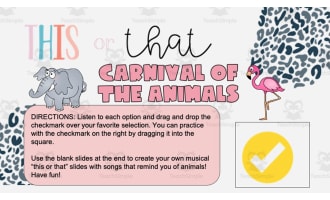
Indicate a preference with a check mark or cross; both songs may receive the same rating
Explain a musical preference using a feature heard in the song, as an optional teacher-led discussion

Teaching tips
Six paired slides make a short session rather than a full lesson, which suits a lesson opener, a transition or the end of a music class
Each song sits behind its own prompt, so play both tracks before any marker moves — otherwise the first song collects votes by default
Twelve listening prompts across six rounds means checking that each one opens as expected before the class starts, since the whole activity depends on them

Skills covered
Attentive listening — students listen to linked songs before rating them.
Expressing preference — students mark each selection as a bop or flop, with the same rating allowed for both.
Using slide objects — students move or duplicate voting markers in an editing view.
Good to know
Questions teachers ask about this resource
How do students register a vote?
Drag a check mark onto a song rated as a bop and a cross onto one rated as a flop. The directions allow both songs to receive the same rating; duplicate a marker when needed.
How are the two songs played on a slide?
Each voting slide has two links to songs on YouTube. The audio is linked, not embedded, so internet and access to the videos are required.

No reviews yet
Downloaded this resource? Tell other teachers how it went.
Resource details
Concepts & topics
Core concepts
 Core concepts
Music listening
Preference and opinion
 Topics
Explore more
Categories this resource belongs to
Explore related searches
More to explore
You may also like