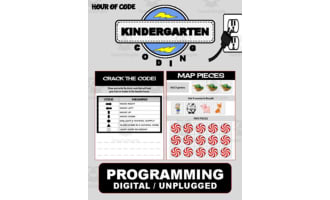
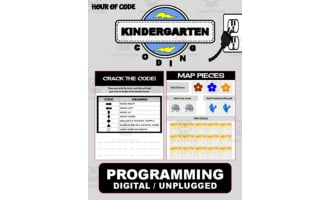
Cupid February | Kindergarten Unplugged / Digital Coding


About This Product
- Based around "honey bees", an engaging theme perfect for July learning activities.
- Packed with elementary logic puzzles reinforcing problem-solving skills, vital for "Hour of Code" initiatives.
- Inclusive of hands-on, printable puzzles with ‘snip-and-paste’ commands – making it action-orientated and captivating!
- Broad Guidelines
- In-depth instructions guiding both teachers as well as students on using this resource effectively.
- Coding materials
- A colourful coding navigation chart & matching pieces planned to make children explore this tool more enthusiastically!
- Deregulation Sheet
- A fun-filled 'overcome the code worksheet' along with smartboard charts bringing collective pleasure into the system. All resources are conveniently packaged for printing (PDFs) or digital sharing (Google Slides).
- Target Audience: Preschoolers through Grade 1
- Supplementary Topic Coverage: Science; sub-subjects include Computer Science
- Type of Product: Activity toolkit
- Files Included: PDF format standardly sized at 11 x 8.5 inches or customizable Google Slides.
Tailoring To Your Teaching Plans:
Easily adaptable materials allow you to make alterations in the code or remove unnecessary slides prior sharing them on platforms like Google Classroom. Students can either use physical printed out sheets or enjoy performing drag-and-drop exercises digitally!
No Barriers With Distance Learning:
This digitized operation makes Cupid February | Kindergarten Unplugged / Digital coding an effective tool even for remote classrooms!
Resourceful For Varied Learners:
Ideal for those looking for quality teaching material in traditional classroom settings, or homeschooling parents aiming to incorporate STEM education early in their curriculum. This well-thought-out educational resource turns complex concepts like computer programming into manageable, game-based exercises - making the journey into digital world more friendly and approachable!
About Product
What's Included
Coding Activity for February
0 Reviews
Check out these other great products