search
user.png
vertical menu

Fry's Tenth 100 Sight Words - Digital and Printable Fill-in-the-Blanks Quiz, Flashcards + More

Fry's Tenth 100 Sight Words - Digital and Printable Fill-in-the-Blanks Quiz, Flashcards +… preview
Fry's Tenth 100 Sight Words - Digital and Printable Fill-in-the-Blanks Quiz, Flashcards… preview 2
Fry's Tenth 100 Sight Words - Digital and Printable Fill-in-the-Blanks Quiz, Flashcards… preview 3
Fry's Tenth 100 Sight Words - Digital and Printable Fill-in-the-Blanks Quiz, Flashcards… preview 4

Look Inside · 8 pages · answer key included

Cover of Fry's Sight Words Ninth 100 quiz, introducing fill-in-the-blank multiple-choice questions
Cover of the ninth 100 sight word quiz
Quiz section menu for the ninth 100 sight words, divided into groups 1–20, 21–40, 41–60, 61–80, and 81–100
Menu for the five groups of 20 sight words
Quiz startup slide headed “Ready?” instructs students to enter Full Screen mode before getting started
Full-screen setup before starting the quiz
Quiz directions: read the sentence, pick an answer, press the right arrow key to check, then move on
How to answer and check the quiz questions
Question 1 in sight words 1–20: “This _____ lawn mower was actually pretty cheap,” with seven word choices
First question in the sight words 1–20 section
Question 2 in sight words 1–20: “My dad just bought a large _____ of toilet paper,” with seven choices
Second question in the sight words 1–20 section
Question 3 in sight words 1–20: “Wyatt _____ the ball out of the park,” with seven sight word choices
Third question in the sight words 1–20 section

Answer key included

Answer key included
Attributes
Add To Collection
Add to collection Add to collection

About This Product

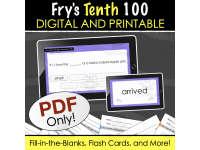
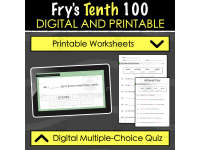
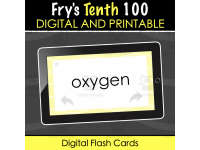
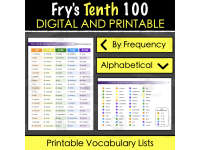
Let's making learning Fry's sight words more interesting. This resources brings Fry's sight words into the digital age. Start off by introducing your students to these sight words by offering the PDF-based, Digital activity. Use the arrow keys to navigate through this resource after you opened it and displayed it on full screen. Students can even do this all by themselves. Then, test their sight word knowledge by opening up the digital fill in the blanks exercise. It works in the same way. Look at each question and press the right arrow key to reveal the answer. Do this for the entire quiz. Again, students can do this by themselves as well. If you would prefer to do this test on paper, no problem! There is a printable version as well, that comes with an answer key. Finally, there are two vocabulary lists, one in order of frequency and the other in alphabetical order. Let's do this!

0 Reviews

Explore related searches
you may also like...

Check out these other great products