PowerPoint Slides – Digital Counting Task Cards – Horseshoes



About This Product
PowerPoint Slides – Digital Counting Task Cards – Horseshoes
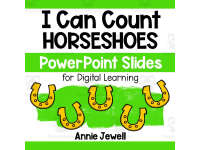
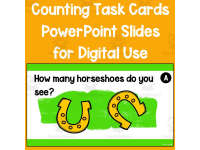
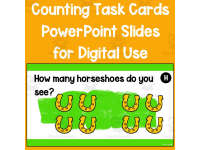
PowerPoint Slides – Digital Counting Task Cards – Horseshoes is a highly engaging digital resource specially aimed at preschool and kindergarten students. It aims to assist young learners in practicing and elevating their proficiency in counting sets of objects from 0 through 10.
Features:- The task slides are digitally designed for optimal use on your SmartBoard or screen - no need for printing, cutting, or laminating.
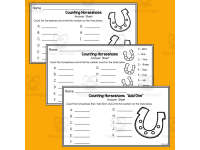
- Differentiation capacity: children can answer by recording the number of horseshoes either numerically or by using number words as clues on answer sheets.
- A variety of challenges are offered to cater to higher level learners including tasks such as Add One, Add Ten, and Double It.
- Included also is cheerful clip art that adds a fun element to learning, eleven task slides plus six varied answer sheet options depending upon the level of difficulty neccessitated.
- A detailed set of answer keys is also available within the product package.
This resource blends aptly into Holidays-themed lessons but can equally work well when teaching topics pertaining early math development skills and getting familiarized with how numbers appear within different natural phenomena for subjects like Mathematics at preschools or kindergartens levels.
Versatility through Microsoft PowerPoint Format:
The Microsoft PowerPoint format permits versatility—it can easily shift its role into a quick assessment tool beyond being a primary educational instrument engineered towards ingraining fundamental mathematical abilities in learner minds.
"PowerPoint Slides" - "Digital Counting Task Cards – Horseshoes" is an excellent aid for educators who are seeking a dynamic and enjoyable approach to deliver basic math.
What's Included
11 Task Cards
6 Answers Sheets
Answer Keys
Resource Tags
0 Reviews
Check out these other great products