Deep Work by Cal Newport- Book Summary Visual Mind Map (+Template)




- Grades
- Adult Education, Not Grade Specific
- File type
- Multiple File Types
- Editable
- Yes


- Subject
- Life Studies, Coaching, Business, Career
- Topic
- bookomapmindmap, mindmap template
- Resource types
- Diagrams, Teacher Tools
- Editable
- Yes
About this resource
What's inside this resource
◈ Deep Work by Cal Newport- Visual Mind Map (+Template)
◈ In "Deep Work," Cal Newport argues that in today's distracted world, the ability to focus deeply on complex tasks is becoming increasingly rare, but also more valuable than ever. Newport defines "deep work" as the ability to focus without distraction on a cognitively demanding task, and argues that this skill is essential for achieving success in today's knowledge-based economy. He provides practical strategies for developing this skill, including setting aside dedicated time for deep work, minimizing distractions, and cultivating a sense of purpose in one's work. Newport also challenges the notion that constant connectivity and multitasking are necessary for success, and argues that the ability to focus deeply on important tasks is a more effective approach. Overall, "Deep Work" is a thought-provoking and practical guide for anyone looking to improve their focus and productivity in a distracted world.
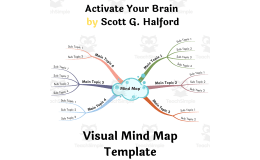
◈ A Visual Mind Map flows just like our brain does and they are NOT in Nice Neat Lines! A Mind Map enables free flow of ideas because you mostly use short phrases, keywords, images, and icons. You can jot down ideas a lot faster than usual, which results in an unobstructed flow of ideas.
✔✔ Why mind maps?
Mind mapping is a powerful visual tool that allows you to create a hierarchical structure of ideas, concepts, and information. By mapping out the main ideas and subtopics related to a particular subject, you can identify the key areas you need to focus on, and see how they are interrelated. No matter how complex or broad a subject is, a mind map brings order into the chaos and helps you see the 'bigger picture'. This process not only helps you to understand the material better but also aids in recalling the information when needed. Mind mapping can be especially helpful when studying for exams, researching a topic, or planning a project. It can also help you to generate new ideas and connections that you may not have thought of before. Overall, mind mapping is an excellent technique to help you stay organized, focused, and productive amidst the information overload.
✔✔ Who needs mind maps?
Anyone from a student to a CEO can use and benefit from this technique. Here are a few examples.
Students:– Preparing for exams and wanting to boost their learning capabilities and results
Event Planners:– Wanting to organize every aspect of an event
Writers:– Wanting to Create original Content, Stories, Articles, etc.
Entrepreneurs:– Wanting to Create a road map or a dynamic Business plan
Project Managers:– Wanting to present their ideas clearly to their team
Teachers:– Wanting to improve communication in the classroom
Marketers:– exploring potential Avenues for promoting a product or service
Consultants / Advisors:– trying to visualize Clients Situation Collaborative Teams:– working on a project together
Anybody:- Anybody can use mind maps to unleash their creativity, solve problems, visualize their goals, and organize their thoughts!
Note: It is recommended that you view the Mind Maps on your Desktop/Laptop. Zoom in on a particular branch for the best view.
A Mind Map by Arpit Banjara - I am a 'MindMeister' certified Mind Mapping expert. Get 20% off on your MindMeister, MeisterTask, MeisterNote
Subscriptions - Use Promo Code - ARPIT20
Related resources
More resources teachers may find useful
10 related resources were found using this product's title, contributor, categories and tags.



In the classroom
Teaching tips & learning objectives

Teaching tips
Open the mind map on a laptop or desktop rather than a phone, since the guide specifically recommends a bigger screen for reading it.
Use the collapse/expand control on each branch (the number next to a branch shows how many sub-branches it holds) to focus on one section at a time rather than viewing the whole map at once.
Copy the map into a free Mindomo account before editing it, since the guide describes editing as requiring an account rather than working directly from the HTML file.

Skills covered
Mind-map navigation -- using zoom and branch collapse/expand controls to move through a large visual hierarchy.
Visual information organization -- customizing branch shapes, colors and fonts to structure ideas hierarchically around a central topic.
Good to know
Questions teachers ask about this resource
What's the difference between the two mind-map files included?
The download includes two visual styles of the same template -- a right-aligned layout and a classic layout -- so you can choose whichever is easier to read for your purposes.

No reviews yet
Downloaded this resource? Tell other teachers how it went.
Resource details
Concepts & topics
Core concepts
 Core concepts
mind mapping
visual organization
template customization
 Topics
Explore more
Categories this resource belongs to
Explore related searches
More to explore
You may also like