Vocabulary Games


- Grades
- Grades 6–12
- Pages
- 14
- File type
- Microsoft PowerPoint
- Use
- Digital activity


- Subject
- Career
- Topic
- Construction vocabulary, Memory game
- Resource types
- Games, Presentations
- Use
- Digital activity
Product description
From the author
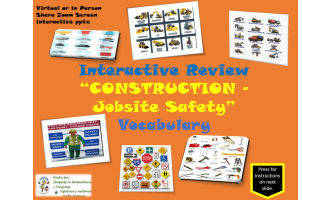
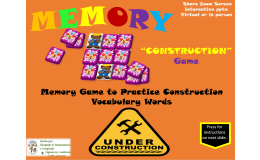
Review construction vocabulary with a 14-slide PowerPoint memory game. Picture-and-word practice slides introduce workers, machinery, materials, tools and safety equipment before two matching boards. Use it alongside your construction curriculum.
Run the file in slideshow mode. Students choose coordinates on the A–F, 1–3 grid, reveal two cards and use the controls to cover mismatches. After completing the board, choose Start Again for another round. Project it for class turn-taking or share your screen for remote practice.
Related resources
More resources teachers may find useful
24 related resources were found using this product's title, contributor, categories and tags.
In the classroom
Teaching tips & learning objectives

Learning objectives
Recognize and recall construction-industry vocabulary (job roles, machinery, tools, safety gear) through repeated picture-word matching
Build working memory for paired vocabulary terms across a game-board matching format

Teaching tips
Preview each vocabulary cluster (job roles, machinery, safety gear) on the practice slides before starting the matching round.
Run the game in PowerPoint's presentation/slideshow mode rather than Normal view, since navigation depends on clickable slide elements.
Use as a whole-class activity over a shared Zoom screen, calling on students in turn to choose grid coordinates.

Skills covered
Construction vocabulary recall — students match picture and word pairs for job roles, machinery, tools, and safety gear.
Turn-taking in a shared-screen game — students take turns calling grid coordinates to reveal and match cards.
Good to know
Questions teachers ask about this resource
How should I run the game?
Open the PowerPoint in slideshow mode and use the clickable cards to reveal pairs. You can share the screen with a class or let students take turns choosing coordinates.
Can I introduce the words before students play?
Yes. Use the vocabulary practice slides to model the construction terms before moving into the matching game.

No reviews yet
Downloaded this resource? Tell other teachers how it went.
Resource details
Concepts & topics
Core concepts
 Core concepts
Construction vocabulary
Career and trades terms
Memory matching game
 Topics
Explore more
Categories this resource belongs to
Explore related searches
More to explore
You may also like