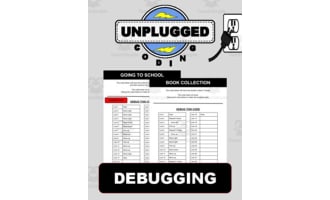
Unplugged Coding Task Cards | 30 Debugging WarmUps Grades 6-8 |No Tech



About This Product
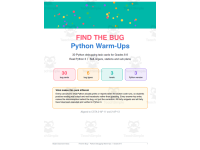
Find the Bug: Python Debugging Warm-Ups | Grades 6–8
Python debugging task cards give middle school students meaningful practice finding, explaining, and fixing real coding errors. With 30 Python 3 debugging challenges, students learn to read output and tracebacks, compare actual results to the goal, test their thinking, and refine their code.
What’s Included
This resource includes six separate PDF files:
Teacher Guide – 6 pages
How to use the resource
Teacher questioning script
Standards alignment
Scope and sequence
Two-week pacing option
Student Reference – 2 pages
How to read a bug card
Debugging cycle
8-step debugging checklist
Recording Pages – 2 pages
Student response sheets
Bug type tracking
Debugging progress tracker
30 Python Bug Cards – 30 pages
30 ready-to-use Python debugging challenges
6 bug types
3 difficulty levels
One card per page
Answer Key – 10 pages
Correct fixes
Explanation of what went wrong
Misconception behind each bug
Alternate valid fixes where appropriate
Six Bug Types Covered
Order and Flow — running lines before they can work
Loops and range() — incorrect counting, starting, stopping, and stepping
Loop Control — infinite loops, break, and continue
Booleans and Logic — operators, conditions, elif, and, and or
Variables and Types — initialization, assignment, casting, and data types
Lists and Indexing — zero-based indexing, mutation, and aliasing
How It Works in the Classroom
Use these Python debugging task cards as flexible, low-prep practice throughout your middle school computer science or Python programming instruction.
⭐ Bell-Ringers
Project one card or hand out a printed copy as students enter.
About 6 minutes to work independently or with a partner
Follow with a short class discussion
One card per day provides approximately six weeks of debugging practice
⭐ Stations
Print and laminate the cards and place them at a station with the response sheet.
Students identify the bug
Explain why it is wrong
Write a corrected line
Self-check when appropriate
Five cards make a comfortable 15-minute station rotation.
⭐ Sub Plans
This resource can also work as a ready-to-go substitute activity.
Students can complete the cards using the printed checklist and recording pages. No login, devices, or prior computer science knowledge are required.
⭐ Teach Debugging as a Process
Each card follows the same basic structure:
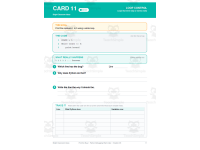
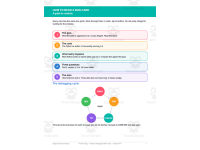
Goal → Code → What Really Happens → Find It → Explain It → Fix It → Test
Students are encouraged to compare expected and actual output rather than simply hunt for a line that "looks wrong."
Standards & Learning Goals
Students practice:
Systematically testing and refining programs
Decomposing problems into manageable parts
Reading Python errors and tracebacks
Comparing expected and actual output
Tracing variables and loop behavior
Testing boundary cases
Working with conditions and Boolean logic
Understanding Python data types
Debugging lists, indexing, mutation, and aliasing
Explaining why a fix works
This resource is aligned to CSTA 2-AP-17 and 2-AP-13, with additional connections to CSTA 2-AP-11, 2-AP-12, 2-AP-19, and 2-AP-16, plus CCSS.MATH.PRACTICE.MP6 and MP8.
The student reference also provides an 8-step debugging checklist, including reading the full error, stating the goal, comparing output, checking starting values, counting loop passes, checking types, testing boundaries, and checking indentation.
Why Teachers Love It
⭐ Misconception-focused answer key
The answer key doesn't just give the correction—it identifies the misconception behind each bug, making it easier to conference with struggling students.
⭐ Real Python 3 practice
Every card shows what Python actually prints or reports when the broken code runs, including real tracebacks.
⭐ No guessing required
Students learn to use evidence from output, errors, and code behavior to locate bugs.
⭐ Three levels of difficulty
Cards progress from bugs visible on a careful first read to more subtle problems that require tracing or testing.
⭐ Built-in differentiation
Pull specific groups of cards for targeted reteaching by bug type.
⭐ Low-prep and flexible
Use it for bell-ringers, stations, sub plans, reteaching, or extra debugging practice.
⭐ Students track their own progress
The included debugging tracker lets students record which cards they've solved and identify the bug types they find most challenging.
⭐ Works with or without devices
The cards are complete on paper, while students who can run the snippets can use the experience to deepen their debugging practice.
Give your students repeated, structured practice with Python debugging—without having to create dozens of broken-code examples yourself!
Use these 30 task cards for warm-ups, stations, targeted reteaching, or substitute plans and help students develop the debugging habits that transfer to real programming.
Download Find the Bug and turn everyday Python errors into valuable learning opportunities! 🐍💻
0 Reviews
Check out these other great products