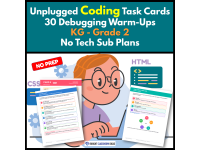
Unplugged Coding Task Cards | 30 Debugging WarmUps K-2 | No Tech





About This Product
Find the Bug: Picture Debugging Warm-Ups | Grades K–2
Picture debugging task cards make early computer science accessible to young learners with 30 visual bug-finding challenges that require no student reading and no devices. Students look closely, find what does not fit, explain their thinking to a partner, and draw the fix.
What’s Included
This resource includes six separate PDF files:
Teacher Guide – 6 pages
Teacher directions and implementation ideas
Teacher script for guiding students without giving away the answer
Standards alignment
Scope and sequence
Two-week pacing plan
Student Reference – 2 pages
Five-step picture debugging cycle
Student-friendly debugging checklist
LOOK → POINT → SAY → FIND → FIX routine
Recording Pages – 2 pages
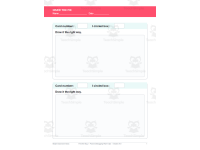
Draw-the-fix response sheet
Student debugging tracker
Progress tracking by bug type
Picture Cards 1–30 – 30 pages
30 visual debugging task cards
6 bug types
3 difficulty levels
One card per page
Answer Key – 8 pages
Correct answer for every card
Suggested fix
Misconception behind each bug
Notes for teacher conferencing
Alternate correct fixes identified where appropriate
Terms & Credits – 2 pages
Six Bug Types
Students practice six foundational types of picture debugging:
Order — steps are in the wrong order
Patterns — one piece breaks a repeating or growing pattern
Robot Path — one arrow points the wrong way
Count It — the number does not match the quantity
Sort It — something is in the wrong category
Match It — one pair does not go together
How It Works in the Classroom
⭐ Bell-Ringers
Project one picture debugging card and work through it together.
Read the goal aloud twice.
Let students turn and talk.
Have students identify the bug.
Ask them to explain why it is wrong.
Finish by drawing the fix.
The teacher guide recommends approximately 5–8 minutes per card, with one card per day providing about six weeks of warm-up practice.
⭐ Stations
Print and laminate the cards and place them at a station with the recording page.
Students:
Look at the goal.
Examine each picture.
Find the box, arrow, or pair that does not fit.
Explain their thinking.
Draw the correction.
Five cards make a comfortable 15-minute station rotation.
⭐ Whole Group
These cards are especially effective for carpet time and partner discussion.
Because the cards are visual, the teacher reads the goal aloud while students do the actual problem solving. The spoken explanation is part of the assessment, making this more than simply a "find the wrong picture" activity.
⭐ Sub Plans
No login, devices, or previous computer science experience are required. Print the cards, student checklist, recording pages, and answer key, and you have a ready-to-use unplugged activity.
Standards & Learning Goals
Students practice early computational thinking through:
Debugging errors in algorithms and programs
Following and evaluating sequences
Recognizing repeating and growing patterns
Following precise sequences of directions
Connecting numbers with quantities
Sorting objects according to rules
Matching objects by attributes
Explaining their reasoning to a partner
The resource is aligned to CSTA 1A-AP-14 and CSTA 1A-AP-08, with additional connections to CSTA 1A-AP-09, 1A-AP-10, and 1A-AP-11, as well as CCSS.MATH.K.CC.B.4, CCSS.MATH.K.MD.B.3, and CCSS.ELA-LITERACY.SL.K.1.
The six bug types intentionally move from familiar visual reasoning into more challenging concepts. For example, Card 24 asks students to determine whether 3 is less than 3, introducing boundary testing, while Card 25 requires students to apply two rules at once.
Why Teachers Love It
⭐ Misconception-focused answer key
The answer key explains why children may make the mistake, not just which answer is correct. This gives teachers useful language for guiding students without simply revealing the solution.
⭐ No reading required
Students do not need to read the cards independently. The teacher reads the goal aloud, making this accessible to pre-readers, emerging readers, and English learners.
⭐ Truly unplugged
No computers, logins, coding platforms, or devices are needed.
⭐ Builds debugging habits early
Students learn that debugging means searching for what does not fit—not simply waiting for an adult to point out the mistake.
⭐ Encourages mathematical reasoning
Counting, sorting, patterns, quantities, size, shape, color, and comparison are naturally embedded throughout the cards.
⭐ Built-in progression
Each bug type includes three levels of difficulty. One-dot cards have visible bugs, two-dot cards require a trace or test value, and three-dot cards look correct until students check them carefully against the goal.
⭐ Great for partner talk
Every card asks students to explain their thinking, giving young learners practice with mathematical and computational reasoning.
⭐ Supports differentiation
The scope and sequence makes it easy to pull a specific group of cards for targeted reteaching.
⭐ Original visual design
Every picture is an original drawing, so the cards are designed specifically for this resource rather than relying on generic clipart.
Make early computer science visual, accessible, and engaging with ready-to-use picture debugging task cards for Grades K–2!
Use them for morning work, carpet time, computer science warm-ups, partner activities, stations, or unplugged coding practice. Students will build the habit of looking carefully, finding the problem, explaining their thinking, and trying a fix.
Add Find the Bug to your classroom and give your youngest learners a fun way to start thinking like problem-solvers and debuggers! 💛
0 Reviews
Check out these other great products