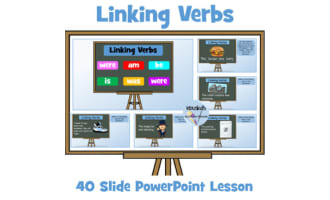
Linking Verbs PowerPoint Lesson for Grades 3-6


- Grades
- Grades 3–6, Elementary, Middle School
- File type
- Microsoft PowerPoint
- Use
- Digital activity


- Subject
- ELA, Grammar
- Topic
- linking verbs, copular verbs
- Resource types
- Presentations, Teacher Tools
- Use
- Digital activity
About this resource
What's inside this resource
This resource contains an editable, 60 slide PowerPoint lesson on linking verbs (copular verbs). The PowerPoint explains what linking verbs are, and the difference between helping verbs, action verbs, and linking verbs. It also explains how to determine whether a verb is acting as a linking verb or an action verb in a sentence (seems, tastes, looks, appears, etc). The PowerPoint clearly and visually demonstrates how to identify them.
The PowerPoint also contains a link to a short video on linking verbs.
Related resources
More resources teachers may find useful
24 related resources were found using this product's title, contributor, categories and tags.

In the classroom
Teaching tips & learning objectives

Learning objectives
- Identify the linking verb in a sentence
- Distinguish linking verbs from action and helping verbs
- Decide whether a verb such as looks or tastes is acting as a linking or action verb

Skills covered
- Verb classification — sorting verbs in example sentences as action, helping or linking
- Substitution test — replacing a verb with is to check whether it links

No reviews yet
Downloaded this resource? Tell other teachers how it went.
Resource details
Concepts & topics
Core concepts
 Core concepts
- Linking verbs
- Action verbs
- Helping verbs
- State-of-being verbs
 Topics
Explore more
Categories this resource belongs to
Explore related searches
More to explore
You may also like