Silly Summer Glyph Activity


- Grades
- Grades 3–6, Elementary, Middle School
- File type
- Microsoft PowerPoint
- Editable
- Yes


- Subject
- Holiday & Seasonal, Seasons, Summer
- Topic
- May, summer
- Resource types
- Activities
- Editable
- Yes
About this resource
What's inside this resource
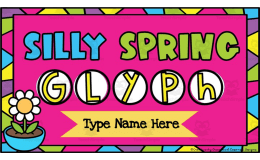
This resource is a Silly Summer Glyph.
Students will get to build their own glyph by answering questions on each slide.
Tech tips and examples are included to guide students.
This activity can be assigned in Google Classroom or accessed in PowerPoint.
At the end, students will type a descriptive or narrative story about their glyph.
Related resources
More resources teachers may find useful
22 related resources were found using this product's title, contributor, categories and tags.
In the classroom
Teaching tips & learning objectives

Learning objectives
Students translate personal survey answers (9 questions about summer plans, favorites and pets) into icon choices to build a symbolic "glyph" picture.
Students practice PowerPoint image-editing skills — copying, pasting, resizing, rotating and layering — to assemble their glyph board.
Students write a descriptive or narrative paragraph explaining their own glyph, or interpreting a classmate's.

Teaching tips
Review the Tech Tips slide as a class before starting, since students need copy/paste, resize, rotate and layering skills to build their glyph.
Use the completed "Icy Cream" example glyph and its paragraph as a model before students begin their own.
Have students exchange slides after finishing, so a classmate can practice interpreting and writing about someone else's glyph instead of only their own.

Skills covered
Digital image manipulation — students copy, paste, resize, rotate and layer icon images in PowerPoint to build their glyph board.
Data-to-symbol translation — students convert 9 personal survey answers (ice cream flavor, pets, dream destination, etc.) into a set of icons that visually represent them.
Descriptive/narrative writing — students write a paragraph explaining their own glyph or interpreting a classmate's.
Good to know
Questions teachers ask about this resource
How does a student's answer become part of the glyph?
Each of the nine questions offers six icon choices; students copy the icon matching their answer and paste it onto their glyph board, then resize, rotate or layer it as needed.
What happens after a student finishes assembling their glyph?
They write a descriptive or narrative paragraph about it, or trade slides with a classmate and write about that student's glyph instead.

No reviews yet
Downloaded this resource? Tell other teachers how it went.
Resource details
Concepts & topics
Core concepts
 Core concepts
glyph (data as symbols)
digital collage assembly
end-of-year reflection
Topics
 Topics
Explore more
Categories this resource belongs to
Explore related searches
More to explore
You may also like