3,948 products added recently
Page 6 - Science Projects
Bring scientific concepts to life with projects that encourage experimentation and observation. This collection includes biology studies, chemistry experiments, physics demonstrations, and environmental research. By integrating these science projects into your teaching, you can inspire curiosity and critical thinking.
Scientist: Theophrastos – Fact Sheet, Quiz, and Interactive Exercises
Life Sciences, Science, Biology, STEM, History: World, History, Social Studies, Nature & Plants, Grade 8, 9, 10, 11, Worksheets, Worksheets & Printables, Quizzes, Quizzes and Tests, Teacher Tools, Projects, Activities
Discover Theophrastos – The Botanist and Scientist Behind the Philosopher Theophrastos is often recognized as a philosopher, but did you know he is also considered the "Father of Botany" and one of the most influential natural scientists in history? With this resource, your students in grades 7–10 will explore Theophrastos’s groundbreaking contributions to biology, particularly his pioneering work in plant science. Designed for a 45-minute lesson, this material blends engaging content with interactive and creative activities to bring his achievements to life. What’s Included: Concise Informational Text: A clear and engaging overview of Theophrastos’ role in science. Fact Sheet Activity: Encourages students to organize knowledge and work creatively. Quiz with Solutions: Promotes fun, interactive learning and self-assessment. Additional Exercises: Students can create their own questions and collaborate in pairs to deepen their understanding. Flexible Formats: Includes a color and black-and-white printable PDF, as well as interactive H5P tasks for digital learning. Why You’ll Love This Resource: Time-Saving: Perfect for teachers who need a ready-to-go, well-structured lesson. Versatile Use: Ideal for biology, history of science, or cross-curricular lessons in English and science classes. Promotes Independence: Solutions are included, allowing students to check their work and explore the topic at their own pace. Interactive and Engaging: Tasks are designed to keep students actively involved while learning about Theophrastos’ legacy. Whether you use it for a regular lesson, substitute teaching, or as part of a digital learning activity, this resource will make Theophrastos’ contributions come alive for your students. Bring Theophrastos’ fascinating world of science and philosophy into your classroom and inspire your students to see history and science in a whole new light! Have fun exploring the world of science with your students! Warmly, Lernfitness Did You Know? I teach with a certified therapy dog, and together we focus on creating a positive and inspiring learning environment.
Author Lernfitness
Tags Science, Biology, Famous Scientists Lesson, H5P, Interactive Science Exercises, STEM, Theophrastos, History, Scientists, Botanic
AI for Kids: Understanding Artificial Intelligence Book
Science, Technology, Computer Science, Engineering, Special Resources, Life Skills, Special Education Needs (SEN), STEM, Research, Resources for Teachers, Grade 6, 7, 8, 9, 10, 11, 12, Projects, Activities, Teacher Tools, Assessments, Lesson Plans, Presentations, Literacy Readers, Quizzes and Tests, Quizzes, Tests
Uncover the amazing world of Artificial Intelligence with AI for Kids by Syed Hammad Rizvi – the best easy to read and conceptual book about what AI is for kids! This 315 page long book has no coding requirement; instead, it presents many complicated ideas such as; machine learning, algorithms, deep learning, data patterns, ethical AI & bias, quantum computing, autonomous vehicles, robotics, and The Future of AI (including the singularity and AGI) in an interesting and fun way by using many familiar analogies that can be easily understood (i.e. Lego sorting, riding a bike, master cooks). AI for Kids is perfect for kids who want to learn how Siri, Netflix recommendations, facial recognition, and ChatGPT actually work without any programming or technical knowledge! There are 151 short chapters filled with real-life examples appropriate for children, and the information in these chapters empowers children. The book can be used as a tool to create interest in STEM subjects, or as an educational resource to be used at home, school, in after-school STEM clubs, or at night before bed to build AI literacy and inspire future generations of innovators, ethicists, and thinkers! Keywords: AI, kids, artificial intelligence, machine learning simply explained, neural networks beginners, ethical AI & the future of AI, no coding AI, STEM children 8-14. Here's what Parents & Schools find appealing about this Read: - No technical overwhelm – just follow AI concepts with relatable analogies to make it easy to understand & fun for kids. - Covers every aspect of AI within 151 bite-sized chapters (history, how AI learns, applications in health care, gaming & robotics, ethics, bias, jobs of the future) – this one book replaces the need for many resources. - Build early critical thinking skills and digital citizenship skills by getting children thinking critically about AI choices, identifying biased information, and preparing children for careers related to AI. - Very versatile for classroom/homeschooling use – short chapters, discussion prompts, & real-life examples are well-suited to be used as part of lessons/projects or for independent reading. - Future-proof & aspirational – encourages children to believe they can influence AI positively, while dreaming of careers such as “AI Ethicist" or "Human-AI Team Coordinator." Target Audience (Based on Complete Analysis of Book): The title and content are explicitly created for kids, with simple formats (analogies, short chapters), questions and real-life examples being used throughout all 151 chapters (from basics at Chapter 1 to complex concepts such as singularity, quantum AI, bias, ethics and future impact in the other chapters). The content continually uses easy-to-understand language to help engage kids, even through some of the most trying sections (example of AGI: like a true thinker who could write novels and create music; bias, using the analogy of a warped photograph; and food science using the analogy of a digital chef). While the book does not provide any required ages/grades, the depth of material (differentiating between narrow/general AI, explaining XAI, discussing the predictive policing debate, interdisciplinary teams, and impact on society) and no requirement of coding make it appropriate for children age 8-14 (grades 3-8 / upper elementary and middle school). Younger children (grades 3-5) will enjoy the fun stories and introduction of subject matter, while older children (grades 6-8) will understand the ethical aspects of these technologies and their potential future career opportunities as well as understand how these technologies apply to the real world and benefit society through further learning. This book would be a good resource for homeschoolers, teachers, gifted programs and any student who has an interest in technology. It will be too basic for high school students but will provide a solid foundation and valuable supplemental material. Copyright Terms: This book is protected by copyright as established by Syed Hammad Rizvi. This material is intended for individual use and for use in a single classroom. You cannot modify, distribute, or sell this material. In other words, you can’t post this material online where it has the potential of being found & downloaded by others. If you would like to share this material with teachers, please purchase an additional license from Teachsimple. Thank you for your cooperation with these copyright terms! This product is gratefully provided by Syed Hammad Rizvi.
Author Creative Book Store
Rating
Tags ArtificialIntelligence, STEM, STEMeducation, KidsSTEM, HomeschoolSTEM, TeacherResources, NeuralNetworksForKids, ChatGPTforKids, AIethicsForKids, FutureOfAI
Niels Bohr – Scientist Profile & Comprehension Activities - PDF + H5P
Life Sciences, Science, STEM, Social Studies, Biographies, Inventors, Basic Science, Physics, Chemistry, Human Body, Grade 6, 7, 8, 9, 10, 11, Worksheets, Worksheets & Printables, Quizzes, Quizzes and Tests, Teacher Tools, Projects, Activities
Niels Bohr – A Look at One of the Founders of Atomic Theory Informational Text, Student Tasks, and Interactive Quiz (PDF + H5P) 🧪🔬 A ready-to-use classroom resource for grades 7–10 🧪 This material introduces students to Niels Bohr and his ideas about the atom – ideas that still shape how we teach atomic structure today. The text is short and easy to follow, so it works well for younger students or for those who are just starting to learn about atomic models. I’ve used this kind of format when I needed a quick but meaningful activity – for example, during a unit on atomic theory or as part of a lesson on scientists and their discoveries. It’s also been useful in cover lessons, especially when someone without a science background had to step in. Everything is included and explained clearly. What’s in the file: A short reading text about Niels Bohr A profile worksheet for students to fill out Quiz questions with an answer key Two optional tasks: – Students write their own questions – Students answer a partner’s questions You get everything as a printable PDF, a modifiable .docx file (text only), and a simple H5P version for use in digital learning systems How you might use it: Students can read the text alone or in pairs. They then fill in the profile and answer the quiz questions. If there’s still time, they can come up with their own questions about the text and swap them with a classmate. The H5P version is helpful if your students are working online or if you want them to check their answers themselves. It’s a flexible resource that doesn’t need a lot of explanation – and works just as well in regular science lessons as in emergency planning. Have fun exploring the world of science with your students! Warmly, Lernfitness Did You Know? I teach with a certified therapy dog, and together we focus on creating a positive and inspiring learning environment.
Author Lernfitness
Rating
Tags Science, Famous Scientists Lesson, H5P, Interactive Science Exercises, STEM, History, Scientists, Chemistry, Scientific Concepts, Niels Bohr
Johannes Nicolaus Brønsted – Scientist Profile and Reading Tasks
Life Sciences, Science, STEM, Social Studies, Biographies, Inventors, Basic Science, Physics, Chemistry, Technology, Grade 6, 7, 8, 9, 10, 11, Worksheets, Worksheets & Printables, Quizzes, Quizzes and Tests, Teacher Tools, Projects, Activities
Johannes Nicolaus Brønsted – Scientist Profile and Reading Tasks Comprehension Activities A structured classroom resource for teaching about acids, bases, and scientific history ⚗️📘 (PDF + H5P) ⚗️📘 A printable and digital resource for grades 7–10 science and cross-curricular teaching 🧪🧠 This material introduces students to Johannes Nicolaus Brønsted, a Danish chemist known for developing the Brønsted–Lowry acid-base theory. His work provides an essential foundation for modern chemistry and is especially helpful when students begin learning about pH, protons, and the role of acids and bases in chemical reactions. The resource is designed to be easy to use – both in traditional lessons and in situations where little prep time is available, such as substitute teaching or self-paced work. It includes a short, accessible reading passage, a student profile sheet, and comprehension tasks that guide students through the key points. What’s included: Informational text about Brønsted’s life and work Printable profile worksheet to summarize the text Quiz questions with answer key Two optional extension tasks: – Students create their own questions based on the reading – Partner exchange: students answer each other’s questions File formats: – PDF for easy printing or digital distribution – Editable DOCX (text only) – H5P version for digital platforms (no images) In the classroom: This activity can be used to complement a chemistry unit on acids and bases, as an introduction to scientific models, or simply as a way to bring real historical context into science lessons. The material is clear and accessible, even for students who may be new to the topic. The H5P version supports digital learning and allows students to complete the quiz interactively, making it great for homework or blended settings. The resource is flexible enough to work in group settings or independently. Minimal prep. Meaningful content. A great way to connect theory with the people who helped shape it. Have fun exploring the world of science with your students! Warmly, Lernfitness Did You Know? I teach with a certified therapy dog, and together we focus on creating a positive and inspiring learning environment.
Author Lernfitness
Rating
Tags Science, Famous Scientists Lesson, H5P, Interactive Science Exercises, STEM, Scientists, Chemistry, Johannes Nicolaus Brønsted, Acid-base Theory, Acids And Bases
Chat.G.p.T. Guide for Small Business Owners Book
Technology, Science, Computer Science, Engineering, Special Education Needs (SEN), Special Resources, Resources for Teachers, Career, Life Studies, Business, Grade 6, 7, 8, 9, 10, 11, 12, Teacher Tools, Lesson Plans, Assessments, Presentations, Worksheets & Printables, Workbooks, Worksheets, Word Searches, Activities, Projects
The ultimate playbook for unlocking explosive growth; the Chat.G.P.T Playbook for Small Business Owners from Syed Hammad Rizvi, is the most comprehensive & practical AI resource available to entrepreneurs, solopreneurs, and gig economy founders. This 419-page behemoth includes 136 step-by-step chapters with concrete strategies for mastering prompt engineering (and creating prompt templates) content marketing, SEO-Optimized blogs, social media captions on Instagram, LinkedIn, Facebook, TikTok, email sequences, sales funnels, customer service automation, Google Ads copy & Social campaign ads, website copy, product descriptions, competitor analysis, lead generation, upselling & much more. No matter if you're an entrepreneur managing every role yourself or are a small business owner that needs to scale without a team; this book will show you how to incorporate Chat.G.P.T into every workflow you'll go through from brainstorming and drafting proposals to creating loyalty programs, SOPs, and investor summaries. Tips include information related to keyboard shortcuts, custom instructions, awareness of Chat.G.P.T.'s limitations, ethical uses of AI, and real case studies from early users who were able to save hours while generating additional revenue. Great for small business entrepreneurs, freelancers, eCommerce sellers, and service providers that want to work smart, not hard; you won't need a tech background to use this book; it gives you practical examples of prompts and templates you can use immediately to generate results. Reasons why parents and schools like this program. It Provides Future Entrepreneurs With Innovative .A.I. Skills They Will Need for Career Success And The Ability To Transform Their Skills To Become Successful. It Provides Teachers With Ready-To-Use, Current Examples And Templates That Can Help Improve The Learning Experience For Their Students And Make Entrepreneurship And Digital Marketing Classes More Relevant. Parents Can Provide Their College-Bound Or Business-Minded Teenagers With A Professional Development Resource That Will Help Build Their Teenager’s Confidence And Actual Revenue-Generating Skills. Schools Will Appreciate The Ethical Guidance In The Ethical .A.I. Section And Brand Consistency In The Brand Consistency Section That Are Aligned With The Principles Of Digital Citizenship And Responsible Technology Education. Provides Quantifiable Outcomes - Students Are Able To Apply The Information They Learned About “P.rompt.s” To Their Class Project, Internship Or Side Hustle, And Turn Theories Into Tangible Results. Audience (Target) / Classifications: This is a higher-level book that is a very suitable fit for higher-education and vocational business courses and programs. The groups you are targeting are: College and Universitystudents who are taking any of the following courses:entrepreneurship 101 or 201, small business management, digital marketing, business administration, ecommerce, or marketing strategy. Graduate students (MBA or postgraduate) who are takinga course that focuses on artifici.a.l intelligence in the business setting, operations, or sales. High school students taking advanced business classes and coursework in entrepreneurship, career and technical education, or who are members of DECA or FBLA.Platform:For High School; community college vocational tracks; online business boot camps; continuing education programs; and others. Teachers and Professors seeking real-life case studies of artific.i.a.l intelligence in businesses and prom.p.t templates to use in the class (ideal for as Prepared to Use Business Lessons Resources). Copyright/Terms of Use: Syed Hammad Rizvi created this Book. The Book is for personal use and for single classroom use. You cannot modify, redistribute, or sell this Book in any form or way. That is to say, you cannot share this Book with anyone else via the Internet and allow them access to it. If you would like to share this resource with teachers or colleagues, you can purchase additional licenses from Teachsimple. Thank you for adhering to these copyright/terms of use. This product is proudly provided Syed Hammad Rizvi
Author Creative Book Store
Rating
Tags ChatGPT, ChatGPTTips, AIForBusiness, SmallBusinessAI, EntrepreneurAI, SolopreneurTools, AIPromptEngineering, ChatGPTMarketing, AIContentCreation, SEOWithAI
Dmitri Mendeleev – The Man Behind the Periodic Table
Life Sciences, Science, STEM, Social Studies, Biographies, Inventors, Basic Science, Physics, Chemistry, Technology, Grade 6, 7, 8, 9, 10, 11, Worksheets, Worksheets & Printables, Quizzes, Quizzes and Tests, Teacher Tools, Projects, Activities
Dmitri Mendeleev – The Man Behind the Periodic Table Comprehension Activities A short reading and comprehension activity for science classes (PDF + H5P) ⚗️📘 A printable and digital resource for grades 7–10 science and cross-curricular teaching 🧪🧠 This resource introduces students to Dmitri Mendeleev, the chemist who first organized the periodic table in a way that allowed scientists to predict the discovery of new elements. His approach wasn’t just about sorting known facts – it was about seeing patterns and thinking ahead. That story can really bring chemistry to life for students. The material includes a short, student-friendly informational text along with structured follow-up tasks. It works well in a chemistry unit focusing on the periodic table or chemical elements, but it can also be used in interdisciplinary contexts or as part of a history-of-science project. Included in this resource: A brief reading text about Mendeleev and his scientific achievements A worksheet to help students summarize key information in a profile format Quiz questions with an answer key Two optional extensions: – Students write their own questions about the text – Exchange questions with a partner and respond Formats: – PDF (print and digital use) – DOCX (editable, without images) – H5P (for digital platforms, text-only) How to use it in class: I’ve used this type of material both as an introduction to the periodic table and as a filler activity when students need something structured but manageable. The quiz can be done individually or discussed as a group, and the partner tasks work well for early finishers. The H5P version is especially helpful in digital classrooms or for homework: students can check their answers independently and work at their own pace. You don’t need much prep. Just print or upload the files and you’re ready to go. Have fun exploring the world of science with your students! Warmly, Lernfitness Did You Know? I teach with a certified therapy dog, and together we focus on creating a positive and inspiring learning environment.
Author Lernfitness
Rating
Tags Science, Famous Scientists Lesson, H5P, Interactive Science Exercises, STEM, Scientists, Chemistry, Dmitri Mendeleev, Periodic Table
Robert Boyle – Exploring the Foundations of Modern Chemistry
Life Sciences, Science, STEM, Social Studies, Biographies, Inventors, Basic Science, Physics, Chemistry, Human Body, Grade 6, 7, 8, 9, 10, 11, Worksheets, Worksheets & Printables, Quizzes, Quizzes and Tests, Teacher Tools, Projects, Activities
Robert Boyle – Exploring the Foundations of Modern Chemistry A short reading and activity set for grades 7–10 (PDF + H5P) ⚗️📘 A printable and digital resource This material introduces students to Robert Boyle, a 17th-century scientist often considered one of the founders of modern chemistry. His work on gases and scientific experimentation is still relevant today, especially when students first encounter Boyle’s Law or the basics of pressure and volume. The text and tasks are structured in a way that makes them easy to use in a regular lesson or even in a non-specialist substitute setting. Students work independently or in pairs to read, reflect, and test their understanding. Included in this resource: Informational text on Robert Boyle and his contributions Profile worksheet to guide understanding Quiz questions with solutions Two optional follow-up tasks: – Students write their own questions about the text – Partner activity: exchange and answer peer questions Formats: – Printable PDF – Editable DOCX (text only) – H5P version for interactive, digital use Classroom use: I’ve used materials like this to complement lessons on gas laws or to introduce a historical perspective on chemistry. It works well as part of a science unit, a literacy-focused lesson, or even during quiet working phases. Students read the short info text, fill out a profile sheet, and complete the quiz. The additional tasks are great for early finishers or small group work. The H5P version is useful for digital platforms and allows students to check their answers independently. No special preparation is needed – just print or upload and the activity is ready to go. Have fun exploring the world of science with your students! Warmly, Lernfitness Did You Know? I teach with a certified therapy dog, and together we focus on creating a positive and inspiring learning environment.
Author Lernfitness
Rating
Tags Science, Famous Scientists Lesson, H5P, Interactive Science Exercises, STEM, History, Scientists, Chemistry, Robert Boyle, Gases
TinkerCAD step-by-step instructions for Thug Life Sunglasses
Special Resources, Science, Technology, Engineering, Grade 5, 6, 7, 8, 9, 10, 11, 12, Activities, Projects
TinkerCAD step-by-step instructions for Thug Life Sunglasses. Students only need to know the bare basics to complete this. I tested this with a fifth-grade class and most could complete it with no help. Designed to print with no supports for easy printing. Include TinkerCAD tool guide! Has a content page. Great beginners’ tool for learning to make 3D models and learn TinkerCAD. TinkerCAD is a free online program that makes 3D model that work on 3D printers, laser etching machines, water jets, plasma cutters and many more!! Tinkercad is an easy-to-use, browser-based computer-aided design (CAD) software developed by Autodesk. It is primarily used for creating and designing 3D models, particularly in the field of 3D printing. Tinkercad is popular among beginners and hobbyists due to its intuitive interface and simplified tools. Here are some key features and uses of Tinkercad: 1) 3D Modeling: Tinkercad allows users to create 3D models by combining basic shapes and manipulating them using tools such as scaling, rotating, and moving. It provides a wide range of primitive shapes like cubes, spheres, cylinders, and more, which can be customized to create complex designs. 2) Design Customization: Users can apply various modifications to their designs, including resizing, rounding edges, adding text, creating holes, and aligning objects. These tools help in refining the models and making them suitable for specific purposes or fitting them with other components. 3)Import and Export: Tinkercad supports the import of existing 3D models in STL and OBJ formats, allowing users to modify and incorporate them into their designs. It also offers export options to save the designs as STL files, which are widely used in 3D printing. 4) Collaboration and Sharing: Tinkercad provides features for collaboration, allowing multiple users to work on the same project simultaneously. It enables real-time sharing and editing, making it convenient for team projects or educational purposes. 5) Electronics Integration: One notable aspect of Tinkercad is its integration with electronics. It offers a range of electronic components, including resistors, LEDs, motors, and microcontrollers, which can be used to create interactive models and prototypes. Users can simulate circuit connections and test their designs before implementation. 6) Educational Tool: Tinkercad is widely used in educational settings, particularly for teaching students about 3D design, modeling, and prototyping. Its simple interface and beginner-friendly tools make it accessible to users of all ages and skill levels. Overall, Tinkercad is a versatile and user-friendly CAD software that allows individuals to create and customize 3D models. Whether you're a hobbyist, student, or professional, Tinkercad provides a valuable platform for designing, prototyping, and exploring the world of 3D printing and modeling. Total pages: 33 pages Commands to be learned: Group Ungroup Align Mirror Duplicate Holes Solids Rotate Move Drop Subjects: Geometry Engineering Career and technical education Types: Projects Handouts Printables
Author MontyWorks
Tags TinkerCAD, 3D Printing, 3D Printer, Projects
Justus von Liebig – Chemistry Pioneer and Science Reformer
Life Sciences, Science, STEM, Social Studies, Biographies, Inventors, Basic Science, Physics, Chemistry, Biology, Grade 6, 7, 8, 9, 10, 11, Worksheets, Worksheets & Printables, Quizzes, Quizzes and Tests, Teacher Tools, Projects, Activities
Justus von Liebig – Chemistry Pioneer and Science Reformer A ready-to-use reading and activity set for grades 7–10 (PDF + H5P) ⚗️📄 A printable and digital resource for grades 7–10 science and cross-curricular teaching 🧪🧠 This resource introduces students to Justus von Liebig, one of the most influential chemists of the 19th century. Known for his work on agricultural chemistry, food science, and lab-based teaching, Liebig helped shape the way chemistry is studied and taught even today. His contributions go beyond formulas – they reach into education, nutrition, and everyday life. The resource includes a concise, accessible text paired with simple, structured tasks. It can be used in a chemistry unit, during a lesson on the history of science, or as part of a substitute plan where no specialized background is required. Included in this resource: Informational text on Justus von Liebig’s life and achievements Student worksheet for creating a scientist profile Quiz questions with a complete answer key Two extension tasks: – Students write their own questions based on the reading – Peer activity to exchange and answer each other’s questions File formats: – PDF for print or digital use – Editable DOCX (text only) – H5P version for use in digital classrooms (no images) How it’s used in the classroom: This kind of material works well as a quiet reading activity, a springboard for science-history discussions, or a way to highlight lesser-known scientists who had a big impact. I’ve used it during lessons on food chemistry and nutrient cycles to provide real-world context. The H5P version supports independent and self-paced work, especially in hybrid or online classrooms. With minimal prep and clear instructions, the material can be used flexibly across settings. A thoughtful and low-prep resource to bring historical depth and personal stories into science class. Have fun exploring the world of science with your students! Warmly, Lernfitness Did You Know? I teach with a certified therapy dog, and together we focus on creating a positive and inspiring learning environment.
Author Lernfitness
Rating
Tags Science, Famous Scientists Lesson, H5P, Interactive Science Exercises, STEM, Scientists, Chemistry, Justus Von Liebig, Biology, Plants
Animal Research Project: Jaguars
Science, Life Sciences, Biology, Animals, Grade 1, 2, 3, Activities, Assessments, Teacher Tools, Projects, Templates
Get students excited learning about jaguars with this animal research project. Students will use the materials located inside this packet to learn basic facts about jaguars and then they will choose a report type to write a report about jaguars. What is Included: Jaguar informational poster - This poster includes basic facts about the animal that students will need to know to complete their report. What I know, want to know and learned page - This page allows students and teachers to understand what students already know about the animal, what students want to learn about the animal, and after completing the project, students can record what they learned about the animal. Jaguars can, are, have page - This page can be competed as a class or by each individual student. Students come up with basic nouns and adjectives to complete the simple sentences to give students basic sentences to form their report around. Jaguar important fact cards - These cards are miniature forms of the informational poster that students can use as reference for their report. Jaguar informational reading - This is a short reading passage that students can read to learn more about their animal. Comprehension questions for the comprehension passage - These are questions to check for understanding of the informational passage. Special Adaptation Cards - These cards highlight special adaptations and traits that this animal has that help it live and thrive in its environment. Animal Research Recording Page - This is a single page report recording page that students can use to create their animal report. Animal Research Flip Book Template - This flip book is a great place for students to record their research on their animal, or this can be used as the report itself. Research Paper Writing Pages - Students can use these pages to write a paragraph (or 2) about the animal they researched. Research Poster Board Templates - These templates allow students to create a visual report about their animal.
Author The Connett Connection
Rating
Tags Animal Research, Research Project, Animal Research Project, Jaguars
Editable Parent Letter – Inform Families About Your School Dog
Social Emotional Learning (SEL), Special Resources, Social Skills, Special Education Needs (SEN), Life Skills, Animals, Life Sciences, Science, Classroom Management, Resources for Teachers, High School, Middle School, Elementary, Early Learning, Homeschool Resources, Not Grade Specific, Adult Education, Classroom Decor, Bulletin Boards, Projects, Activities, Door Decor, Presentations, Teacher Tools, Templates, Worksheets, Worksheets & Printables
Editable Parent Letter Inform Families About Your School Dog in a Clear & Supportive Way 🐶📄 Bringing a therapy dog into your school is an exciting step, but it’s important that parents feel informed, comfortable, and confident about how the dog will be integrated into school life. Whether your dog is in training or already a certified school therapy dog, this editable parent letter gives you a professional yet approachable way to communicate with families. Save time with a ready-to-use structure, while still being able to personalize details to fit your specific school dog program. This letter template helps explain the purpose, benefits, and guidelines of having a school dog while addressing common parent questions and concerns. 🐾 What Makes This Parent Letter So Helpful? ✔ Saves You Time – A clear, structured letter that you can edit to match your school and dog’s situation. ✔ Three Customizable Versions – Whether your dog is in training or fully certified, choose the letter that fits best. ✔ Reassures Parents – Provides families with transparent information about safety, learning benefits, and school policies. ✔ Professional Yet Friendly – A warm, engaging tone that helps build trust with parents. ✔ Completely Editable – Customize in PowerPoint or Keynote, or print the ready-to-use PDF version. 📌 What’s Included? 📥 Three Different Parent Letter Versions: 📝 Therapy Dog in Training – A welcoming letter introducing the school dog’s role during training. 📑 Therapy Dog in Training (Formal Version) – A more structured, professional-style letter. 📜 Certified Therapy Dog – A letter that presents the fully trained dog and highlights its impact. 🎨 Design Options: ✔ Each version comes in five colors + a black-and-white option. 📌 Formats Included: 📄 PDF – Ready to print and use as-is. 🎞 PowerPoint & Keynote – Fully editable, allowing you to personalize names, school details, and policies. 💡 How to Use This Parent Letter 📍 Step 1: Choose the version that best fits your therapy dog program. 📍 Step 2: Edit the content (if needed) to include specific school information. 📍 Step 3: Print or email the letter to parents before introducing the dog. 📍 Step 4: Use it for school board approvals or staff meetings as a formal introduction. 💡 Bonus Tip: Laminate the letter and keep a copy in your classroom or school office for reference! 🌟 Why Teachers & Therapy Dog Handlers Love This Resource ✔ “This saved me so much time! I just edited the details, and it was ready to send.” ✔ “Parents felt reassured because everything was clearly explained.” ✔ “The different versions were perfect—I could choose the one that fit our situation best.” 🐶 Make Parent Communication Easy & Stress-Free! Having a therapy dog in school is a wonderful opportunity—but keeping parents informed is key. This editable parent letter gives you the perfect way to explain everything professionally, warmly, and clearly. 📥 Download now and confidently introduce your school dog to families! 🐾✨ 📍 Best wishes, Heike from Lernfitness Did You Know? I teach with a certified therapy dog, and together we create a positive and inspiring learning environment. 🐶✨
Author Lernfitness
Tags Therapy Dog, Animal-assisted Learning, Inclusive Education Tools, Therapy Dog Rules, Classroom Pet Guidelines, Therapy Dog In School, Social-emotional Learning, SEL, Dog, Parent Letter
Scientist Robert Koch Fact Sheet, Quiz + Exercises | PDF + H5P
Life Sciences, Science, STEM, History: World, History, Social Studies, Biographies, Inventors, Basic Science, Human Body, Grade 6, 7, 8, 9, Worksheets, Worksheets & Printables, Quizzes, Quizzes and Tests, Teacher Tools, Projects, Activities
Discover Robert Koch – The Scientist Who Unlocked the Secrets of Infectious Diseases Did you know that Robert Koch was one of the first scientists to prove that bacteria cause diseases? His groundbreaking research on tuberculosis, anthrax, and cholera revolutionized medicine and helped develop life-saving treatments. Thanks to Koch’s work, doctors and scientists began to understand how infectious diseases spread—and, more importantly, how to stop them. This teaching resource introduces your grades 7–10 students to Koch’s incredible discoveries in a way that is engaging and easy to grasp. Designed for a 45-minute lesson, it includes clear explanations, interactive exercises, and creative tasks that bring Koch’s contributions to life in the classroom. What’s Included: Concise Informational Text: A clear and engaging overview of Robert Koch’s role in science. Fact Sheet Activity: Encourages students to organize knowledge and work creatively. Quiz with Solutions: Promotes fun, interactive learning and self-assessment. Additional Exercises: Students can create their own questions and collaborate in pairs to deepen their understanding. Flexible Formats: Includes a color and black-and-white printable PDF, as well as interactive H5P tasks for digital learning. Why You’ll Love This Resource: Time-Saving: Perfect for teachers who need a ready-to-go, well-structured lesson. Versatile Use: Ideal for biology, history of science, or cross-curricular lessons in English and science classes. Promotes Independence: Solutions are included, allowing students to check their work and explore the topic at their own pace. Interactive and Engaging: Tasks are designed to keep students actively involved while learning about Robert Koch’s legacy. Whether you use it for a regular lesson, substitute teaching, or as part of a digital learning activity, this resource will make Robert Koch’s contributions come alive for your students. Bring Robert Koch’s fascinating world of science into your classroom and inspire your students to see history and science in a whole new light! Have fun exploring the world of science with your students! Warmly, Lernfitness Did You Know? I teach with a certified therapy dog, and together we focus on creating a positive and inspiring learning environment.
Author Lernfitness
Tags Science, Biology, Famous Scientists Lesson, H5P, Interactive Science Exercises, STEM, History, Scientists, Robert Koch, Tuberculosis
Sir James Dewar – A Look at the Scientist Behind the Vacuum Flask
Life Sciences, Science, STEM, Social Studies, Biographies, Inventors, Basic Science, Physics, Chemistry, Technology, Grade 6, 7, 8, 9, 10, 11, Worksheets, Worksheets & Printables, Quizzes, Quizzes and Tests, Teacher Tools, Projects, Activities
Sir James Dewar – A Look at the Scientist Behind the Vacuum Flask Comprehension Activities A short reading and task-based resource for grades 7–10 science classrooms (PDF + H5P) 🧪🌡️ A printable and digital resource for grades 7–10 science and cross-curricular teaching 🧪🧠 This resource introduces students to Sir James Dewar, a Scottish chemist and physicist best known for inventing the Dewar flask – a forerunner of the modern thermos. His work in low-temperature chemistry and physics helped pave the way for cryogenics and many everyday technologies we take for granted today. The material is designed to be flexible and easy to use. It centers on a short, student-friendly informational text and includes structured follow-up tasks that support comprehension and encourage independent thinking. Whether you're working in a chemistry unit or simply want to connect scientific tools to the people who developed them, this resource fits in with very little preparation needed. What’s included: Informational text about the life and work of James Dewar Student worksheet for creating a personal scientist profile Quiz questions to check understanding (with solutions) Two extension tasks for optional pair or individual work: – Students write their own questions – Partner exchange and answer Formats: – PDF (ready to print or display) – Editable DOCX (text only) – H5P version for digital classrooms (text-based, no images) How it works in class: You can use this resource to complement lessons on scientific inventions, energy, temperature, or lab equipment. I’ve also used it when I needed a calm, structured reading activity that students could complete independently. The extension tasks are helpful when you want to build in peer exchange without needing new materials. The H5P format is useful in digital settings and supports self-paced learning. Everything is ready to go – just print, project, or upload. A simple and effective way to explore the link between science history and the tools we still use today. Have fun exploring the world of science with your students! Warmly, Lernfitness Did You Know? I teach with a certified therapy dog, and together we focus on creating a positive and inspiring learning environment.
Author Lernfitness
Rating
Tags Science, Famous Scientists Lesson, H5P, Interactive Science Exercises, STEM, Scientists, Chemistry, Lab Equipment, Sir James Dewar, Dewar Flask
Inherited Traits, Variation of Traits, and Mutations in a Third Grade Science Project
Science, Life Sciences, Biology, Grade 3, Projects, Activities
Stop avoiding teaching heredity and genetics. Grab this NGSS Inherited Traits Project instead! Your students will LOVE discovering variations of traits and mutations with this hands-on tiger project! STORY: Meet Morty the Tiger and his brand new baby sister, who was born with a special mutation (white stripes). He looks a lot like his mother, his older two siblings look like their dad, but why does this new baby look so different? SCIENCE: Deep-dive into traits with definitions and examples in the animal and plant world. PROJECT: Then play around with stripes, color, and size of the cubs and figure out what the parents must have looked like. Experimenting with an abstract concept like genetics is best done through hands-on projects. ART: Design and draw your tiger cub with directed drawing pages and prompts. What's included? -1 NGSS-aligned project -3 Learning Pages -2 Exit Tickets (animal and plants) -Teacher Guide -Student Guide -Project Explanation -Answer Keys -Directed Drawing Pages What standard is completed? -NGSS 3-LS3-1 -Analyze and interpret data to provide evidence that plants and animals have traits inherited from parents and that variation of these traits exists in a group of similar organisms. Hope you enjoy! -Abbey Allen Owner & Designer of ARTventurous Animals
Author ARTventurousanimals
Tags Third Grade Science, Ngss, Inherited Traits, Science, Genetics, Variations Of Traits, Science Project, Genetics Project, Inherited Traits Project, Tiger Project, Animals Inherited Traits, Inheritance And Traits 3rd Grade, Animal Projects For Third Grade, Tiger Inherited Traits, Mutations Lesson Plans, Inherited Traits Of A Tiger
Therapy Dog Introduction Presentation – Editable PowerPoint & Keynote
Social Emotional Learning (SEL), Special Resources, Social Skills, Special Education Needs (SEN), Life Skills, Animals, Life Sciences, Science, Classroom Management, Resources for Teachers, High School, Middle School, Elementary, Early Learning, Pre-K, Adult Education, Not Grade Specific, Projects, Activities, Teacher Tools, Presentations, Graphic Organizers
Bringing a School Dog to Your Classroom? This Editable Presentation Makes It Easy! 🐶📚 Are you planning to introduce a school dog but not sure how to get started? Getting approval from administrators, staff, and parents can feel overwhelming—but don’t worry, you don’t have to figure it all out on your own. When I introduced my own school dog, I needed a way to clearly explain the benefits, answer concerns, and outline how everything would work. So, I created this editable presentation to help structure the conversation. It worked so well that I’m now sharing it with you—so you don’t have to start from scratch! This customizable PowerPoint & Keynote presentation gives you a solid foundation to introduce your school dogin a professional, structured, and engaging way. 🐾 Why This Presentation Will Help You ✔ Saves You Time – A structured presentation is already made—you just add your own details! ✔ Fully Editable – Customize it with your dog’s name, photos, and school-specific policies. ✔ Helps You Get Approval – Use it in meetings with teachers, administrators, parents, and school boards. ✔ Addresses Common Concerns – Covers allergies, student interactions, safety, and daily routines. ✔ Perfect for New Handlers – If this is your first time introducing a school dog, this will guide you through the process. 📌 What’s Included? 📜 Editable Presentation in Two Formats: 🎞 PowerPoint (PPTX) & Keynote (Mac) – Choose the format that works best for you. 📌 Topics Covered in the Slides: 🐶 Why Have a School Dog? – The benefits for students, teachers, and the school environment. 🐶 Rules & Responsibilities – What staff and students need to know. 🐶 Safety Considerations – Managing allergies, fears, and interactions. 🐶 Daily Routine & Expectations – How the school dog fits into everyday learning. 🐶 Steps for Getting Approval – A structured way to present your plan. 💡 How to Use This Presentation 📍 Step 1: Edit the Slides – Add your school dog’s details, school policies, and any specific requirements. 📍 Step 2: Present to Staff & Administrators – Use it at teacher meetings, school board discussions, or parent Q&A sessions. 📍 Step 3: Prepare for Questions – The slides cover all key concerns, so you’ll feel confident presenting. 📍 Step 4: Introduce It to Students – Once approved, use the slides to help students understand how to behave around the dog. 🌟 What Teachers Are Saying ✔ “This made introducing our school dog so much easier! It gave me a clear plan and professional slides to support my proposal.” ✔ “I was nervous about getting approval, but this presentation covered everything I needed to explain.” ✔ “It saved me so much time! I just added my dog’s name and our school’s info, and I was ready to go.” 🐶 Make Your School Dog Introduction a Success! Bringing a school dog into the classroom is a wonderful opportunity—but proper planning is essential. This ready-to-use, editable presentation will help you explain everything clearly, gain approval, and ensure that your school dog is welcomed into the community in the best way possible. 📥 Download it now and take the first step toward making your school dog a reality! 🐾✨ 📍 Best wishes, Heike from Lernfitness Did You Know? I teach with a certified therapy dog, and together we create a positive and inspiring learning environment. 🐶✨
Author Lernfitness
Tags Therapy Dog, Animal-assisted Learning, Inclusive Education Tools, Therapy Dog Rules, Classroom Pet Guidelines, Therapy Dog In School, Social-emotional Learning, SEL, Therapy Dog Introduction
Life Cycle of a Polar Bear | Arctic Animal Unit Study with Fun Facts!
Winter, Seasons, Holiday & Seasonal, Montessori, Geology, Earth and Environmental Sciences, Science, Animals, Life Sciences, Biology, Kindergarten, Preschool, Grade 1, 2, 3, Projects, Activities, Bulletin Boards, Classroom Decor, Posters, Flashcards, Worksheets & Printables, Parts of and Anatomy of, Coloring Pages, Worksheets
Have you ever wondered how a tiny polar bear cub grows into a strong, powerful bear? In this exciting Arctic animal unit, we will explore the incredible life cycle of a polar bear and discover how these amazing creatures survive in the icy Arctic. Get ready to learn, cut, paste, and color! What’s Inside Your Polar Bear Life Cycle Worksheet? Polar Bear Fun Facts – Learn where polar bears live, what they eat, and how they survive in freezing temperatures! Life Cycle Diagram – A simple and clear chart showing each stage of a polar bear’s life, from cub to adult. Cut-and-Paste Activity – Arrange the life cycle in order by cutting and pasting the stages correctly. Flashcards – Use these picture cards to remember the different stages of a polar bear’s journey. Bonus Coloring Page – Have fun coloring a playful polar bear in its icy home! Why This Worksheet is Perfect for You! It makes learning about polar bears fun and interactive. You’ll practice sequencing skills with a hands-on cut-and-paste activity. It helps you understand how polar bears grow and adapt to the Arctic. You can show your creativity with a special coloring page! What Will You Learn? The four stages of a polar bear’s life—from newborn cub to mighty adult. How polar bears survive in the freezing Arctic. Why polar bears are important to the environment and how we can help protect them. How to use problem-solving and sequencing skills in a fun way! Let’s dive into the icy world of polar bears and explore their incredible life cycle together!
Author Perfect_Printables
Tags Polar Bear Life Cycle, Life Cycle Of A Polar Bear, Arctic Animal Life Cycle, Life Cycle Activities, Unit Study , Bear Coloring Page, Bear Cut And Paste Activities
Alien Project Photoshop Activity
Science, Technology, Grade 7, 8, 9, 10, Projects, Activities
Students will work with digital tools in the Alien Project Photoshop Activity. Students will turn a normal photo of themselves into a freaky photo of an alien. Step by step directions are included.
Author OK Products
Tags Photoshop, Photopea, Mobile Applications, Technology, Computer Science, Computer Project, Science, Graphic Design, Aliens, Alien Photoshop
TinkerCAD step-by-step instructions for Snowflake Ornament
Special Resources, Science, Technology, Engineering, Grade 5, 6, 7, 8, 9, 10, 11, 12, Activities, Projects
TinkerCAD step-by-step instructions for Snowflake Ornament Students only need to know the bare basics to complete this. I tested this with a fifth-grade class and most could complete it with no help. Designed to print with no supports for easy printing. Include TinkerCAD tool guide! Has a content page. Great beginners’ tool for learning to make 3D models and learn TinkerCAD. TinkerCAD is a free online program that makes 3D model that work on 3D printers, laser etching machines, water jets, plasma cutters and many more!! Tinkercad is an easy-to-use, browser-based computer-aided design (CAD) software developed by Autodesk. It is primarily used for creating and designing 3D models, particularly in the field of 3D printing. Tinkercad is popular among beginners and hobbyists due to its intuitive interface and simplified tools. Here are some key features and uses of Tinkercad: 1) 3D Modeling: Tinkercad allows users to create 3D models by combining basic shapes and manipulating them using tools such as scaling, rotating, and moving. It provides a wide range of primitive shapes like cubes, spheres, cylinders, and more, which can be customized to create complex designs. 2) Design Customization: Users can apply various modifications to their designs, including resizing, rounding edges, adding text, creating holes, and aligning objects. These tools help in refining the models and making them suitable for specific purposes or fitting them with other components. 3)Import and Export: Tinkercad supports the import of existing 3D models in STL and OBJ formats, allowing users to modify and incorporate them into their designs. It also offers export options to save the designs as STL files, which are widely used in 3D printing. 4) Collaboration and Sharing: Tinkercad provides features for collaboration, allowing multiple users to work on the same project simultaneously. It enables real-time sharing and editing, making it convenient for team projects or educational purposes. 5) Electronics Integration: One notable aspect of Tinkercad is its integration with electronics. It offers a range of electronic components, including resistors, LEDs, motors, and microcontrollers, which can be used to create interactive models and prototypes. Users can simulate circuit connections and test their designs before implementation. 6) Educational Tool: Tinkercad is widely used in educational settings, particularly for teaching students about 3D design, modeling, and prototyping. Its simple interface and beginner-friendly tools make it accessible to users of all ages and skill levels. Overall, Tinkercad is a versatile and user-friendly CAD software that allows individuals to create and customize 3D models. Whether you're a hobbyist, student, or professional, Tinkercad provides a valuable platform for designing, prototyping, and exploring the world of 3D printing and modeling. Total pages: 30 pages Commands to be learned: Group Ungroup Align Mirror Duplicate Holes Solids Rotate Move Drop Subjects: Geometry Engineering Career and technical education Types: Projects Handouts Printables
Author MontyWorks
Tags TinkerCAD, 3D Printing, 3D Printer, Projects
Hans Krebs – Fact Sheet, Quiz & Interactive PDF incl. H5P
Life Sciences, Science, STEM, History, Social Studies, Biographies, Inventors, Basic Science, Biology, Chemistry, Grade 6, 7, 8, 9, 10, 11, 12, Worksheets, Worksheets & Printables, Quizzes, Quizzes and Tests, Teacher Tools, Projects, Activities
Scientist Hans Krebs - Fact Sheet, Quiz & Interactive Version (PDF & H5P) Hans Krebs – Cellular Respiration and the Discovery of the Krebs Cycle Fact Sheet, Quiz & Interactive Exercises (PDF + H5P) 🔁🧬 This 45-minute resource introduces students in grades 10–12 to Hans Krebs – the scientist who uncovered one of the most important metabolic pathways in our cells: the citric acid cycle, also known as the Krebs cycle. When teaching cellular respiration, many students can follow the basics of glucose breakdown and ATP production – but the details of what happens in the mitochondria often feel abstract. Krebs' discovery in the 1930s helped explain how cells extract energy efficiently from food molecules through a cycle of chemical reactions. It’s a key part of understanding aerobic respiration and metabolism. To make this complex process more accessible, I’ve created a structured lesson that includes a short informational text, a fact sheet, quiz questions with answers, and a creative partner task. All materials are available in color and black-and-white, plus there’s a digital H5P version for interactive learning. What’s included: A student-friendly text about Hans Krebs and the citric acid cycle A fact sheet to help visualize and summarize the steps of the cycle Quiz questions (with answer key) for quick review or comprehension checks A creative task where students develop and exchange their own questions in pairs Formats: Printable PDF and interactive H5P 💻 Answer key included ✅ I’ve used this resource during our unit on cellular respiration, often right after glycolysis and before moving on to the electron transport chain. It’s especially helpful for students who benefit from breaking down complex processes into steps. The partner activity works well for revision or as preparation for assessments. 🚀 Download now and bring the legacy of Hans Krebs into your biology lessons today! 📍 Best wishes, Heike from Lernfitness Did You Know? I teach with a certified therapy dog, and together we create a positive and inspiring learning environment. 🐶✨
Author Lernfitness
Tags Science, Biology, Famous Scientists Lesson, H5P, Interactive Science Exercises, STEM, History, Scientists, Hans Krebs, Citric Acid Cycle
Scientist: William Harvey Fact Sheet, Quiz, and Interactive Exercises
Life Sciences, Science, Biology, Physics, STEM, Human Body, History, Social Studies, Grade 7, 8, 9, Worksheets, Worksheets & Printables, Quizzes, Quizzes and Tests, Teacher Tools, Projects, Activities
Discover William Harvey – The Scientist Who Unveiled the Circulatory System William Harvey is best known as the physician who discovered the circulation of blood, revolutionizing our understanding of the human body and laying the groundwork for modern physiology. This comprehensive teaching resource introduces your students in grades 6–8 to Harvey’s groundbreaking contributions to biology and medicine. Designed for a 45-minute lesson, it combines engaging informational content with interactive and creative tasks to ensure a memorable and educational experience. What’s Included: Concise Informational Text: A clear and engaging overview of William Harvey’s role in science. Fact Sheet Activity: Encourages students to organize knowledge and work creatively. Quiz with Solutions: Promotes fun, interactive learning and self-assessment. Additional Exercises: Students can create their own questions and collaborate in pairs to deepen their understanding. Flexible Formats: Includes a color and black-and-white printable PDF, as well as interactive H5P tasks for digital learning. Why You’ll Love This Resource: Time-Saving: Perfect for teachers who need a ready-to-go, well-structured lesson. Versatile Use: Ideal for biology, history of science, or cross-curricular lessons in English and science classes. Promotes Independence: Solutions are included, allowing students to check their work and explore the topic at their own pace. Interactive and Engaging: Tasks are designed to keep students actively involved while learning about William Harvey’s legacy. Whether you use it for a regular lesson, substitute teaching, or as part of a digital learning activity, this resource will make William Harvey’s contributions come alive for your students. Bring William Harvey’s fascinating world of science and medicine into your classroom and inspire your students to see history and science in a whole new light! Have fun exploring the world of science with your students! Warmly, Lernfitness Did You Know? I teach with a certified therapy dog, and together we focus on creating a positive and inspiring learning environment.
Author Lernfitness
Tags Science, Biology, Famous Scientists Lesson, H5P, Interactive Science Exercises, STEM, William Harvey, Circulatory System, Medicine, Physician
Galileo Galilei Research Organizer & Essay Assignment
Social Studies, ELA, Biographies, History, History: World, History: Ancient, Science, Earth and Environmental Sciences, Space, Grade 7, 8, 9, 10, Activities, Projects, Worksheets & Printables, Worksheets
Without Galileo Galilei, the fields of astronomy, physics, and general science might not exist. This resource provides your students with the opportunity to independently learn about and summarize the life of the "father of modern science" with this engaging research planner and essay assignment. This carefully scaffolded and easy-to-assign-AND-assess resource has been designed to guide student learning from Galileo Galilei fact-collection to the careful development of a five-paragraph research essay. Teaching this resource could not be easier! Start by handing out the background research and note-taking worksheet (you could also ONLY hand this out if you want a shorter lesson!). Once students have found their facts and sources, provide them with the essay outline activity, which guides them step-by-step through the requirements of a short research essay. From there, drafting their essay, using the provided peer review checklist, and submitting their final draft will be no problem at all. And then you can assess their work with the provided Common Core rubric! Use this entire resource as a complete research lesson or just part of it as a short research activity or sub plan! This TeachSimple download includes: - A Galileo Galilei essay writing assignment with directions, requirements, research essay writing tips, a peer review checklist, and Common Core-tied grading rubric - An editable rubric, provided as a link, that lets you make adjustments to the grade values and guidelines. This link is provided as as Google Sheet specifically built for integration into Google Classroom, although you can also modify it for use in other Learning Management Systems (LMSs) - A Galileo Galilei biography and note-taking worksheet that will guide your students through information gathering. This straightforward two-page handout includes instructions for background research, a fun drawing section, and an area to cite quality sources and organize conducted research - A research essay outlining worksheet, so students build on their Galileo Galilei notes in a clear and simple manner as they build their work towards a draft and final paper - All 6-pages of this lesson are provided in full-color and B&W versions Although this resource can be fitted for any secondary Language Arts classroom, it has been carefully designed to work best in grades 8 through 11. The included rubric is subtly but specifically tied to Common Core ELA Standards for Language (3) and Writing (2 and 7). This resource is provided as a print-ready, bookmarked, and adjustable PDF file. The rubric is also included as an editable Google Sheet. This resource contains 6 pages and 1 Google Sheet.
Author The Language of Educational Art, LLC
Tags Essay, Rubric, Research, Notetaking, Outlining
The Mouse and the Motorcycle STEM Experiment + STEM Project
Science, Technology, Engineering, STEM, Grade 3, 4, 5, Experiments, Activities, Projects, Diagrams, Teacher Tools, Graphic Organizers, Rubrics
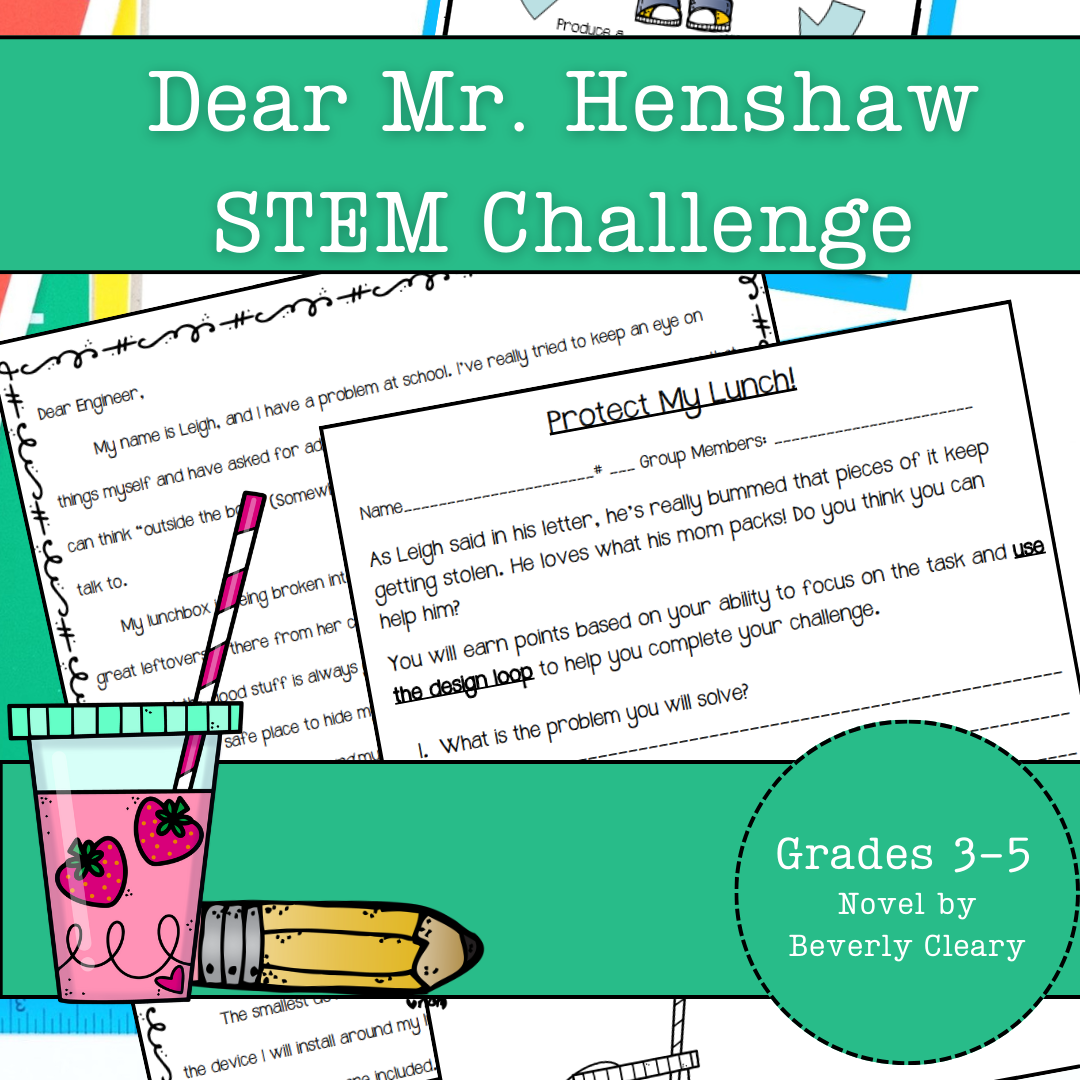
Help design and build a four-wheeled car for Ralph, the adventurous mouse, from The Mouse and the Motorcycle. Perfect for integrating literature and science, this challenge guides students to apply engineering principles using simple materials while fostering teamwork and critical thinking. What’s Inside This Resource: Student Letter: A fun letter from Ralph introduces the challenge, linking the story to a real-world engineering task. Design Loop Graphic: A visual students can attach to their science journals, serving as a step-by-step guide throughout the activity. Detailed Instructions: Choose to print the guide as a packet or have students record each stage in their journals for an interactive experience. Teacher Tips: Practical guidance for crafting a clear problem statement with time constraints, materials, and success criteria tailored to your classroom. Skills Your Students Will Build: ✔ Problem-Solving: Identify obstacles and create inventive solutions. ✔ Engineering Design: Navigate the design loop—plan, construct, test, and refine. This page can easily be enlarged for a classroom poster. ✔ Critical Thinking: Assess their prototype’s performance and pinpoint ways to enhance it. ✔ Teamwork: Collaborate effectively to accomplish shared goals. Versatile Classroom Application: Whether as guided instruction or part of an integrated literature and science unit, this STEM activity encourages students to think creatively, document their process, and meet science and engineering standards. The rubric included is based on engineering concepts, but can also be used as a nonfiction writing rubric for cross-curricular options. Why Educators Love This Resource: ⭐ “My students were fully engaged, combining their passion for reading with STEM!” ⭐ “Simple to set up and encourages creativity and teamwork.” ⭐ “A seamless connection between literature and science for cross-curricular learning!” Inspire your students to solve Ralph’s problem and discover the joy of engineering with this fun, standards-aligned STEM challenge!
Author Kel's Klass
Tags 4th Grade Science Project, 4th Grade Science Experiment, 5th Grade Science Project, 5th Grade Science Experiment, Engineering Diagram, Science Graphic Organizer, Science Rubric, 3rd Grade Science Project, 3rd Grade Science Experiment, The Mouse And The Motorcycle
TinkerCAD step-by-step instructions for Catapult
Special Resources, Science, Technology, Engineering, Grade 5, 6, 7, 8, 9, 10, 11, 12, Activities, Projects
TinkerCAD step-by-step instructions for Catapult. Students only need to know the bare basics to complete this. I tested this with a fifth-grade class and most could complete it with no help. Designed to print with no supports for easy printing. Include TinkerCAD tool guide! Has a content page. Great beginners’ tool for learning to make 3D models and learn TinkerCAD. TinkerCAD is a free online program that makes 3D model that work on 3D printers, laser etching machines, water jets, plasma cutters and many more!! Tinkercad is an easy-to-use, browser-based computer-aided design (CAD) software developed by Autodesk. It is primarily used for creating and designing 3D models, particularly in the field of 3D printing. Tinkercad is popular among beginners and hobbyists due to its intuitive interface and simplified tools. Here are some key features and uses of Tinkercad: 1) 3D Modeling: Tinkercad allows users to create 3D models by combining basic shapes and manipulating them using tools such as scaling, rotating, and moving. It provides a wide range of primitive shapes like cubes, spheres, cylinders, and more, which can be customized to create complex designs. 2) Design Customization: Users can apply various modifications to their designs, including resizing, rounding edges, adding text, creating holes, and aligning objects. These tools help in refining the models and making them suitable for specific purposes or fitting them with other components. 3)Import and Export: Tinkercad supports the import of existing 3D models in STL and OBJ formats, allowing users to modify and incorporate them into their designs. It also offers export options to save the designs as STL files, which are widely used in 3D printing. 4) Collaboration and Sharing: Tinkercad provides features for collaboration, allowing multiple users to work on the same project simultaneously. It enables real-time sharing and editing, making it convenient for team projects or educational purposes. 5) Electronics Integration: One notable aspect of Tinkercad is its integration with electronics. It offers a range of electronic components, including resistors, LEDs, motors, and microcontrollers, which can be used to create interactive models and prototypes. Users can simulate circuit connections and test their designs before implementation. 6) Educational Tool: Tinkercad is widely used in educational settings, particularly for teaching students about 3D design, modeling, and prototyping. Its simple interface and beginner-friendly tools make it accessible to users of all ages and skill levels. Overall, Tinkercad is a versatile and user-friendly CAD software that allows individuals to create and customize 3D models. Whether you're a hobbyist, student, or professional, Tinkercad provides a valuable platform for designing, prototyping, and exploring the world of 3D printing and modeling. Total pages: 51 pages Commands to be learned: Group Ungroup Align Mirror Duplicate Holes Solids Rotate Move Drop Subjects: Geometry Engineering Career and technical education Types: Projects Handouts Printables
Author MontyWorks
Tags TinkerCAD, 3D Printing, 3D Printer, Projects
Exploring the Solar System Project - Middle School Space
Science, Earth and Environmental Sciences, Space, Grade 6, 7, 8, Activities, Projects
Blast off on an exciting expedition through our cosmic neighborhood with this immersive 6-part solar system project! Students will embark on a journey of discovery to expand their knowledge of the planets that orbit our sun. The adventure begins by surveying key characteristics of the planets. Students will compare and contrast attributes like composition, size, moons, and more using interactive charts . These activities will build a foundation of knowledge about our stellar surroundings. Each student will then adopt an alien identity from one of the planets. Their mission is to gather intelligence about their new home world to create an engaging planetary fact file. This top-secret document will contain maps of unique features, details about survival in extreme conditions, and the planet's orbital path. Students will encrypt their findings in informative infographics. The quest continues as student aliens form contacts with beings from other worlds. In their teams, they will decipher similarities and differences between their planets using techniques like Venn diagrams. Patterns between planetary traits will become clearer. The students will then band together to design hidden settlements tailored to their adopted planet's environment. Infrastructure, culture, geography, and survival needs will dictate the layout of these extraterrestrial cities. Teams will create coded maps, diagrams, and written records to conceal their covert communities. Immersing themselves in alien personas, students will log journal entries chronicling daily life on their assigned planets. By pretending to inhabit these cosmic spheres, perspectives will be broadened. Finally, the project concludes by welcoming visitors to an intergalactic Planets Fair. Student aliens will showcase their classified findings by hosting creative exhibits about the celestial bodies we call neighbors. This galactic get-together celebrates exploration of the wonders in our solar system and beyond!
Author Teach With Fergy
Tags Space, Solar System, Astronomy, Planets, Sun, Space Project