



3,984 products added recently
Page 5 - 3rd Grade Math Lesson Plans
Enhance your third graders' math abilities with lesson plans that focus on key concepts like multiplication, division, and fractions. These resources offer interactive activities to solidify understanding. Use them to support skill development and foster a positive attitude toward math.

 Show filters

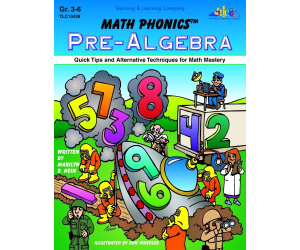
Math Phonics Pre-Algebra
Math, Algebra, Grade 3, 4, 5, 6, Teacher Tools, Lesson Plans
Math Phonics Pre-Algebra Teaching Resource The Math Phonics Pre-Algebra teaching resource is a comprehensive guide designed to instill foundational pre-algebra skills in students ranging from grade 3 to grade 6. This resource particularly focuses on fortifying basic math skills while gradually introducing concepts of algebra. Interactive Mediums Incorporating a variety of interactive mediums, this engaging educational tool utilizes wall charts , games, activity pages and worksheets across its lesson plans. Detailed explanations are provided in an easy-to-understand language aiming to deeply root the principles of algebra in young minds before they embark on tackling the complete course. Essential Principles and Topics The author emphasizes three essential principles throughout this Math Phonics book: Understanding Learning Mastery Critical pre-algebra topics which include: Integers Exponents and their scientific notation Expressions GGraphing techniques including slope study BBinomials and trinomials. Evaluation Tools And Usage Methods: Answer Keys, Classrooms To Homeschoolers Flexibility & Compatibility With PDF Format / Digital Viewing / Printed Copies As Needed A Selection Of Helpful Math Rules Paired With Notable Facts Throughout Its Sections. To help teachers assess students' progression effectively or for self-correction by learners themselves during individual study sessions or homework assignments, a complete answer key has been included at the end. This teaching resource can be utilized in several ways spanning whole group instruction within a classroom setup or engaged individually catering specifically to homeschoolers' needs as well as smaller targeted groups within larger classes aiming for personalized teaching methods. Based on file type availability; it’s best suited for digital viewing or printing at convenience as per specific usage requirements given it's available as a PDF document file format. User Experience As educators explore this approachable pathway into what can often be seen as an intimidating subject area like pre-algebra; they will truly appreciate how simple yet effective such nuanced journey makes learning enjoyable while presenting them credible results garnering student enthusiasm towards further mathematical pursuits.
Author Classroom Complete Press
Tags PDF

Measurement: Volume & Surface Area - FLASH-PC
Math, Measurements, Grade 3, 4, 5, Teacher Tools, Lesson Plans
An Overview of FLASH-PC: Measurement - Volume & Surface Area Teachers looking to deepen the understanding of their students in concepts related to Measurements, specifically volume and surface area will find FLASH-PC an instrumental software package. Not only does it aim at enhancing learners' comprehension but consistently assesses their learning progress. What's in the Package? A Comprehensive Lesson Plan: Apt for third to fifth-grade students, it provides a clear guideline for effective teaching of such critical mathematical concepts. Assessment Materials: The package includes pre- assessment tools which lessen preparation burdens on teachers. Presentation of Real-World Problems: Questions derived from daily scenarios are included which instill practical knowledge among learners while helping them sharpen their problem-solving skills. Growth-Stimulating Activities:: For quick-thinking stimulation or serving as homework assignments or quizzes, timed drill activities are offered within this package. Making Learning Fun and Interactive The unique characteristic about this FLASH-PC resource is its inclusion of engaging games—like memory match game, board game and spinner game—which make learning fun while enhancing volume and surface area comprehension among children. These games are flexible enough to cater both small groups needing focused attention during class or whole class involvement during math periods. Aiding Classroom Teaching Effectively This package also incorporates supplementary tools like math instruments essential for measuring lessons related to volume and surface area ensuring every necessary assistance needed by teachers is available when required. Detailed Teacher Guides & Printables : Equipped with adequate instructions on proper usage alongside printables for ensuring error-free implementation of lesson plans. Language Inclusivity Considering the diverse language needs within a classroom, the product not only contains default English text and voice-over but also includes a Spanish voice-over, making mathematical learning inclusive for all! To Conclude The Measurement: Volume & Surface Area – FLASH-PC resource serves as an instrumental medium providing resources in one accessible file. It enhances math lessons thereby aiding in creating a progressively fruitful learning journey for every student.
Author Classroom Complete Press
Tags Software (PC)
Number & Operations: Fractions - Addition & Subtraction - PC Software
Math, Fractions, Grade 3, 4, 5, Teacher Tools, Lesson Plans
Number & Operations: Fractions - Addition & Subtraction - PC Software An effective teaching resource designed to enhance the comprehension of fractions, specifically in terms of addition and subtraction. Geared towards educators teaching students in grades 3 through 5, this tool offers curriculum-based content that is engaging and informative. Main Features: Built-in exercises such as pre- assessments , lesson plans, real-world word problems, and timed drills for depth understanding about fraction operations. Diverse range of activities like memory match games and board games making it suitable for group instructions or interactions. Incorporates spinner game to provide hands-on ways for students to reinforce their knowledge. Versatility & Instructor Support: The software comes equipped with distinct features intended to aid teachers track student progress. These include: • Math tools designed for problem-solving procedures. • Teacher guides filled with useful tips on how to maximize utilization of these resources. Linguistic Accessibility: The resource extends its inclusivity by offering default English voice over and text along with Spanish alternatives. This gives users the freedom to switch between languages as per requirement or preference. Purposeful Application: This versatile tool can be implemented not only in classrooms but also set as homework assignments. Skills developed tie directly back towards mastering end-of-unit assessments enhancing overall Math curriculum.
Author Classroom Complete Press
Tags Fractions Lesson Plan, Operations, Digital Math, Curriculum, Fractions Printable
Geometry: Polygons - Practice the Skill 3 - FLASH-MAC
Math, Geometry, Common Core, Grade 3, 4, 5, Teacher Tools, Lesson Plans
Geometry: Polygons - Practice the Skill 3 - FLASH-MAC Geometry: Polygons - Practice the Skill 3 - FLASH-MAC is a comprehensive educational tool aimed at educators, spanning both public schools and homeschooling. It focuses on enabling a comprehensive understanding of Polygons in Geometry, crafting lessons primarily for Grade 3 through Grade 5 students. This mini-chapter buttresses curriculum-related content using engaging and timed drill activities. Focused Learning & Interaction Focused on mastering learning, this activity encourages students to differentiate between simple and complex polygons. The interactive module motivates learner engagement across diverse cognitive abilities or learning styles. Incorporating math tools to equip learners with resources necessary for success in these exercises. Bilingual Compatibility & Seamless Interface A unique component making this resource stand out from traditional teaching tools is its bilingual compatibility. In addition to English, it offers Spanish voice-over options alongside corresponding textual alternatives. This makes it conducive to not just native English speakers or monolingual classrooms but also multilingual learners. The FLASH-MAC variant compatible with MAC systems allows for smooth cross-platform implementation without technical issues resonating with today's digital literacy needs in education. Alignment with Standards & Versatility This didactic tool aligns perfectly not only with the Common Core State Standards but also supports STEM initiatives by incorporating practical applications of mathematical skills contextually into real-world scenarios. Furthermore, it conveniently aligns with the NCTM recommendations ensuring our teaching aids maintain their relevance amidst fluctuating educational standards. This resource can seamlessly weave into standard classroom instruction whether used group-wide during regular lessons or even smaller groups where focused remedial or extension activities can be implemented effectively. This makes it an excellent choice for independent learning enhancement - our materials provide flexible solutions, custom designed for every scenario. Accessibility & Efficient Design Included as a software file, Geometry: Polygons - Practice the Skill 3 - FLASH-MAC is user-friendly and resolves common concerns about storage requirements typical with physical resources. This ensures engaging math instruction remains accessible right at your fingertips!
Author Classroom Complete Press
Tags Software (Mac)

Algebra: Equations - Solving for a Variable - Learn the Skill - FLASH-PC
Math, Algebra, Common Core, Grade 3, 4, 5, Teacher Tools, Lesson Plans
Algebra: Equations - Solving for a Variable – Learn the Skill Flash-PC The Algebra: Equations - Solving for a Variable – Learn the Skill Flash-PC is an instructional resource created to assist third to fifth-grade students comprehend the concept of algebraic equations and find solutions for variables. This rich-information tool simplifies complex mathematical concepts into digestible units, giving students practical, real-world problems that gradually introduce them to algebraic equations and encourage them towards confident independent problem-solving. Educator's ToolKit This product provides educators with relevant mathematical tools required for effective classroom instruction. Made with flexibility in mind, it can be used within different teaching environments; whole-group sessions where teachers aim at engaging all learners or small interactive groups guided by student leaders that encourage collective problem-solving. This resource also serves as helpful homework material allowing each learner additional exposure beyond regular class hours to grapple these equations independently. Tech-enabled learning The flash-PC file type ensures access on any PC without requiring any additional software installations, breaking boundaries set by traditional classrooms. This facilitates learning anytime and anywhere. Multilingual Resources Inclusivity is promoted by including bilingual resources which are presented in English voice-over text as well as equivalent Spanish text catering not only too monolingual but also multi-language learners. Dedicated adherence to Standards of Learning Nationally aligned content: This product strictly adheres to Common Core State Standards ensuring its content seamlessly aligns with nationally mandated education standards while supporting science and mathematics-based STEM initiatives in schools. As per NCTM Guidelines: It follows guidelines outlined by the National Council of Teachers of Mathematics (NCTM) promising high-quality teaching resources devised by globally recommended Math educators. The Algebra: Equations - Solving for a Variable – Learn the Skill Flash-PC product promises to equip teachers better and instill more confidence in them to guide 3rd-5th-grade students on their journey towards becoming proficient mathematicians.
Author Classroom Complete Press
Tags Software (PC)

I WONDER - What Is A Pyramid | Animated Video Lesson
STEM, Geometry, Math, Grade 1, 2, 3, 4, 5, 6, 7, 8, Lesson Plans, Teacher Tools
Video Introduction An amazing video designed for the students to learn more about STEM. I WONDER - What Is A Pyramid | Animated Video Lesson Do you like STEM subjects? what is your favorite one? Have you ever tried to plant a seed? If yes, tell us more about it. Or have you ever tried to invent something? If yes, tell us more about it. And how do you think it will help us? Have you ever seen a microorganism under a microscope? What was it? And how it looked like? Mathematics is a marvelous subject. Let' sharpen our brains and solve some equations. Do you like timetable tricks? What is your favorite one? Do you know how to code? Have you ever created an app or a game before? If yes, how was it like? I WONDER - What Is A Pyramid | Animated Video Lesson The video is perfect for encouraging the researching skills for the students, while learning more about this fantastic topic. I WONDER - What Is A Pyramid | Animated Video Lesson This friendly designed video is suitable for students at school, homeschooling, and as a group activity. Format Available in MP4 format.
Author Educational Voice
Tags What Is A Pyramid, What Is A Pyramid Video, Pyramid, Pyramid Shape, Pyramid Shape Facts, Pyramid Shape Facts For Kids, Pyramid Shape Video, Pyramid Shape Video For Kids, Pyramid Video

Measurement: Angles - Practice the Skill 2 - FLASH-MAC
Math, Measurements, Common Core, Grade 3, 4, 5, Teacher Tools, Lesson Plans
Measurement: Angles - Practice the Skill 2 - FLASH-MAC An ideal supplement for a teacher's math curriculum in grades 3, 4, and 5 is the "Measurement: Angles - Practice the Skill" tool provided as a Mac-based software resource. Key Features: Focusing on understanding angle measurements, this teaching resource combines targeted drill activities designed to improve vital skills progressively. It caters to whole-group instruction sessions or altered small-group work effectively. The software includes a protractor tool for students to calculate given angles' measurements. This feature promotes hands-on practice, active engagement, independent problem-solving competencies and self-learning among children. This tool effectively caters to bilingual or Spanish-speaking classrooms. Along with English voice-over and text options, it includes Spanish equivalents seamlessly for diverse learner needs . The content aligns perfectly with Common Core State Standards serving practical applications while harnessing STEM-driven initiatives among learners. Educational Alignment: All content adheres closely to guidelines set forth by the National Council of Teachers Mathematics (NCTM). Educators can thus be assured that using this product complements their overall pedagogical approach matching their classroom objectives seamlessly. Moreover, teachers can leverage this powerful resource beyond class hours; they can assign selected drill exercises as homework – conveniently enabling continuous student progress tracking between intervals without compromising curricular coverage or learning outcomes. Any progressive classroom could benefit enormously from this versatile teaching resource which perfectly blends innovation with standard pedagogical methodologies aimed at mastering angle measurement skilfully created and correctly targeted at school-grade education levels.
Author Classroom Complete Press
Tags Software (Mac)

Measurement: Angles - Learn the Skill - FLASH-PC
Math, Measurements, Common Core, Grade 3, 4, 5, Teacher Tools, Lesson Plans
Measurement: Angles - Learn the Skill - FLASH-PC An essential teaching resource designed to facilitate understanding of angles and measurements for grade 3 to grade 5 students. This product is developed with precision and ingenuity, aiding educators in engaging their pupils in interactive learning experiences. Product Overview: Drafted based on curriculum benchmarks, focusing largely on real-world word problems providing practical context for learning. Transforms the complexity of subjects like Math & Measurements into simpler methods for easy comprehension. Versatility allows its addition to lesson plans and optimization in various group sizes depending on student comfort levels--also applicable as homework assignments. Special Features: Equipped with useful math tools enabling nurture of logical reasoning skills amongst students. Linguistically inclusive with options for English or Spanish voice over and text ensures accessibility to students from diverse backgrounds. In line with Common Core State Standards, STEM initiatives and endorsed by NCTM (National Council of Teachers Mathematics), our software relieves educators about any concerns over quality. The PC software format ensures portability across devices which means that it is readily accessible anytime anywhere. An innovative solution encapsulating ease-of-use within an effective pedagogical framework.] Effectively enriching the teaching-learning exchange experience resulting in captivating, informative, and productive sessions.
Author Classroom Complete Press
Tags Software (PC)

Measurement: Angles - Learn the Skill - FLASH-MAC
Math, Measurements, Common Core, Grade 3, 4, 5, Teacher Tools, Lesson Plans
Measurement: Angles - Learn the Skill - FLASH-MAC This educational tool is a detailed, curriculum-focused resource aimed at developing understanding in 'Angles of Measurement'. Developed for children at grade levels from 3rd to 5th, it includes easy-to-grasp chapters saturated with real-life word problems that solidify this crucial math concept. A creative inclusion of practical math tools fosters active learning and problem-solving abilities while keeping students engrossed in their learning experience. Its flexibility allows it to be utilized effectively in multiple scenarios such as comprehensive class instruction, small focus groups or individual homework assignments. The product stands out with its bilingual feature; offering primary English text and voiceover along with secondary Spanish options. This multi-lingual aspect increases adaptability across varied language backgrounds aiding teachers and pupils alike. In terms of standard alignment, this teaching tool simultaneously keeps up with Common Core State Standards adding value to its instructive relevance within educational settings. Moreover, following STEM principles and being designed according to NCTM norms helps students hone their measurement skills- a foundational element within Mathematics. Since the solitary product file type is Software (Mac), it enhances digital integration into existing tech-based learning systems favoring Mac without any complications. In summary, 'Measurement: Angles - Learn the Skill - FLASH-MAC', proficiently embeds curriculum-oriented content inside an intuitive design supplementing real-world examples. This makes mastering concepts like angles of measurement more achievable for students from grades 3-5 while also providing valuable support for teachers interested in facilitating quality maths education.
Author Classroom Complete Press
Tags Software (Mac)
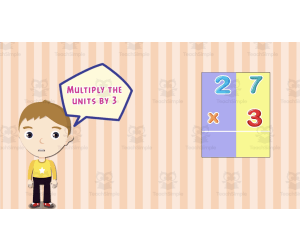
All About Multiplying 1 Digit | Animated Math Video Lesson
Math, Multiplication and Division, Division, Grade 2, 3, 4, Lesson Plans, Teacher Tools
All About Multiplying 1 Digit | Animated Math Video Lesson Equip your learners with the vital skill of multiplying single-digit numbers with our engaging, 9-minute animated math video lesson, 'All About Multiplying 1-Digit'. Created particularly for Grade 2, Grade 3 and Grade 4 students, this interactive video resource serves as an informative guide on mastering the concepts related to multiplying one digit. The animation breathes life into mathematical principles presenting them in a straightforward and digestible manner that children will find appealing. Its comprehensive design takes pupils step-by-step through different multiplication problems, enabling them to practice their skills in a supportive learning environment. As they progress through the video content, each step enhances their understanding of how to work with one-digit multiplication effectively. This highly adaptable teaching resource can easily become part of your lesson plan and may be employed in a variety of educational settings. It may serve as: An introductory aid at the start of your multiplication unit during whole group instruction A reinforcement tool during small breakout sessions where learners can interact and collaborate on tasks related to single digit multiplication If homework assignments are part of your curriculum structure, this video acts perfectly as supplemental material that children can use for self-study at home. They can replay it multiple times if needed until they fully understand how to multiply by a single digit confidently. As an accessible digital download (in MP4 format), storing and accessing this resource is convenient for every educator whether they teach in public schools or facilitate homeschooling lessons. 'All About Multiplying 1 Digit | Animated Math Video Lesson': Bringing Fun Into Learning & Strengthening Numeral Skills With its enticing graphics and articulate explanations suitable for Grades 2-4 students' comprehension level, this video lesson brings fun into learning while strengthening learners' numeral skills necessary for subsequent grades.
Author Educational Voice
Tags Multiplication, Single Digit, Math Video, Interactive, Teaching Resource

Algebra - Digital Lesson Plan Gr. 3-5 - FLASH-PC
Math, Algebra, Grade 3, 4, Teacher Tools, Lesson Plans
Algebra - Digital Lesson Plan Gr. 3-5 - FLASH-PC is an extensive educational resource, particularly designed for students in grades 3 through 5. This comprehensive program offers over 230 unique activities distributed across more than 80 interactive screen pages. Focusing on Algebra: Mainly concentrating on the Mathematics strand of Algebra as outlined by NCTM and other state curricula, it enables students to explore and learn at their own pace. The learning process incorporates various features such as task-oriented and drill activities. Making Learning Relatable: All tasks are thematically structured around real-life experiences in order to make concepts easier to understand and relate to. Pre- assessment Components: Helps identify areas where learners require additional practice or understanding. The Measurement Standards: Included in both imperial (US) & metric measurements. Bilingual Support: Easily caters not only for monolingual but also bilingual classrooms or homeschooling environments with English & Spanish Text-to-Speech facility. Add-Ons: The software includes numerous engaging extras like printables, interactive lessons, test prep modules that aids cognitive abilities and strategic thinking into algebra lessons. Evaluation Process: An assessment quiz at the end of each chapter lets you assess student comprehension accurately. It’s versatile enough to be used either directly during teaching hours or assigned as homework exercises; this resource is adaptable per your convenience! Incorporating Algebra - Digital Lesson Plan Gr. 3-5 - FLASH-PC into your teaching toolkit ensures well-rounded, detailed math instruction that exceeds curriculum expectations.
Author Classroom Complete Press
Tags Software (PC)

Curriculum Math Tools - Protractor Tool - FLASH-MAC
Math, Algebra, Grade 1, 2, 3, 4, 5, 6, 7, 8, Lesson Plans, Teacher Tools
Curriculum Math Tools - Protractor Tool - FLASH-MAC This is an extensive teaching resource, ideally crafted to support educators and optimized for MAC software. It helps in creating immersive and interactive learning experiences for the students of grade 1 through to grade 8. Standards Compatibility: NCTM (National Council of Teachers of Mathematics) Common Core Standards STEM standards The tool provides guidance on mathematical sub-disciplines like Number & Operations, Algebra, Geometry, Measurement, Data Analysis & Probability. Versatility & Adaptability This protractor tool can be used in various educational scenarios such as whole group sessions or smaller study groups. It can also be assigned as supplemental homework or used as an assessment tool to gauge student understanding. Therefore it facilitates both home-schooling and public school teaching scenarios. Kinesthetic Learning Enhancement The application enables hands-on manipulation during geometrical problem-solving exercises enabling real-time observation effects influenced by measurements within angles using protractors. Included in the toolkit: A comprehensive product file ready for immediate download upon purchase which makes usage stress-free. Special Mention: Algebra Teaching The Curriculum Math Tools-Protractor-FLASH MAC enhances understanding and empowerment around complex calculations required in algebraic studies thus standing out especially within algebra teaching scenarios. To Summarize: This tool promises educators an improved level instruction while assuring learners an elevated engagement level due to its practical capabilities packaged finely into its user-friendly interface ready for use right off shelf. </p+
Author Classroom Complete Press
Tags Software (Mac)
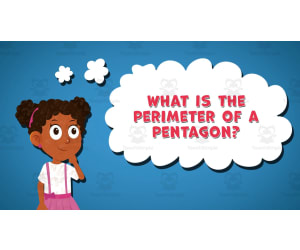
I WONDER - What Is The Perimeter Of A Pentagon | Animated Video Lesson
Geometry, Math, Shapes, Early Math, Grade 3, 4, 5, 6, 7, 8, 9, Lesson Plans, Teacher Tools
Video Introduction An amazing video designed for the students to learn more about STEM. I WONDER - What Is The Perimeter Of A Pentagon | Animated Video Lesson Shapes are all around us. What are your favourite ones? And can you give us some real life examples? Can you name the difference between the 2D shapes and 3D shapes? Have you ever tried to calculate the surface area of the square? If yes can you write the equation down? What is the perimeter of the rectangle? And can you tell the difference between radius and diameter of a circle? Can you mention what is the difference between the right angle and the acute angle? Have you ever heard about the obtuse angle? I WONDER - What Is The Perimeter Of A Pentagon | Animated Video Lesson The video is perfect for encouraging the researching skills for the students, while learning more about this fantastic topic. I WONDER - What Is The Perimeter Of A Pentagon | Animated Video Lesson This friendly designed video is suitable for students at school, homeschooling, and as a group activity. Format Available in MP4 format.
Author Educational Voice
Rating
Tags What Is The Perimeter Of A Pentagon, The Perimeter Of A Pentagon, The Perimeter Of A Pentagon Video, The Perimeter Of A Pentagon Facts, The Perimeter Of A Pentagon Facts For Kids, The Perimeter Of A Pentagon Video For Kids

Geometry: 2-D & 3-D Shapes - Learn the Skill - FLASH-MAC
Math, Geometry, Common Core, Grade 3, 4, 5, Teacher Tools, Lesson Plans
Geometry: 2-D & 3-D Shapes - Learn the Skill - FLASH-MAC Strong>Overview: If you are a teacher looking for an engaging method to teach understanding of 2-D and 3-D shapes in Geometry, or a homeschooler seeking an instructive resource that supports your learners' math skills, Geometry: 2-D & 3D Shapes - Learn the Skill - FLASH-MAC is here to help. Key Features: An engaging curriculum -oriented content with real-world word problems that holds student's attention. Suitable for grade-3 students up to grade-5 learners. Inclusive learning language options with default English voice over and text as well as Spanish option. Supplementary Tools: User-friendly software specifically designed for Mac systems along with essential math tools embedded within the software. A resource alignment with Common Core State Standards, STEM initiatives and NCTM frameworks providing benefits beyond just geometry lessons on shapes. Purpose & Use: The flexibility of this resource allows it to be used both during whole group discussions or smaller groups where children work at different paces. It can also serve as an extra reinforcing activity when assigned as homework beyond classroom walls. In essence, if you're exploring new methods or resources aiming at stimulating interest in geometry while meeting curriculum requirements like Common Core State Standards and STEM standards--the Geometry: 2D & 3D Shapes – Learn the skill –FLASHMAC is an option worth serious consideration.
Author Classroom Complete Press
Tags Software (Mac)

Grade 3 Math Volume 5
Math, Geometry, Grade 3, Teacher Tools, Lesson Plans
Grade 3 Math Volume 5: An Indispensable New Teaching Toolkit The Grade 3 Math Volume 5 workbook is a bountiful teaching resource created explicitly for the curriculum needs of third graders. This guide mentors learners through complex geometry concepts, ensuring a robust understanding of skills like congruency, similarity, and symmetry. The Dimensions of Learning 41 Interactive Activities: The workbook spans 41 pages housing engaging exercises like math writing tasks that enhance critical thinking; fill-in-the-blank tests which cement conceptual understandings, and well-crafted multiple-choice queries stimulating analytical inferences. Versatile Usage: This source material has varied operational possibilities. It can be integrated into group problem-solving situations or repurposed as small peer-learning exchanges while simultaneously serving to assess learner progress subtly when structured as casual ‘exit tickets.’ Pedagogically Adaptable: This compendium aligns productively with your existing math curriculum . Educators can leverage it as the main instructional guide or use it supplementarily in concert with other lessons. Easily Accessible Resource No more tiresome DIY lesson creation or tediously scouring online repositories- this workbook offers everything prepackaged within an easily accessible downloadable PDF! Enjoy easy printing upon demand! The Revolutionary Approach to Education Grade 3 Math Volume 5 not only offers functionalities that empower student learning but also individualizes instruction catered towards classroom dynamics and unique learning paces. Get your hands on this "Innovative Teaching Toolkit", seeing your student's proficiency levels rise will assuredly follow!
Author Classroom Complete Press
Tags Line Symmetry, Congruency, Math Worksheet, Geometry Worksheet, Math Workbook
Algebra: Patterns - Learn the Skill - FLASH-PC
Math, Algebra, Common Core, Grade 3, 4, 5, Teacher Tools, Lesson Plans
Algebra: Patterns - Learn the Skill - FLASH-PC FLASH-PC is a curriculum-based teaching resource developed for pupils in grades 3-5. This guide aims to provide teachers with effective teaching methods on algebra patterns, using real-world word problems for easy understanding. This rich resource is essential not just for public school teachers but also homeschoolers navigating through math complexities. While it works well for whole class instructions, you can employ it during small group work sessions or give out as homework assignments to promote independent study. In today's multilingual classrooms, Algebra: Patterns – Learn the Skill - FLASH-PC offers both Spanish and English versions enhancing inclusivity and ensuring no student is left behind. The product comes with practical math tools aiding comprehension of algebraic problems. You can align FLASH-PC perfectly with Common Core State Standards (CCSS), STEM initiatives making it suitable across different educational frameworks worldwide. This product contains one software file compatible with your PC; hence no need for additional downloads making it convenient even technologically challenged schools. Leveraging digital platforms like this not only offers variety, but encourages active learner participation due to their daily life-tech interactions away from school. Tailored towards flexiblity and convenience;, Algebra: Patterns – Learn the Skill – FLASH-PC is an asset to educators committed towards creating engaging learning experiences in their math classrooms.<P
Author Classroom Complete Press
Tags Software (PC)
Geometry: Area, Volume & Surface Area - Practice the Skill 1 - FLASH-MAC
Math, Geometry, Common Core, Grade 3, 4, 5, Teacher Tools, Lesson Plans
Geometry: Area, Volume & Surface Area - Practice the Skill 1 - FLASH-MAC Geometry: Area, Volume & Surface Area - Practice the Skill 1 - FLASH-MAC is a comprehensive software platform indispensable for educators in public schools and homeschooling environments. This teaching resource emphasizes on the Geometry subtopics of area, volume and surface area. Curriculum -based Content This tool includes a collection of 'practice the skill' activities that are timed. The exercises require learners to calculate areas of different squares and rectangles optimizing their proficiency in geometry while enhancing their speed in problem solving – an invaluable skill across multiple subjects. Inbuilt Math Tools The package incorporates various math tools designed to be used during drills or separate lessons for enriched engagement and improved understanding. These features provide practicality whilst ensuring convenience for both teachers and students alike. Multicultural Provisions Taking into account today's multicultural classrooms, every student has been considered. For inclusivity purposes, this software provides voiceovers along with text options offered both English as well as Spanish languages thereby catering to language diversity among learners across various backgrounds. Complies with Common Core State Standards. Promotes STEM initiatives. NCTM standards adherence assures education quality matching Grades 3 through 5 learning outcomes requirements . Ease-of-Use Flexibility The easy-to-use Mac compatible product allows flexible implementation possibilities including usage during lessons within school settings or assigning drills for homework- ensuring consistent practice outside classrooms too. With only one product file involved within its structure makes data manipulation effortless providing more time to focus on what really counts - teaching!
Author Classroom Complete Press
Tags Software (Mac)

Multiply by "Nine" Task Cards - 60 Task Cards
Math, Calculus, Early Math, Basic Operations, Counting, Numbers, Multiplication and Division, Multiplication, Grade 1, 2, 3, 4, 5, Worksheets & Printables, Task Cards, Teacher Tools, Assessments, Lesson Plans, Quizzes and Tests, Activities, Centers
Multiply your students’ success with these 60 task cards dedicated to mastering the 9-times tables! We know the 9s can be tricky, but with these fun and engaging task cards, your students will be multiplying like math pros in no time. These cards are your secret weapon for making multiplication less of a headache and more of a breeze. Ways to Use: Morning Kick-Off: Start the day with a few quick challenges to get the gears turning. Partner Practice: Pair students up to quiz each other for some friendly competition. Independent Work: Perfect for solo practice during quiet time or math centers. Group Games: Use in scavenger hunts, relay races, or timed drills for added excitement. Quick Assessments: Instant feedback to track progress without the extra effort. Advantages: Focused Learning: Master multiplication by 9 in no time with targeted practice. Prep-Free: Just print and go—no lesson planning required! Interactive Fun: Keeps students engaged with exciting activities and challenges. Versatile: Use them individually, in pairs, or with the whole class. Instant Feedback: Easy to track students’ progress and identify areas for improvement. With these task cards, you’ll have your students multiplying by 9 like they were born to do it!
Author Ponder Palette Plazza
Tags Multiplication, Multiplication Task Cards, Multiplication Worksheets, Multiplication Activities, Task Cards, Math Task Cards, Numbers, Mental Math

Number & Operations: Percentages with Fractions - Practice the Skill 3 - FLASH-MAC
Math, Percentages, Common Core, Grade 3, 4, 5, Teacher Tools, Lesson Plans
Number & Operations: Percentages with Fractions - Practice the Skill 3 - FLASH-MAC The Number and Operations Learning Tool, "Percentages with Fractions - Practice the Skill 3" is aimed at providing third to fifth-grade students an avenue to grasp understandings on percentages connected with fractions in numbers operations. Tutors can effortlessly weave this digital resource into their lesson strategies, whether for major classroom teachings or smaller instructional group actvities. Homeschooling parents will also discover its worth when requiring concrete instruments that promote engaging and vibrant educational methods. Key Features: This FLASH-MAC edition includes functional math tools student-friendly for various learning preferences. To include non-English speaking students, Spanish voice over and textual choices are highlighted together with primary English ones. In compliance with academic frameworks nationally recognized, this material follows NCTM guidelines while completely addressing STEM initiatives and Common Core State Standards implemented by governing educational bodies throughout the country. " Percentages with Fractions – Practice the Skill 3 " offers elementary teachers robust tools that make a difference irrespective of if they're instructing large clusters, giving tuition to smaller groups or providing homework assignments that validate complete comprehension of mathematical percentage theory linked to fractions effectively.
Author Classroom Complete Press
Tags Software (Mac)

Measurement - Digital Lesson Plan Gr. 3-5 - FLASH-MAC
Math, Measurements, Grade 3, 4, Teacher Tools, Lesson Plans
Measurement - Digital Lesson Plan Gr. 3-5 - FLASH-MAC The Measurement digital lesson plan is a thoroughly designed tool for teachers, fashioned specifically for students in grades 3 to 5. This program contains more than 230 individual activities spread across over eighty interactive screen pages aimed at facilitating understanding and mastery of all expectations within the NCTM and State Curriculum Math Strand of Measurements. Core Features: Task Activities Section: Provides hands-on learning opportunities intended to foster cognitive skill-building in students. Drills Emphasis:: Enhance procedural proficiency skills by providing up-to 150 problem-solving opportunities. Real-world relevance:: Makes word problems relatable by tying them to everyday experiences. Bilingual Support : Serves both English-speakers and Spanish-speaking learners through the Text-to-Speech feature. Showcases math tools available in both Imperial and Metric systems suitable for international use. Add-ons Features: Packed with exciting printables that help augment comprehension alongside memory match games responsible for stimulating critical thinking skills. Inclusive of homework assignments derived from our battery of drill problems readily available while embedding board games usable during free periods or group work sessions at school. Note: An encompassing assessment module is incorporated into the plan provided quizzes after every chapter, thus enabling teachers to understand cumulative comprehension levels effectively. Absolutely teacher-friendly; this innovative program ties perfectly into any education schema deploying modern-day technology giving Mathematics instruction right on your MAC software without extra hassle making day-by-day instruction seamless within any chosen schedule. In a nutshell, the Measurement - Digital Lesson Plan Gr 3-5 - FLASH MAC is that essential teaching tool offering flexibility, effectiveness and simplicity to enhance constructivist teaching within third to fifth-grade measurements in mathematics.
Author Classroom Complete Press
Tags Software (Mac)

Number & Operations: Base-Ten & Place Value for 3rd-5th - Practice the Skill 1 - PC Software
Math, Place Value, Common Core, Grade 3, 4, 5, Teacher Tools, Lesson Plans
<h3>Number & Operations: Base-Ten & Place Value for 3rd-5th - Practice the Skill 1 - PC Software</h3> <p>This invaluable tool, designed specifically for students in grades 3 through 5, is centered around number and operations in curriculum -based content. The software includes a series of timed drill activities focused on enhancing base-ten and place value knowledge.</p> <p>The program's interactive design provides students with essential math tools for exploring these critical concepts, while its bilingual English-Spanish voiceover and text options demonstrate an inclusive approach to language accessibility.</p> <p>The software aligns entirely with Common Core State Standards and STEM initiatives, reflecting our dedication to meeting today's educational benchmarks. The resource is available as a simplified one zip file installation that suits any academic setting from public schools to home-schooling environments.</p> <p>••The software can be used in whole-class instruction. ••nbsp&Amp ; Small group work according to differentiated levels within classrooms. •nsp &Ampm ; It can be assigned as individual homework tasks, supporting student exploration of the key concepts presented in this resource. In essence,this user-friendly teaching aid empowers educatorsto deliver foundational mathematical concepts like base-ten and place values, aiding learners through these vital initial stages of their academic journey.
Author Classroom Complete Press
Tags Math Lesson, Math Skills, Place-value Practice, Base-ten, Operations

Math Unit 1: Grade: Foundations of Number for 3rd Grade
Math, Numbers, Grade 3, Lesson Plans, Teacher Tools
This math unit has everything needed to for students to practice foundations of numbers throughout the year! It includes: Lesson plans on composing and decomposing numbers up to 100,000 Guided Math groups 4 different station board activities Games Exit tickets
Author iPohly INC
Tags Math Unit, Foundations Of Numbers, Guided Math Groups, Math Games, Math Exit Tickets

I WONDER - What Is A Pentagon | Animated Video Lesson
STEM, Math, Geometry, Grade 1, 2, 3, 4, 5, 6, 7, 8, Lesson Plans, Teacher Tools
Video Introduction An amazing video designed for the students to learn more about STEM. I WONDER - What Is A Pentagon | Animated Video Lesson Do you like STEM subjects? what is your favorite one? Have you ever tried to plant a seed? If yes, tell us more about it. Or have you ever tried to invent something? If yes, tell us more about it. And how do you think it will help us? Have you ever seen a microorganism under a microscope? What was it? And how it looked like? Mathematics is a marvelous subject. Let' sharpen our brains and solve some equations. Do you like timetable tricks? What is your favorite one? Do you know how to code? Have you ever created an app or a game before? If yes, how was it like? I WONDER - What Is A Pentagon | Animated Video Lesson The video is perfect for encouraging the researching skills for the students, while learning more about this fantastic topic. I WONDER - What Is A Pentagon | Animated Video Lesson This friendly designed video is suitable for students at school, homeschooling, and as a group activity. Format Available in MP4 format.
Author Educational Voice
Tags What Is A Pentagon, What Is A Pentagon Video, Pentagon, Pentagon Facts, Pentagon Facts For Kids, Pentagon Video, Pentagon Video For Kids, Shape, Shapes, Shapes Video
Curriculum Math Tools - Calculator Tool - FLASH-MAC
Math, Algebra, Grade 1, 2, 3, 4, 5, 6, 7, 8, Lesson Plans, Teacher Tools
Curriculum Math Tools - Calculator Tool - FLASH-MAC Take your math lessons to the next level with the Curriculum Math Tools - Calculator Tool-FLASH-MAC. This invaluable educational resource will streamline teaching and learning processes for every public school teacher, homeschooler and learner engaged in grades 1 through 8. The Calculator tool proves advantageous when maneuvering complex concepts across various math sub-subjects, such as algebra, geometry, measurement, data analysis, probability and more. Styled around the Five Strands of Math structure — Number & Operations, Algebra, Geometry, Measurement and Data Analysis & Probability — this tool stimulates comprehension by simplifying these integral subfields of academia. National Standard Alignment: Aligning with national standards including NCTM (National Council of Teachers of Mathematics), Common Core and STEM standards greatly expands its versatility. This ensures that your learners remain on par with curricula being taught in classrooms nationwide. Ease Of Installation: As a software suite packaged into a single zip file formatted for MAC systems it offers an easy installation process. Once installed educators can use it as part of whole group instruction to introduce or solidify concepts or assign it during small group work sessions to enhance hands-on practices smoothly establishing learning gaps while scaffolding subject mastery. The Value Of Practice: Increased understanding comes from practice which the Calculator tool promotes by offering an engaging platform students can navigate independently during homework assignments thus reinforcing class lessons at home. Versatility For Every Grade Level: Irrespective of grade level or skill set every public school teacher and homeschooler can use this teaching resource regularly making it an integral part in streamlining curriculum delivery methods for optimal teaching effectiveness and enhanced student comprehension experience. Equip your learners with Curriculum Math Tools – Calculator Tool-FLASH-MAC: where mathematics learning becomes simpler regardless whether you teach whole classrooms full time or homeschool smaller groups semi-formally yet need structured reliable resources that make students’ understanding better despite mathematical complexities well within national standardized norms.
Author Classroom Complete Press
Tags Math Curriculum, Math Tools, Math Assessment, Algebra, Geometry