



3,942 products added recently
Page 18 - Math Lesson Plans
Strengthen your math instruction with lesson plans that make numbers approachable and fun. Covering a variety of topics, these resources include hands-on activities and real-world applications. Incorporate these plans to build confidence and proficiency in mathematics among your students.

 Show filters


Premium Education Kindergarten Unit 2: Shapes & Patterns
Math, Early Math, Preschool, Lesson Plans, Teacher Tools
Premium Education Kindergarten Unit 2: Shapes & Patterns This digital workbook is an excellent educational tool and explores fundamental concepts in math while adhering to kindergarten grade-level standards. The key topics covered include: Basic shapes identification Understanding congruent shapes Observing patterns Interpreting graphs Nuanced Approach to Learning The content does not just offer practice worksheets but also includes valuable parental tips for extending education beyond the classroom. It provides hands-on activities, challenges for engagement, and stimulates critical thinking through applied practice. Reproducibility An advantage of this digital product is that it can be printed multiple times, allowing learners to practice until proficiency is attained. Flexible Implementation Methods The 19-page packet works well for whole group instructions, small group lessons at home or even as homework assignments—making it a versatile teaching tool. Throughout all of these resources and activities, the superior focus remains steadfast on early math skills - the foundation upon which their future mathematical knowledge will be built. In a nutshell, with Premium Education Kindergarten Unit 2: Shapes & Patterns, students enjoy exploring key early math concepts which foster curiosity about mathematics and confidence as they progress from basic to more complex levels.
Author Twin Sisters Digital Media
Tags Shapes, Patterns, Math Concepts, Hands-on Activities, Reproducible

Measurement: Angles - Practice the Skill 3 - FLASH-MAC
Math, Measurements, Common Core, Grade 3, 4, 5, Teacher Tools, Lesson Plans
Measurement: Angles - Practice the Skill 3 - FLASH-MAC An engaging and exceptional educational tool designed to offer hands-on experience in understanding angles. Tailored for learners in grades 3 to 5, it addresses fundamental knowledge areas of mathematics with a specific focus on measurements. This learning resource equips students with: Practical exercise resources – timed drill activities that challenge students to estimate measurements of given angles. A Protractor Tool - for practical application during these exercises. Inclusive Interactive Features- includes Spanish voice-over and text options, reinforcing that learning transcends language barriers. Conformance to standards: Meeting guidelines set by The Common Core State Standards, The STEM initiatives, The National Council of Teachers Mathematics (NCTM) standards. As an Educator or homeschooling parent,, you can: Use it during whole group lessons for a unified approach while teaching measurement concepts, Distribute in smaller groups depending on each student's proficiency level, OR Leverage as homework assignment enrichment tasks. Finally, this user-friendly software is available for Mac platforms. The one included product file runs smoothly without disruption paving the way for seamless learning experiences centered around mastering angle measurements fundamentally. In conclusion, Measurement: Angles - Practice the Skill 3 - FLASH-MAC establishes itself as an educational asset worth integrating into any math-oriented instructional setting seeking compliance from reliable pedagogic standards and maintaining high levels of engagement amongst learners.
Author Classroom Complete Press
Tags Software (Mac)
Financial Literacy Skills: Loans, Credit & Borrowing Gr. 6-12+
Life Studies, Math, Money, Grade 6, 7, 8, 9, 10, 11, 12, Teacher Tools, Lesson Plans
Financial Literacy Skills: Loans, Credit & Borrowing Gr. 6-12+ An essential teaching resource, designed to equip students in grades 6 through 12 with central financial skills. This is a vital piece drawn from the comprehensive lesson plan 'Real World Life Skills - Financial Literacy Skills'. Educators' Tool Teachers can utilize this tool to help students navigate the financial world confidently by providing them crucial knowledge about economic planning. It focuses on understanding bank loans and recognizing potential pitfalls of credit cards, ensuring informed decision-making. Distinguishing Features Covers differentiation between cash inflow and outflow - critical for mastering Asset & Debt Management. Fosters Negotiation Skills by leading through steps needed for acquiring the best value when shopping. Instructs thoroughly on credit scores including precious advice on their improvement. Sheds light on key aspects of car ownership such as maintenance costs and depreciation value, responsible home ownership. Includes understanding paychecks experiencing deductions due to various types of taxation; overviewing Global Economics incorporating knowledge regarding currency conversions and cryptocurrency. A Robust Teacher's Aid: This teaching aid incorporates reading passages, graphic organizers facilitating arrangement of information visually,, real-world activities associating theory with practice; crossword puzzles reinforcing learned keywords; word search games enhancing vocabulary recall along with a comprehension quiz testing retention of grasped notions. The tools provided in this guide are suitable for diverse learning styles in both whole group instruction settings or small tutoring groups, as well as customized homework assignments for individual learners at their own pace. All content aligns seamlessly with State Standards and adheres to the Bloom's Taxonomy philosophy- thus ensuring compatibility across different teaching strategies. This guide's reproducible nature simplifies the creation of multiple copies when required. Both Math teachers, concentrating on Money-themed topics or educators focusing more broadly on Life Studies, would find this comprehensive guide incredibly useful. Designed Specifically for Grades 6 through 12 This practical instructional tool pets students towards achieving financial stability and independence. Easily infusing invaluable life skills into any educational environment.
Author Classroom Complete Press
Tags Financial Literacy, Loans, Credit, Borrowing, Debt Management, Credit Score
Measurement: Measuring Time - FLASH-PC
Math, Measurements, Grade 1, 2, Teacher Tools, Lesson Plans
Measurement: Measuring Time - FLASH-PC Teaching Resource: The Measurement: Measuring Time - FLASH-PC teaching resource is specifically designed for first and second-grade educators focusing on the Mathematics curriculum. The core concept of this product revolves around providing a comprehensive approach towards understanding and teaching measurements, particularly time. Primary Features: Pre- assessment Tool: This tool works as an initial evaluator of students' knowledge of the subject matter, enabling teachers to customise instruction accordingly. Detailed lesson plan: Crafted around real-world examples aimed at stimulating student comprehension via practical application. Helps bridge theoretical concepts with tangible examples. Interactive Drill Activities & Printable Resources: Tailored to challenge speed and retention as well as reinforce learning during independent work or homework assignments. These cater to group teachings, small target sessions, or homework tasks suiting flexible utilisation perks. An added feature includes fun educational aids such as memory match games, board games, and spinner games which promote cooperative learning among peers while providing enjoyable hands-on experiences. Inclusivity Bonus: Acknowledging classroom diversity—this package comes bundled with optional Spanish voice-over text included aside from default English. In-Depth Guidance References Navigate through features without missing any vital information— thanks to the handy teacher guide component inclusive in this set along with ready-made SMART Response tests that can fetch crucial feedback on pupils' progress. In Summary The Measurement: Measuring Time - FLASH-PC not only serves teachers by equipping them with ample resources suited for first-grade mathematics instruction but also prepares their students towards enhanced comprehension on the subject. Be it catering to different teaching styles or the flexibility of utilisation across classroom settings and pedagogical approaches—this product line is comprehensive, diverse, and intuitive in nature!
Author Classroom Complete Press
Tags Software (PC)

Data Analysis & Probability: Pictographs - Practice the Skill 3 - PC Software
Math, Graphing, Common Core, Kindergarten, Preschool, Grade 1, 2, Teacher Tools, Lesson Plans
Data Analysis & Probability: Pictographs Practice the Skill 3 - PC Software The Data Analysis & Probability: Pictographs Practice the Skill 3 PC Software is a dedicated resource for educators. It offers an interactive platform to help students understand Pictographs under the scope of Data Analysis and Probability skills. Features: Practice Drills: The software comes with timed practice activities which not only enhance understanding of pictographs but also encourage time management abilities in students. Bilingual Support: Facilitating inclusivity, the tool offers both English and Spanish voice-over options and text. This makes it an ideal learning resource for multilingual or ESL students. In line with academic standards: The content aligns with STEM initiatives and Common Core State Standards, incorporating NCTM guidelines in its crafting process. The Tool is versatile enough to be effective in various settings like public schools for whole group instructions or for small study groups as well as independent homework assignments. Tech Compatibility: The software package comes nested inside a downloadable zip file specifically optimized for ease of integration on PC platforms. Aimed at aiding young learners across Preschool to Grade 2 classrooms, this software simplifies complex graphing subtopics within Maths subjects through engagingly interactive drills thus fostering concept retention efficiently amongst them. An invaluable addition to your educational toolkit; guiding young minds towards clarity of complex mathematical concepts while nurturing proficiency in their skills effectively through digital innovation merged seamlessly with tailored instructional content. </p
Author Classroom Complete Press
Tags Digital Math, Digital Graphs, Pictographs, Math Skills, Data

Geometry: Composing Geometric Shapes - Practice the Skill 3 - MAC Software
Math, Geometry, Common Core, Kindergarten, Preschool, Grade 1, 2, Teacher Tools, Lesson Plans
Geometry: Composing Geometric Shapes - Practice the Skill 3 for MAC Software The 'Geometry: Composing Geometric Shapes - Practice the Skill 3' teaching resource is designed to bolster understanding of geometric shapes. This engaging software caters to students ranging from Preschool up till Grade 2 and aligns with leading educational standards like NCTM and Common Core State Standards. Module Highlights: An interactive chapter mini that guides students through a timed drill exercise to compose hexagons using given shapes. This aids in improving critical thinking, creativity, and fine motor skills. Goes beyond language barriers! The module includes voice over options in both English and Spanish along with relevant textual materials. A downloadable ZIP file that is compatible with MAC systems ensuring easy implementation, reducing digital clutter. About its Application: Educators can utilize this versatile tool during whole class instruction or small group activities promoting collaborative learning principles. It could also be distributed as homework allowing leaners to enhance their understanding at their own pace. A Unique Feature: This resource has the capability of growing alongside your learners extending from Preschool right until Grade 2 ensuring continuity of learning without sacrificing any key geometry fundamentals along the way! In closing, If you're an educator who believes in securing solid Geometry foundations while making Math a stimulating yet challenging subject for your pupils – then give 'Geometry: Composing Geometric Shapes - Practice the Skill 3' a try!
Author Classroom Complete Press
Tags Geometry Lesson, Shapes Lesson, Shapes Activity, Digital Shapes, Math Skills
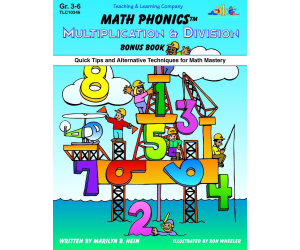
Math Phonics Multiplication & Division: Quick Tips and Alternative Techniques for Math Mastery
Math, Multiplication and Division, Division, Grade 3, 4, 5, 6, Teacher Tools, Lesson Plans
Math Phonics Multiplication & Division: Quick Tips and Alternative Techniques for Math Mastery A uniquely tailored program that includes rules, patterns, and memory techniques similar to those utilized in language arts. This approach aids in instilling challenging mathematical concepts into young minds. Ideal for: 3rd Grade Students 4th Grade Students 5th Grade Students 6th Grade Students Focusing on:Multiplication. The resource comprises of ten new lesson plans filled with engaging content. Essential content like worksheets and take-home pages is also provided, assisting educators in reinforcing students' understanding of multiplication and division during class time or as homework assignments. In addition to lesson plans and practice materials, the program includes assessment pages, enabling effective measurement of progress. These can be used to gauge individual student performance or comprehension across a group setting. Included Support Materials: Supplementary resources are also bundled within the package aiming at providing teachers with extra tools needed while teaching these concepts such as extra practice activities or learning games. All presented in an easily accessible PDF format – perfect for printouts if paper-based learning best fits your student's needs. A Versatile tool for mastering math! With great flexibility regarding its implementation modes - being able to cater from classrooms packed with eager learners down to one-on-one sessions - this product aligns perfectly whether you’re an educator striving towards math mastery.
Author Classroom Complete Press
Tags PDF
Data Analysis & Probability: Pictographs - Learn the Skill - FLASH-MAC
Math, Statistics, Common Core, Grade 1, 2, Teacher Tools, Lesson Plans
Data Analysis & Probability: Pictographs - Learn the Skill - FLASH-MAC FLASH-MAC is an advanced digital educational resource created specifically for Grade 1 and Grade 2 math instructors. This software's primary objective is to heighten students' comprehension and interpretation of Pictographs, a fundamental element of Data Analysis and Probability. The resource, structured as a "mini-chapter", provides curriculum-based content through appealing real-world word problems that not only captivate students but also enhance their conceptual understanding. To make learning more relatable for young learners, these problems include scenarios from everyday life. Included Math Tools Engaging teaching resources that assist in demonstrating certain concepts. Captivating visuals that help create compelling lessons. Aids in giving thorough insight into data visualization effectively tying mathematical knowledge to practical usage. Bilingual Feature: One of the most notable features is the bilingual voice overs—available both in English and Spanish— making it extremely flexible for various learning settings such as traditional classrooms, homeschooling or small group sessions with multilingual learners. The topics within this resource are closely aligned with both Common Core State Standards (CCSS) as well as NCTM standards making it an acceptable educational tool. The inclusion of STEM initiatives adds relevance by aligning with current education trends. Note: This program is available as a Software (Mac) file type which makes it easily compatible for educators using Mac systems. Possible Uses: Educators can employ this interactive tool during class time to enhance learning experience. This software can further be assigned as homework complementing classroom lessons at home—an efficient strategy to maintain constant academic development. In conclusion, the Data Analysis & Probability: Pictographs - Learn the Skill – FLASH MAC provides educators with a potent tool guiding their students towards an in-depth understanding of data analysis and probability interpretation via Pictographs.
Author Classroom Complete Press
Tags Software (Mac)

Algebra: Patterns - Learn the Skill - FLASH-MAC
Math, Algebra, Common Core, Grade 3, 4, 5, Teacher Tools, Lesson Plans
Algebra: Patterns - Learn the Skill - FLASH-MAC A comprehensive and practical teaching resource designed for educators of grades 3-5. This tool focuses on enhancing students' understanding of Algebra patterns, an essential mathematical concept crucial in achieving proficiency in more complex areas of mathematics. Learning Outcomes: The software offers 'learn the skill' real-world word problems to help pupils translate theoretical knowledge into functional skills. Each problem is expertly crafted, mirroring scenarios that students may encounter daily—leading to a holistic development of critical thinking abilities. Educational Tools: This resource also integrates math tools tailored to aid educators in delivering effective sessions by facilitating flexible learning opportunities such as: Whole class instruction, Small group activities, At-home assignments. Allignment with Educational Standards: The content aligns with Common Core State Standards (CCSS), STEM initiatives and conforms compliantly with standards stipulated by NCTM. Diversification of Languages: As a reflection of our commitment towards accessible education, this tool includes dual language options: English voice-over with corresponding text translation, Spanish voice-over along with equivalent text translation. This suitability for multi-lingual classrooms recognizes the diversity among 21st-century classrooms. Note: Exclusive rights are reserved only for Mac platform users as per its file type accessibility, making it ideal for educators utilizing Apple hardware resources within an education setting or homeschooling modality. Conclusion: Algebra: Patterns - Learn the Skill - FLASH-MAC empowers teachers with necessary tools while engaging young minds towards effectively grasping algebra patterns, a progressive step closer to their full-scale exploration into nascent but dynamically captivating world of mathematics.
Author Classroom Complete Press
Tags Software (Mac)
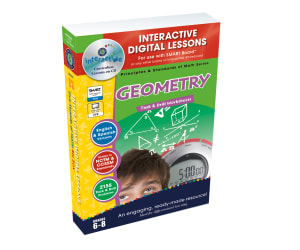
Geometry - Digital Lesson Plan Gr. 6-8 | MAC Software
Math, Geometry, Grade 6, 7, 8, Teacher Tools, Lesson Plans
Geometry - Digital Lesson Plan Gr. 6-8 | MAC Software: An essential tool for educators, developed to simplify the teaching of Geometry in Grades 6 to 8. This program is packed with over 320 individual learning sessions, spread across more than 80 engaging interactive screen pages. Catering to the NCTM and Core Curriculum Math Standards: This geometry resource covers all criteria set by essential mathematical standards. It incorporates both task-oriented activities & comprehensive drills, accommodating various types of student learning. Some key features include: Math problems covering integral topics such as angles, triangles, circles and lines. In depth studies in calculating areas of two-dimensional shapes. Volumetric analysis of three-dimensional figures. This resource could be instrumental for whole class instructions, small group collaborations or even as a base for homework assignments. Multiple methodologies included: Pre- assessment activities (60 in number). Situation-based word problems (40 in total). An abundance of skill reinforcing exercises including 225 specialized drill problems. Further attributes are: A Text To Speech tool operational in English and Spanish kicking language barriers aside. The inclusion of printable revision material that further imprints learned concepts into memory. An array consisting largely variety interactive lessons designed to absorb trainee interest maximally among others resources for exam readiness while fun games have also been incorporated which add some texture making learning less uninteresting. Finally, its virtual design format allows platform flexibility especially on MAC systems via a zip file thereby enhancing its reach beyond conventional constraints and facilitating usage consistency. With everything included, this results in achieving a universal perspective in core mathematical comprehension among the intended grade range.
Author Classroom Complete Press
Tags Geometry Lesson Plan, Digital Geometry , Digital Math Activity, Geometry Assessment, Math Plan
I WONDER - Where Does A Pentagon Get Its Name | Animated Video Lesson
Shapes, Early Math, Math, Geometry, Grade 3, 4, 5, 6, 7, 8, 9, Lesson Plans, Teacher Tools
Video Introduction An amazing video designed for the students to learn more about STEM. I WONDER - Where Does A Pentagon Get Its Name | Animated Video Lesson Shapes are all around us. What are your favourite ones? And can you give us some real life examples? Can you name the difference between the 2D shapes and 3D shapes? Have you ever tried to calculate the surface area of the square? If yes can you write the equation down? What is the perimeter of the rectangle? And can you tell the difference between radius and diameter of a circle? Can you mention what is the difference between the right angle and the acute angle? Have you ever heard about the obtuse angle? I WONDER - Where Does A Pentagon Get Its Name | Animated Video Lesson The video is perfect for encouraging the researching skills for the students, while learning more about this fantastic topic. I WONDER - Where Does A Pentagon Get Its Name | Animated Video Lesson This friendly designed video is suitable for students at school, homeschooling, and as a group activity. Format Available in MP4 format.
Author Educational Voice
Rating
Tags Where Does A Pentagon Get Its Name, Pentagon, Pentagon Facts, Pentagon Video, Pentagon Video For Kids, Pentagon Facts For Kids, Pentagon Shape, Pentagon Name, Shapes Video For Kids

Number & Operations: Grouping Objects & Number Lines - Practice the Skill 1 - FLASH-MAC
Math, Numbers, Common Core, Grade 1, 2, Teacher Tools, Lesson Plans
The Number & Operations: Grouping Objects & Number Lines – Practice the Skill 1 - FLASH-MAC is a resource catered to strengthening key mathematical concepts in Grade 1 and Grade 2. This teaching tool zeroes in on the grouping of objects and number lines, foundational areas in any mathematics curriculum. It's designed for students to streamline their processing of numbers, enhancing their mathematical capability. The flash-mac combines theoretical pedagogy with dynamic exercises. The included timed drill activities implore students to cement their understanding through active involvement by completing a number chart . Such tasks can be deployed for both whole group instruction or targeted small group sessions, allowing teachers to customize learning delivery based on learner needs. A noteworthy feature worth mentioning is that this item accommodates bilingual classrooms with English and Spanish voiceover/text options. It empowers educators to handle multi-lingual learners without compromising learning quality or uniformity. Included within are embedded math tools targeted at improving student comprehension and involvement, assuring an intuitive grasp instead of relying solely on memorization tactics. All content resonates meaningfully with Common Core State Standards (CCSS), bolsters STEM initiatives, and fits snugly within guidelines set by NCTM (National Council of Teachers of Mathematics). No matter what strategies you employ–from assigning homework tasks or bolstering classroom interaction—the FLASH-MAC caters for versatile usage patterns. Despite its rich features suitable for diverse instructional contexts, it is user-friendly enough requiring only a basic software—a Mac—to get started. In short, using the Number & Operations: Grouping Objects & Number Lines - Practice the Skill 1- FLASH-MAC paves a path towards honing math skills while supporting a spectrum of learning environments and methodologies. It's an indispensable aid for any Grade 1 or Grade 2 math educator aiming to fortify their students' grasp and mastery of integral mathematics principles.
Author Classroom Complete Press
Tags Software (Mac)
Algebra: Equations - Solving for a Variable - FLASH-PC
Math, Algebra, Grade 3, 4, 5, Teacher Tools, Lesson Plans
Algebra: Equations - Solving for a Variable - FLASH-PC FLASH-PC is a resourceful teaching tool designed to simplify and engage the learning process of algebraic equations. Its varied interactive activities include: Board games Memory match games Spinner games The product can be used in multiple ways, whether for whole group lessons, small study groups or individual assignments and homework. A comprehensive overview of solving algebraic equations for variables is provided with thorough coverage during instruction time. Diverse Teaching Aid Inclusions: An assortment of lesson plans and drilling tasks featuring real-world word problems as well as timed drills to enhance mathematical abilities along with speed and accuracy. A unique feature that sets FLASH-PC apart from other resources is its bilingual English-Spanish voiceover/text options accommodating diverse student populations sharing classrooms today. Incorporates essential math tools along with an educator's guide detailing instructions on utilizing each feature efficiently making it valuable even for novice users incorporating technology-enhanced educational tools into their methodology. It has been specially crafted focusing on grade 3, grade 4, and grade 5 learners in mind emphasizing growth of their Algebra knowledge base; thus ensuring curriculum-based content compliance which assures pedagogical lawfulness. With relatable contexts fused within mini- assessments testing every step towards progress tracking thereby not only fostering a love for learning but also enhancing cognitive efficiency among students. Overall it makes the actual journey through Algebra both smoother & result-oriented.
Author Classroom Complete Press
Tags Software (PC)
Number & Operations: Addition & Subtraction - Practice the Skill 3 - FLASH-MAC
Math, Addition and Subtraction, Addition, Common Core, Grade 1, 2, Teacher Tools, Lesson Plans
Number & Operations: Addition & Subtraction - Practice the Skill 3 - FLASH-MAC This dynamic teaching resource is designed to enhance understanding of Number and Operations, specifically focused on honing students' addition and subtraction skills. It is a comprehensive solution for educators in public schools or homeschool settings who teach math to Grade 1 or Grade 2 students. Main Features: Integration into daily lesson planning via digital instruction from a Mac platform. A chapter mini includes curriculum-based content developed for practice-the-skill timed drill activities. Serving visual aids, lifelike images assist in completing number sentences promoting deeper comprehension. Supplementary math tools facilitate physical engagement with numbers boosting readiness levels and reinforcing skills learned digitally. Dual Language Support This product comes equipped with dual language support — English as default options along with Spanish voice over and text option — ensuring inclusivity for non-native English speakers. Educational Standards Alignment The content aligns effortlessly to meet: Common Core State Standards, STEM initiatives, Penned according to NCTM specifications, Further, this tool's deployment suits numerous implementation plans depending on the adopted individual teaching strategies like whole-group instruction, small-group work during centers time, or even as homework assignments. In summary: , This compact software package contains one primary product file richly layered educational material devised around critical grade-appropriate mathematics education areas effectively introducing every student into the world of numbers!
Author Classroom Complete Press
Tags Software (Mac)
Algebra: Ordering & Grouping - MAC Software
Math, Algebra, Preschool, Kindergarten, Grade 1, 2, Teacher Tools, Lesson Plans
Algebra: Ordering & Grouping - MAC Software The Algebra: Ordering & Grouping - MAC Software is a comprehensive teaching resource designed specifically for kindergarten, preschool, and first to second grade students. It offers an engaging and interactive approach for teaching fundamental algebraic concepts such as ordering and grouping. This resource comes in the form of one easily downloadable Mac software zip file. The software provides a curriculum-aligned content with elements like: Pre- assessment tests Lesson plans Application-oriented word problems Timed drill activities to reinforce learning. Gamification Approach To make learning enjoyable while maximizing understanding retention, this software also includes memory match games, spinner games,and board games specifically designed around the topic. Multilingual Support The instructional interface is available in both English and Spanish voice-over as well as texts catering to multilingual classrooms or home setups which makes it versatile across different audience settings. Detailed Teacher Guide A detailed teacher guide accompanies this maths tool providing necessary instructions on how to effectively use this resource in various teaching environments such as: In-class whole group instruction sessions In-class small group interventions Home assignments . Bonus Features! Liability>Tangible and printable exercises that can serve as classwork resources or homework materials. Liability>SMART Response assessment techniques to help monitor progress effectively along desired outcomes. Incorporating this tool helps achieve holistic development in algebraic understanding among early-age learners seamlessly through educational technology!
Author Classroom Complete Press
Tags Algebra Lesson, Digital Math, Grouping Objects, Ordering, Math Lesson

Number & Operations: Counting & Ordering Objects - Learn the Skill - FLASH-MAC
Math, Numbers, Common Core, Grade 1, 2, Teacher Tools, Lesson Plans
FLASH-MAC: Counting & Ordering Objects This teaching resource focuses on enhancing grade 1 and grade 2 students understanding of counting and ordering objects. It is built specifically for mathematics, with a concentrated approach to this area under numbers. Educational Approach The resource approaches Teaching in the form of convenient mini-chapters filled with curriculum-based content. Student learning is enhanced through: Skill-oriented real-world word problems for practical application. Inclusion of math tools that foster hands-on practice. Inclusivity and Accessibility To provide an encompassing learning experience, features such as: English voice over and text integration. The inclusion of Spanish voice over and text options for non-English speaking learners. Acknowledgment of Standards This product aligns perfectly with: "Common Core State Standards" for Mathematics Education. "STEM initiatives". National Council directives from"Teachers Mathematic (NCTM)". Versatile Application Useful in a wide range Of educational setups, be it whole group Instruction or small-group work during online sessions or even Individual homeschoolers Or those looking For homework assistance. Easy Installation And Compatibility This software Is compatible with Mac Operating Systems And Requires Only A single-file Download . Note: Please ensure That You have The required hardware Compatibility To access This Teaching Resource. Your Commitment Towards education Is highly Appreciated.
Author Classroom Complete Press
Tags Software (Mac)
Geometry: Spatial Relationships - Practice the Skill 3 - FLASH-MAC
Math, Geometry, Grade 1, 2, Teacher Tools, Lesson Plans
Geometry: Spatial Relationships - Practice the Skill 3 - FLASH-MAC This resource offers a valuable learning opportunity for Grade 1 and Grade 2 students. Focused on Mathematical concepts, it is specially designed to help learners grasp Spatial Relationships in Geometry, an essential part of a solid mathematical curriculum . The interactive exercises involve timed drill activities where students use their new skills to determine the position of stars within different images. Rapid decision-making times show that the concepts have been completely understood. Versatile Learning Tool The educational tool can be used effectively in either whole-group instructions or small group activities. It can also be included into regular homework assignments or personalized homeschooling sessions, making it highly adaptable across various teaching scenarios. Bilingual Support: The software includes voice-over options and text versions in both English and Spanish, allowing it to cater to varying language competency levels amongst students. Multifaceted Math Tools: These additional resources enhance student engagement and explain abstract geometry concepts clearly. Syllabus Alignment: This content follows standard math curriculum requirements found in most public schools today which makes this resource reliable for educators while selecting teaching aids considering nationwide agreement on curriculum goals. National Guidelines & STEM Initiatives In addition, the content follows guidelines from NCTM (National Council of Teachers Mathematics) strictly and actively embraces STEM initiatives making it thorough but innovative enough to allow practical applications of learnt geometry skills by navigating real-life relevant spatial situations. > In conclusion, 'Geometry: Spatial Relationships-Practice the Skill 3' teaches more than just academic knowledge; it provides varied features vital for offering quality education such as meeting standard academic expectations and facilitating learning for pupils with different learning styles and language proficiency levels.
Author Classroom Complete Press
Tags Software (Mac)
Number of the Week Unit: All About Number 17
Math, Numbers, Kindergarten, Preschool, Lesson Plans, Teacher Tools
The Number of the Week Unit: All About Number 17 The Number of the Week Unit: All About Number 17 is a comprehensive teaching resource tailored for educators, with a particular focus on preschool and kindergarten. This vast array of resources makes exploring and discovering the concept of the number '17' interactive, engaging, and fun. A Preview: This unit has about 100 pages replete with various activities based on 'Number 17' which aid skill progression relating to crucial developmental stages like identification, categorization, counting groups, number formation, handwriting practice etc. The resources are easy-to-use– just print them out ; some can even be laminated for repeated use. Ideas for Implementation: Implement these resources by establishing a 'Number of the Week' regimen where students delve deep into one specific number each week. Organize themed-events revolving around unique coloring pages,counting snacks mats or solving puzzles etching out an immersive learning experience that is tangible yet enjoyable. Included Resources: Forty posters involving artistic representations A variety of colorful worksheets (also available in black & white) An assortment of creative assignments like dot painting chores,mazes,simple math problems among others Create Engaging Learning Environments: Create vibrant poster boards collectively,and watch your tiny tots tracing,number forming,painting,having fun while unknowingly developing their fine motor skills.This product elevates math education beyond mere numbers by interweaving engaging activities making learning a delightful experience. Note:The creator has also numbered units from 0-20, which are available for educators who want to extend this structured and engaging approach to number learning across the spectrum. In conclusion, The Number of the Week Unit: All About Number 17 helps educators instill strong foundational math skills, fueling student curiosity and ensuring a comprehensive understanding of critical numerical concepts.
Author Simply Schoolgirl
Tags Number Recognition, Counting Skills, Fine Motor Skills, Math Education, Hands-on Activities
Geometry: 2-D & 3-D Shapes - FLASH-PC
Math, Geometry, Grade 3, 4, 5, Teacher Tools, Lesson Plans
Geometry: 2-D & 3-D Shapes - FLASH-PC This is an advanced educational resource designed for third, fourth and fifth-grade educators that offers in-depth insights into the world of Geometry. The dynamic software aids understanding of both 2-dimensional and 3-dimensional shapes, thus providing a platform for practical application of geometric concepts. Title: Featured Resources: A zip file containing software compatible with PC. An initial assessment setup to gauge students' current knowledge. Carefully structured lesson plans covering all important geometric aspects. Routine tasks engagingly presented as timed drill activities making learning fun and interactive while aiding revisions and practice sessions. Title: Unique Features: The programme comes with a well-drafted teacher guide that gives step-by-step instructions to ensure ease of implementation in various teaching scenarios such as: Apart from conventional lessons, there are interactive educational games such as memory match game, board game, there also included which significantly reinforces the learning process making it more enjoyable than typical traditional methods." Title: Performance Tracking System: The integrated SMART Response assessment system can efficiently track progress offering real-time feedback on either individual student or overall class performance. This feature aids teachers in making immediate beneficial interventions when necessary. Geometry: 2-D & 3-D Shapes - FLASH-PC, thus sets itself apart as a distinctive fusion of technological innovation aimed not just for delivering streamlined mathematical lessons but also ensuring fun-filled learning experiences fostering active engagement among students. It constructs a successful bridge between traditional teaching methods and modern digital platforms with the clear aim – promote effective and enjoyable Geometry learning.
Author Classroom Complete Press
Tags Geometry, 2D Shapes, 3D Shapes, Math Worksheet, Geometry Activity
Measurement: Measuring Time - Practice the Skill 1 - MAC Software
Math, Time, Common Core, Kindergarten, Preschool, Grade 1, 2, Teacher Tools, Lesson Plans
Measurement: Measuring Time - Practice the Skill 1 - MAC Software An intriguing digital teaching resource tailor-made for simplifying the learning of time measurement in a stimulating and interactive way. Crucial to mathematics numeral, grasping how to accurately measure time is an essential skill that learners need to proficiently acquire as early as possible. In this product, students engage in repetitive activities where they are tasked with equating given digital times with their equivalent analog times. Title: Convenient File Format This MAC software is provided in comfortable zip file format for flawless installation on your device. Additional Benefits Promotes digital literacy skills. Allows flexible utilization making it suitable for full class sessions, individual use or homework assignment. Title: Inclusive Learning Materials The product not only accommodates diverse students by offering both English and Spanish voice overs and text variants but also conforms to relevant educational benchmarks. This includes adherence to Common Core State Standards along with alignment to STEM programs while making reference to standards from National Council of Teachers of Mathematics (NCTM) reinforcing its formidable credibility among educational professionals. Coverage: This resource spans across numerous grade levels including Preschool all through Grade 2. Focused Subjects: Built around providing concrete foundational knowledge in math, > In particular, topics associated with 'Time'. Small print: Applicability ranges within formal school settings as well as homeschooling circumstances given its incredible versatility. In conclusion,'Measurement: Measuring Time- Practice The Skill 1- MAC Software', enhances hands-on practice while optimizing understanding of time measurement thereby augmenting overall numeracy abilities among learners.
Author Classroom Complete Press
Tags Math Lesson Plan, Time Lesson Plan, Measuring Time, Digital Math, Math Skills
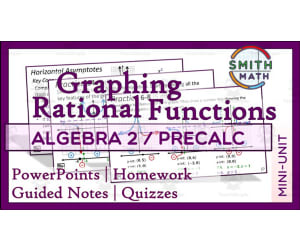
Graphing Rational Functions Mini Unit
Math, Algebra, Calculus, Grade 10, 11, 12, Lesson Plans, Teacher Tools
If you are a high school math teacher, finding resources that best serve for your students is of the utmost importance! This is aGraphing Rational Functions Mini Unitthat is filled with purposeful practice that your students can use right away. This Mini Unit is packed with everything you need to introduce the topic and assess students along the way. This resource was designed for Algebra 2 and PreCalculus students in 10th – 12th grade. There is a suggested pacing guide that demonstrates how this can be broken up across 7 days. The overall objective is for students to be able to sketch graphs of rational functions by hand given an equation. Included in this packet: --An editable 60 slide presentation. On the slides , you will find a title, time allotted, a clickable symbol to advance to the next slide, and an abbreviation for the type of problem it is. IP will stand for independent practice. GP will stand for guided practice. --Extra Practice PC–2.6 with answer key. Comes in PDF and Word. --Guided Notes PC-2.6 Part 1 with answer key. Comes in PDF and Word. --Guided Notes PC-2.6 Part 2 with answer key. Comes in PDF and Word. --Homework PC-2.6 Part 1 with answer key. Comes in PDF and Word. --Homework PC-2.6 Part 2 with answer key. Comes in PDF and Word. --Quiz A PC-2.6 with answer key. Comes in PDF and Word. --Quiz B PC-2.6 with answer key. Comes in PDF and Word. --Quiz C PC-2.6 with answer key. Comes in PDF and Word. --Quiz A and B Answer Key as a Google Slides presentation. I hope you enjoy! You can find more resources at my storefront here: https://teachsimple.com/contributor/smith-math Here are other similar resources for you to enjoy: https://teachsimple.com/product/intro-to-calculus-word-wall https://teachsimple.com/product/laws-of-exponents-lessons-intro-lesson-exponents-basics https://teachsimple.com/product/sequences-and-series-graphic-organizer https://teachsimple.com/product/laws-of-exponents-lessons-lesson-3-quotient-rule https://teachsimple.com/product/systems-of-equations-graphic-organizer-packet https://teachsimple.com/product/algebra-2-word-wall
Author Smith Math
Tags Graphing Rational Functions, Algebra Quiz, Precalculus Quiz, Algebra 2 Unit, Math Practice, Graphing Quiz, Word Wall, Vocabulary Practice, Smith Math
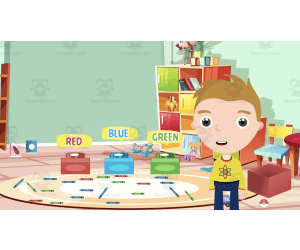
All About Sorting | Animated Math Video Lesson
Math, Early Math, Kindergarten, Preschool, Grade 1, 2, Lesson Plans, Teacher Tools
All About Sorting | Animated Math Video Lesson Specially designed teaching tool illuminating the concept of sorting for young students An ideal resource for preschoolers, kindergarteners, and students in grades 1 and 2. Engaging animated math video lesson that explains the process of sorting with relatable examples Helps students learn to sort objects based on attributes like shapes, colors, sizes etc. The colorful visuals ensure a fun learning experience while developing important mathematical skills. A Short but Comprehensive Educational Material The video runs approximately 8 minutes – perfect for introducing or reviewing sorting concepts to young learners with brief attention spans. The content is provided in MP4 format allowing usage across multiple platforms whenever needed. Interactive Learning Experience: Packed with interactive tasks which challenge children to apply what they have learned thereby fostering active participation rather than passive listening. This cultivates effective knowledge retention and builds confidence among learners. Versatile Teaching Aid: This resource allows easy integration into different instructional methods. It's suitable for whole group lessons promoting collective learning or smaller group activities catering personalized needs. animated video effectively breaks down complex quirks into easily digestible bits improving student understanding.
Author Educational Voice
Tags Sorting, Math Video, Preschool, Kindergarten, Interactive Tasks
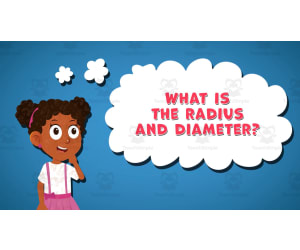
I WONDER - What Is The Radius And Diameter | Animated Video Lesson
STEM, Geometry, Math, Grade 4, 5, 6, 7, 8, 9, 10, Lesson Plans, Teacher Tools
Video Introduction An amazing video designed for the students to learn more about STEM. I WONDER - What Is The Radius And Diameter | Animated Video Lesson Do you like STEM subjects? what is your favorite one? Have you ever tried to plant a seed? If yes, tell us more about it. Or have you ever tried to invent something? If yes, tell us more about it. And how do you think it will help us? Have you ever seen a microorganism under a microscope? What was it? And how it looked like? Mathematics is a marvelous subject. Let' sharpen our brains and solve some equations. Do you like timetable tricks? What is your favorite one? Do you know how to code? Have you ever created an app or a game before? If yes, how was it like? I WONDER - What Is The Radius And Diameter | Animated Video Lesson The video is perfect for encouraging the researching skills for the students, while learning more about this fantastic topic. I WONDER - What Is The Radius And Diameter | Animated Video Lesson This friendly designed video is suitable for students at school, homeschooling, and as a group activity. Format Available in MP4 format.
Author Educational Voice
Tags What Is The Radius And Diameter, What Is The Radius And Diameter Video, Radius, Radius Facts, Radius Video, Radius Video For Kids, Diameter, Diameter Facts, Diameter Video, Diameter Video For Kids

I WONDER - What Is Mean, Median And Mode | Animated Video Lesson
STEM, Algebra, Math, Grade 6, 7, 8, 9, 10, 11, 12, Lesson Plans, Teacher Tools
Video Introduction An amazing video designed for the students to learn more about STEM. I WONDER - What Is Mean, Median And Mode | Animated Video Lesson Do you like STEM subjects? what is your favorite one? Have you ever tried to plant a seed? If yes, tell us more about it. Or have you ever tried to invent something? If yes, tell us more about it. And how do you think it will help us? Have you ever seen a microorganism under a microscope? What was it? And how it looked like? Mathematics is a marvelous subject. Let' sharpen our brains and solve some equations. Do you like timetable tricks? What is your favorite one? Do you know how to code? Have you ever created an app or a game before? If yes, how was it like? I WONDER - What Is Mean, Median And Mode | Animated Video Lesson The video is perfect for encouraging the researching skills for the students, while learning more about this fantastic topic. I WONDER - What Is Mean, Median And Mode | Animated Video Lesson This friendly designed video is suitable for students at school, homeschooling, and as a group activity. Format Available in MP4 format.
Author Educational Voice
Tags What Is Mean, Median And Mode, What Is Mean, Median And Mode Video, Mean, Mean Facts, Mean Video, Median, Median Video, Median Facts, Mode, Mode Video