3,945 products added recently
Page 8 - Math Lesson Plans
Strengthen your math instruction with lesson plans that make numbers approachable and fun. Covering a variety of topics, these resources include hands-on activities and real-world applications. Incorporate these plans to build confidence and proficiency in mathematics among your students.
Number & Operations: Percentages with Fractions - PC Software
Math, Percentages, Grade 3, 4, 5, Teacher Tools, Lesson Plans
Number & Operations: Percentages with Fractions - PC Software Number & Operations: Percentages with Fractions - PC Software is an invaluable tool for educators, responsible for transforming lessons on percentages and fractions into an enjoyable and engaging experience. This software's curriculum-based content makes it a seamless fit into your lesson plans. Main Features: The core foundation of this program is its ability to dissect the complexity of understanding percentages in relation to fractions, usually a challenging topic for 3rd, 4th, and 5th graders. A diversity of teaching methods ensures the inclusion of various learning styles present within the target grades. An efficient way teachers can gauge students' comprehension levels prior to starting lessons is through the pre- assessment feature offered by this software. Consequently, this provides valuable insights instrumental in tailoring subsequent individual lessons. Additionally: The package contains real-world word problems that encourage learners via relatable everyday experiences while enhancing their problem-solving abilities. Timed drill activities add a challenging aspect aimed at keeping young minds both physically cognitively active as well as engaged throughout their coursework. The software supports multi-lingual environments due to default English voiceovers along with optional Spanish translations. Other exceptional educational tools include interactive games – such as a memory match game and board game – plus several other mathematical resources designed at promoting retention. Furthermore, printable resources bundled within are valuable in extending learning beyond classroom borders or screen limits thereby efficiently catering to both traditional classrooms and supplementary education settings like homeschooling. Upon loading this zip file onto your PC system, educators are equipped with all they need to eliminate boredom from their math sessions; immediately replaced by enthusiastic learners ready for any percentage or fraction task – whether in whole group briefings, small group brainstorms, or even homework assignments.
Author Classroom Complete Press
Tags Fractions Lesson, Percentages Activity, Digital Math, Numbers, Operations
Darts Reading Comprehension Passage - Cored Ed Encyclopedia
ELA, Language Development, Reading Comprehension, Reading, Pre-Reading, History, Social Studies, Math, Sports, P.E. & Health, Grade 2, 3, 4, 5, Worksheets & Printables, Worksheets, Teacher Tools, Centers, Activities, Writing Prompts, Assessments, Quizzes and Tests, Quizzes, Lesson Plans
This darts reading comprehension with lesson plan includes: Visualization (on the front cover) Start your lesson by taking a minute to think and share something about the topic. Read the script aloud (slowly), perhaps prepare some music or sound effects. Student close their eyes and let their imaginations wander. Students open their eyes, read the question aloud and give them a few minutes to complete. Ask a few students to share or keep answers until the end to compare with what they learn in the passage. Quick pause—thousands of Cored Education products are included with your TeachSimple membership. Download links and encyclopedia index available here. Pre-Reading Trivia Students will write down one thing they already know about the subject and then read five more facts and discuss. These facts are fun, and the students will enjoy learning about the subject before reading more. Give 1 minute for students to write what they already know (no pressure—best guess is fine). Read the five facts together. After each fact, do ask a student for their opinion, was it surprising? Set a purpose by asking students to highlight/underline one fact they want to learn more about during the reading. Reading Passage The text is a high-interest reading passage with set paragraphs, roughly three to four paragraphs long. It contains a variety of themes about the topic, anywhere from history to technology. The passage is between 250 and 350 words in length. First, ask students to look at the headings and see what they’ll learn about today. What do they know about the topic/heading? First read options: Teacher read-aloud (best for support). Partner reading (paragraph by paragraph). While reading, students underline important details, and vocabulary words they think may come up in the questions section. Mixed Questions The first question page contains four multiple-choice questions, each with a choice of four answers, and three written response questions that require a sentence or two from the student. Students complete the mcqs first independently, then review quickly as a class. For the 3 written responses, try to get students giving the answer with some form of evidence: “I think ___ because the text says ___.” If students get stuck, send them back to check the passage. Vocabulary Questions Practice seven key words from the text in this section across two activities. First section is scrambled words where students will unscramble three words given a clue for each. The second section is a word to meaning matching activity. Before starting, have some students read out words they underlined in the passage. Ask students to say the word and read aloud the sentence(s) around each word. Ask students to do scrambled words and the matching exercise in pairs then go through answers as a class. For the scrambled spelling task, get four pairs to come up to the board and write the words for extra practice with the other student reading out the clue. For the matching task, prompt students to give full sentences: “I matched ___ with ___ because ___.” Creative Writing In this question, the student will be required to write a five to eight sentence paragraph on a question related to the topic. Before starting, ask students write down 3 key ideas they are going to include in their piece. Ask students for ideas to share around the class to help those struggling. Pro writing expectations: 5–8 sentences At least 2 facts or details from the passage At least 2 vocabulary words from the previous page Students read their paragraphs while classmates listen for facts and vocabulary words. Extension Activities This page is optional for fast finishers or to take home. There are several activities, each one requiring a different skill. Do some, do none, do all, completely optional - but you will feel reassured knowing every possibility is planned for. Includes summary writting question and additional facts. Answer Key There are answers for the multiple-choice questions, written response questions have sample answers, vocabulary answers and if there is a summary question then a sample summary will be provided as well. Lesson Plan Included Customized lesson plan for this lesson is included. Lesson Snapshot Title: Darts Genre: Nonfiction (informational text with headings) Subject: Reading (Informational Text) / Math (numbers & scoring context) Primary Topic: History, dartboard design, and how scoring works Estimated Guided Reading Level (A–Z): Q What This Lesson Teaches Best Explains how darts began as indoor throwing at targets in England and became a friendly challenge in taverns and homes. Teaches key dartboard features (20 pie-shaped sections, thin wires, double/triple rings, and a bull’s-eye that can be 50 points). Builds real-world math context by describing common game formats (301 or 501) where points are subtracted each turn. Uses a cause-and-claim structure to discuss uncertainties and evidence (a debated story about why numbers are scrambled; a court case about skill vs luck). Connects materials/technology to sports equipment (sisal fibers that close up; tungsten barrels for a slimmer grip) and modern leagues/championships. Learning Goals Students will summarize how the text describes darts’ early history and where people played. Students will identify key parts of a dartboard in the text and explain what they do for scoring. Students will explain how a 301 or 501 game works in the passage, including what happens each turn. Students will describe why the dartboard numbers might be scrambled and explain what the text says is uncertain about that story. Students will explain what happened in 1908 and how it relates to whether darts is luck or skill. Students will cite details about modern boards and darts (sisal fibers, tungsten barrels, leagues/championships). Key Vocabulary From the Text taverns — places where people gather for food and drink. oche — the throwing line you stand behind. subtracted — taken away from a total number. sisal — strong fibers used to make dartboards. tungsten — a dense metal used for slimmer dart barrels. Discussion Prompts FULL CATALOG OF DOWNLOAD LINKS AND ENCYCLOPEDIA INDEX HERE
Author Cored Education
Rating
Tags Vocabulary, Reading Comprehension, Reading Passages, Lesson Plans, Ela Lesson Plans, Reading Comprehension Lesson Plans, Pre-reading, Sports, History, Social Studies Lesson Plans
Number & Operations: Base-Ten & Place Value for 3rd-5th - MAC Software
Math, Place Value, Grade 3, 4, 5, Teacher Tools, Lesson Plans
Number and Operations: Base-Ten and Place Value for 3rd-5th MAC Software This is a comprehensive teaching resource, meticulously designed for educators including public school teachers and homeschoolers. The software focuses on reinforcing students' understanding of number operations such as Base-Ten and Place Value concepts. It is tailored to fit the learning needs of pupils in 3rd, 4th, and 5th grade. Features: Flexibility: This versatile tool adapts equally to large or small group teaching scenarios. It can also be assigned as a constructive homework task. Educational Content: The software includes standard curriculum-based lesson plans that ensure profound understanding of the focused areas - Base-Ten & Place value operations. It features word problems posed in real-world scenarios to help students better grasp the application of mathematics beyond academic levels. Timed Drills: Incorporated are timed drill activities geared towards reinforcing lessons learnt while improving speed in problem solving concurrently. User Guide: An included teacher guide assists educators during material utilization ensuring optimal results are achieved. Gamified Learning Approach: To enhance learning enjoyment while improving cognitive recall abilities, memory match games, board games along with spinner games have been integrated into this software's content line-up. Tech & Language Support The software is easily available for download, presented as a single ZIP file ready for deployment upon purchase. Moreover, Spanish translations via texts and voiceovers are included catering predominantly to Spanish-speaking ESL classrooms without compromising quality education delivery.. Wrapping it up, Number & Operations: Base-Ten & Place Value for 3rd-5th - MAC Software positions itself as an indispensable tool for any educator desiring a fluid instructional process complemented by impactful learning outcomes.
Author Classroom Complete Press
Tags Math Lesson Plan, Base-ten Activity, Place Value Lesson, Digital Math, Place Value Printable
Measurement: Angles - FLASH-PC
Math, Measurements, Grade 3, 4, 5, Teacher Tools, Lesson Plans
Measurement: Angles - FLASH-PC: A Comprehensive Learning Resource Designed for Grade 3, 4, and 5 learning levels, the Measurement: Angles - FLASH-PC resource offers a comprehensive approach to understanding angles. Be it classroom teaching or homeschooling curriculums, this software-based resource is an excellent supplement. Engaging Content Tailored for Practicality The package focuses on fostering an understanding of angle measurements with content such as real-world word problems. These practical scenarios help reinforce critical lessons by applying learned knowledge. Precise Assessment Tools Pre- assessment activities: These help educators gauge student comprehension ahead of new subject matter. A timed drill: An important feature post-instruction for students to apply what they've learned. Aiding Teachers In The Teaching Process A specially curated guide is provided including a detailed lesson plan designed just for the teachers. The guide aids in effectively mapping out class time devoted to tackling measurement principles. Creative Learning Methodologies The implementation of strategies like matching games and board games themed around relevant topics ensures increased engagement among students. Further immersive learning is facilitated through creatively crafted spinners within the resources. Note: All these promote recall while introducing elements fun factors into study environments! . We also provide printable resources catering particularly to visual learners which can be used as classroom displays enriching every learner's experience irrespective of their preferred style. For classes with diverse composition or teachers wishing deeper cultural immersion opportunities, we cater both English voiceover and text services along with Spanish alternatives hence promoting inclusivity. Concluding Note The FLASH-PC resource offers all-encompassing content about angle measurements packaged neatly within a user-friendly file available upon purchase! The package can be used flexibly from largescale structured collective group learning scenarios to small individualized groups or even as an independent review homework material. Ideal for all educators seeking functional ways of imparting knowledge about math measurements!
Author Classroom Complete Press
Tags Software (PC)
I WONDER - How Many Faces Does A Cuboid Have | Animated Video Lesson
STEM, Geometry, Math, Grade 1, 2, 3, 4, 5, 6, 7, Lesson Plans, Teacher Tools
Video Introduction An amazing video designed for the students to learn more about STEM. I WONDER - How Many Faces Does A Cuboid Have | Animated Video Lesson Do you like STEM subjects? what is your favorite one? Have you ever tried to plant a seed? If yes, tell us more about it. Or have you ever tried to invent something? If yes, tell us more about it. And how do you think it will help us? Have you ever seen a microorganism under a microscope? What was it? And how it looked like? Mathematics is a marvelous subject. Let' sharpen our brains and solve some equations. Do you like timetable tricks? What is your favorite one? Do you know how to code? Have you ever created an app or a game before? If yes, how was it like? I WONDER - How Many Faces Does A Cuboid Have | Animated Video Lesson The video is perfect for encouraging the researching skills for the students, while learning more about this fantastic topic. I WONDER - How Many Faces Does A Cuboid Have | Animated Video Lesson This friendly designed video is suitable for students at school, homeschooling, and as a group activity. Format Available in MP4 format.
Author Educational Voice
Tags How Many Faces Does A Cuboid Have, How Many Faces Does A Cuboid Have Video, Cuboid Faces, Cuboid Faces Facts, Cuboid Faces Facts For Kids, Cuboid Faces Video, Cuboid Faces Video For Kids
Number & Operations: Base-Ten & Place Value for 3rd-5th - PC Software
Math, Place Value, Grade 3, 4, 5, Teacher Tools, Lesson Plans
Number & Operations: Base-Ten & Place Value for 3rd-5th - PC Software Comprehensive teaching tool designed to assist educators in grade 3 to grade 5 in reinforcing numerical skill sets. Benefits: Digital resource provides a blend of pre- assessment , clear lesson plan, applicative word problems, timed drill activities Includes striking visual printables Learning is made more energetic with a memory match game, board game and spinner game Versatility: The content can facilitate ease-of-learning and adapt to diverse learning requirements offering voice-over capabilities in both English and Spanish along with corresponding text Vital Tools Just for Educators: Included are vital mathematical tools expressly for your use. There's also a robust guide that accompanies the software allowing for smooth incorporation into teaching modules. Purposeful Integration of SMART Response Assessment System: This allows you to effectively track student progress thus promoting academic confidence while enhancing learning depths. Ease of compatibility: The software is compatible with PCs making it easier to include within your daily curriculum without complex processes. Focus areas: Number & Operations’, ‘Base-Ten’ and ‘Place Value': This educational aid focuses on key math principles required at the elementary level within an interactive platform. It can be conveniently accessed via one zip file that encompasses all necessary knowledge components. This intuitive product facilitates engaging education journey ideal for instructive scenarios (whole group or small group) or assigning home tasks, enhancing pedagogical methodology making math subject matter approachable! Specifically designed keeping Grade 3 through Grade 5 students' needs in mind, it enables a fusion of traditional education techniques paired with technology creating an innovative learning experience. It therefore takes digital learning resources to the next level!
Author Classroom Complete Press
Tags Math Lesson, Numbers, Operations, Place Value, Base-ten
Algebra: Equations - Solving for a Variable - Practice the Skill 1 - FLASH-MAC
Math, Algebra, Common Core, Grade 3, 4, 5, Teacher Tools, Lesson Plans
Algebra: Equations - Solving for a Variable - Practice the Skill 1 (FLASH-MAC) This exceptional resource offers curriculum -based content, targetting specifically Algebra's concept of Solving Equations for a Variable. The skill is taught through engaging and timed drill activities designed to hone application skills. Modality: Perfect fit for whole-group lessons Lends well to smaller tutorial groups or individualized teaching, once mastery progresses Doubles as homework assignments accompanied by parental guidance Pedagogical Strategy: All problems set around determining 'x' value in different equations. This regular practice while teaching Algebra sets new knowledge in the context of already acquired foundational knowledge. Tech-Integration: Inbuilt with digital math tools that aid independent and group learning landscapes whilst bridging the gap between abstract concepts and concrete implementation. User Accessibility & Multi-Lingual Support: This product stands apart with its inclusivity – English default voiceover text for content retention supported by Spanish voice over aiding ELL classrooms thereby ensuring no learner is left behind because of possible language barricades. Alignment With Educational Standards: Rigorously synchronized with Common Core State Standards – STEM initiatives alongside NCTM guidelines allowing streamlined curriculum coverage without hassle. Suitability : Designed primarily targeting Grade 3-5 maths curricula—though quite possible its benefit aggressively spans wider academic ranges—the interactive capabilities of this FLASH-MAC package indisputably champion it as a multifaceted, well-rounded teaching resource for Algebra: Equations - Solving for a Variable practice.
Author Classroom Complete Press
Tags Software (Mac)
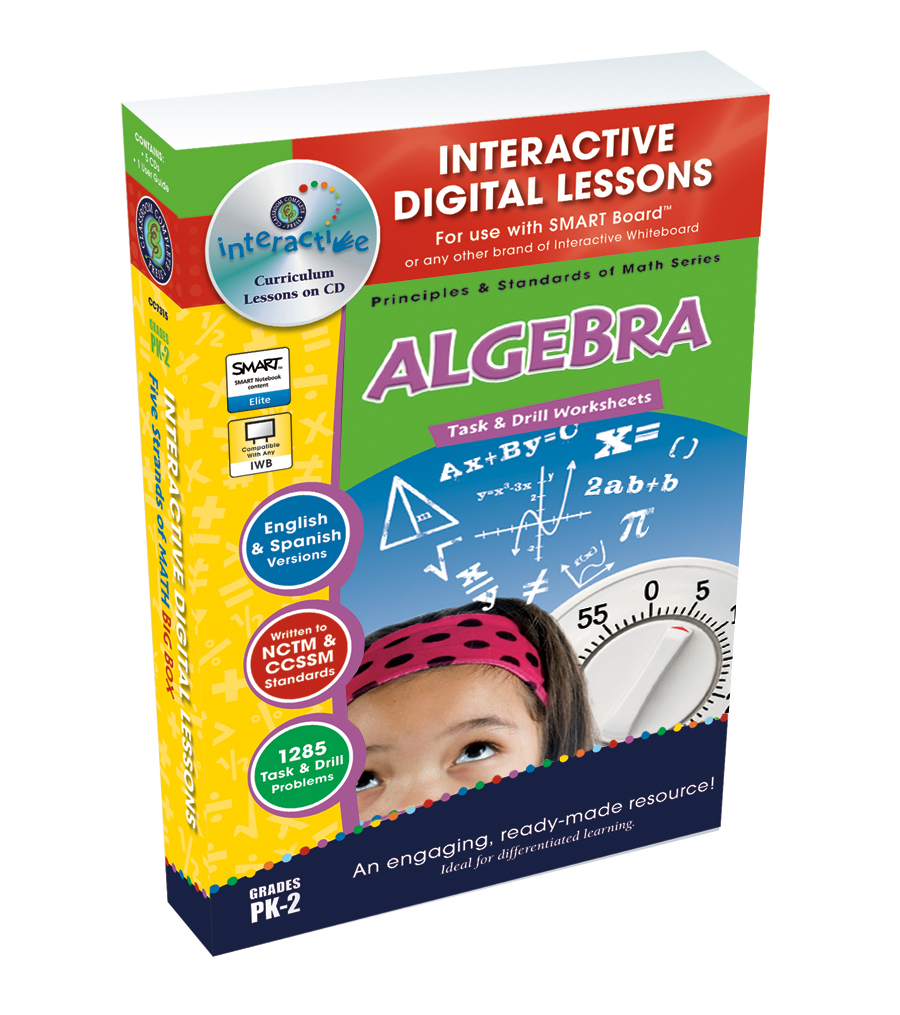
Algebra: Expressions - Multiplication & Division - PC Software
Math, Algebra, Grade 3, 4, 5, Teacher Tools, Lesson Plans
Algebra: Expressions - Multiplication & Division - PC Software The Algebra: Expressions - Multiplication & Division - PC Software is an invaluable teaching resource specifically designed for educators of 3rd Grade to 5th Grade pupils. This digital tool provides a comprehensive take on the key aspects of algebra, such as multiplication and division, bringing clarity and engagement into the way students understand these complex mathematical subjects. The package includes: Curriculum-based content with lesson plans and pre-assessment materials Real-life word problems for practical learning An interactive timing drill activity for reinforcing learned concepts Versatile math tools and game options (like memory match game, spinner games) Key Features: This software can be utilised in diverse ways such as whole group lessons in classroom settings, assigning portions as homework or focused small group discussions – providing flexibility to teachers and homeschoolers alike. Additionally included are engaging timed drill activities perfect for reinforcing learned concepts. These quick exercises offer students an interactive way to steadily strengthen their skills. Multilingual Support: The software comes equipped with English voice over along with text making it easy to navigate through its functionalities. To expand accessibility beyond language barriers, Spanish voice overs with accompanying texts are also integrated. Hassle-Free Package: The resources come conveniently packaged in a single zip file! Download this onto your PC without any hassle. In Conclusion: Algebra: Expressions - Multiplication & Division aims at refreshing traditional teaching methods while ensuring comprehension success of algebraic multiplication & division- making it simpler and more engaged. Be it public school education or home-schooling, this is an all-in-one benefitting package.
Author Classroom Complete Press
Tags Digital Math, Math Lesson, Algebra Lesson, Expressions, Division
Algebra: Expressions - Multiplication & Division - Learn the Skill - FLASH-PC
Math, Algebra, Common Core, Grade 3, 4, 5, Teacher Tools, Lesson Plans
Algebra: Expressions - Multiplication & Division - Learn the Skill - FLASH-PC An educational resource catering to students from 3rd through 5th grade, aimed at aiding the teaching of multiplying and dividing algebraic expressions. This compact chapter mini serves as a handy guide that presents curriculum-aligned content through real-world problem-solving examples. Benefits: Useful for whole group instruction or small study groups, and even as additional homework assignments. Caters different learning preferences enhancing classroom sessions. Incorporates math instruments related to these topics making it versatile in various educational settings. Accommodates linguistic diversity by offering English and Spanish voiceovers. Highly beneficial for non-native English speakers or those undergoing language immersion programs. Standards Alignment: This tool not only aligns with the Common Core State Standards but also contributes efficiently towards any STEM initiative being pursued within your institution. It meets the requirements set forth by the National Council of Teachers of Mathematics (NCTM). Digital Accessibility: Available in a single digital software file compatible with PCs. It brings critical thinking and problem-solving skills directly from theoretical mathematical principles into tangible applications for young learners. To conclude, Algebra: Expressions - Multiplication & Division- Learn the Skill- FLASH PC is not just a teaching guide but an invaluable tool that fits seamlessly into any current instructional practice whilst keeping students actively engaged throughout their journey of mastering algebraic expressions – multiplication and division included.</p
Author Classroom Complete Press
Tags Software (PC)
Measurement: Lengths & Weights - FLASH-MAC
Math, Measurements, Grade 3, 4, 5, Teacher Tools, Lesson Plans
Measurement: Lengths & Weights - FLASH-MAC A comprehensive teaching resource, FLASH-MAC simplifies the process of understanding measurements, focusing specifically on lengths and weights. This resource is extremely beneficial for Grade 3, Grade 4, and Grade 5 teachers, providing an effective method to teach this important mathematical topic. The Resource: What it Contains This unique educational tool caters to different steps in lesson delivery. It starts with a pre- assessment feature designed to evaluate what students already know about measurements. After this initial evaluation, it presents detailed lessons systematically guiding educators on how best to impart these mathematical concepts. Real-world word problems: These are ideal for illustrating practical applications of lengths and weights in everyday situations. Timed drill activities: Adaptive durations cater to individual student needs or proficiency levels offer opportunities for either quick review sessions or extensive drilling exercises depending on the situation. Creative approaches:Fostering engagement while reinforcing concepts through memory match games; board games; spinner games are fantastic additions in practice materials arsenal. Additionals Features This resource is equipped with SMART Response assessment functionality which allows automatic tracking progress and effortless grading process for teachers thus freeing up valuable time while ensuring accuracy in outcome-tracking .A highly flexible tool,, FLASH-MAC can be effectively utilized for whole group instruction tasks, smaller learning groups activities or even individual homework assignments as per requirement of each educationist's preference. Inclusion & Compatibility Beyond English language learners by offering Spanish voiceover and text options thereby serving bilingual teaching contexts seamlessly. Easy installation as a single zip File Type that runs on MAC software ensures it becomes part of your teaching arsenal effortlessly after the purchase. Measurement: Lengths & Weights – FLASH-MAC is indeed a modern, engaging way to teach measurements in technology-driven classrooms of today.
Author Classroom Complete Press
Tags Length, Weight, Measuring Activity, Math Printable, Math Lesson Plan
Number & Operations: Grouping Objects & Number Lines - Practice the Skill 2 - MAC Software
Math, Number Lines, Kindergarten, Preschool, Grade 1, 2, Teacher Tools, Lesson Plans
Number & Operations: Grouping Objects & Number Lines - Practice the Skill 2 for MAC This uniquely designed software, built for MAC systems, serves as an ideal tool for embedding understanding of grouping objects and number line concepts into young learners. It provides a platform through which relevant curriculum -based content is streamlined. Key Features: The product features timed drill activities that push students' mental capacities to quickly grasp fundamental math concepts. These activities challenge learners by requesting them to identify the largest number in a provided set. Built around STEM initiatives and NCTM directives, the built-in math tools give educators full control over their lesson plans while adhering to recognized standards. The resource is perfect for group classroom sessions or smaller focused groups, ensuring robust learning experiences at multiple student interaction points. In acknowledgment of the diversity in our classrooms: The software features both English and Spanish voice-overs coupled with respective text options. This enhances its reach in multicultural classrooms by being inclusive of multiple language requirements. Downloading and Compatibility: All contents are efficiently bundled into a single zip file ensuring easy downloading while maintaining high tide compatibility exclusively with MAC operation system devices. The teaching resource covers skill levels from Preschool through Grade 2 creating it as an adaptable learning supplement across several grade levels focussing on mathematical subjects such as number lines. Harness the Power! Integrate 'Number & Operations: Grouping Objects & Number Lines – Practice the Skill 2 for MAC' into your curriculum planning today! This software proves to be more than just another addition, but serves as an invaluable academic tool promising to enhance literacy skills while bolstering mathematical proficiency amongst early year learners.
Author Classroom Complete Press
Tags Math Lesson Plan, Numbers, Number Lines, Operations, Digital Math
Number & Operations: Grouping Objects & Number Lines - Practice the Skill 1 - PC Software
Math, Number Lines, Common Core, Kindergarten, Preschool, Grade 1, 2, Teacher Tools, Lesson Plans
Number & Operations: Grouping Objects & Number Lines - Practice the Skill 1 - PC Software This is an excellent teaching resource, perfect for educators, enriching students' understanding of grouping objects and number lines in operations. Audience: Spanning Preschool through Grade 2 level, it infuses curriculum-based content with fun learning activities. Activities: The core feature lies in drill tasks like completing number charts —an engaging drill providing students with clear visual representations of numbers' relationships. Inclusivity: Instructions are available not only in English but also come with Spanish voice over and text alternatives–beneficial for bilingual settings. The software comes as a downloadable zip file suitable for PCs which can be widely used across different group sizes. Implementation can range from whole group instruction time to individual student-centered sessions or even as homework assignments on students' computers. 'Number Lines' This tool delves into different aspects of 'Number Lines', making remarkable contributions towards meeting Common Core State Standards and STEM initiatives – all while meshing well with NCTM principles. If you're searching for comprehensive lesson plans that merge knowledge enhancement seamlessly with practical application—this software stands out as your go-to choice!
Author Classroom Complete Press
Tags Math Skills, Digital Math, Math Lesson, Grouping Objects, Number Lines
Algebra: Simple Patterns - FLASH-MAC
Math, Algebra, Grade 1, 2, Teacher Tools, Lesson Plans
Algebra: Simple Patterns - FLASH-MAC Designed for grade 1 and 2 students, this teaching resource focuses on comprehending the fundamentals of Algebra through simple patterns exploration. Specializing in early-stage mathematics education, it is an excellent tool that educators can incorporate into their teaching itinerary to optimize student learning experiences. This resource comprises several elements that cater to different learning needs. It features: A pre- assessment segment allowing teachers to ascertain students' understanding levels at the start of the lesson. A detailed lesson plan aimed at simplifying algebraic concepts for young learners. Real-world word problems promoting practical applications of algebraic concepts taught in class. Timed drill activities stimulating fast problem solving – undoubtedly an essential skill needed not just in math but across various subjects. The unique attribute of this resource is its incorporation of fun educational activities such as memory match games, board games, and spinner games which encourage student participation and make mathematical ideas more accessible. A special multilingual feature including English voice over with text alongside a Spanish voice over option is also included. Ease Of Use & Flexibility To further enhance your experience, these resources are conveniently delivered as MAC software contained inside one zip file titled 'FLASH-MAC'. You can easily download them onto your computer system providing easy access anytime required - during whole group instructional sessions or small group collaborative engagements or even assigned as homework tasks! In essence, this versatile product promises substantial pedagogical value by enhancing young learners’ mathematical proficiency specifically pertaining to basic Algebra.
Author Classroom Complete Press
Tags Algebra, Patterns, Simple Patterns, Letters, Math Printable
Measurement: Area & Volume - Practice the Skill 1 - PC Software
Math, Measurements, Common Core, Kindergarten, Preschool, Grade 1, 2, Teacher Tools, Lesson Plans
Measurement: Area & Volume - Practice the Skill 1 - PC Software Measurement: Area & Volume - Practice the Skill 1 is a comprehensive teaching resource specifically developed to enrich mathematical curriculum for educators. This highly interactive, bilingual software includes an assorted combination of timed drill activities and practical exercises using real-life images. The lessons within this software characteristically coincide with Common Core State Standards and are particularly targeted towards essential STEM initiatives. Furthermore, all of this material promotes direct applicable skills highlighted by the National Council of Teachers of Mathematics (NCTM), making it exceedingly useful for instruction in Preschool, Kindergarten, Grade 1 and Grade 2 levels. Distinguishing Features: An assortment of math tools that enhance pupils' comprehension depth while presenting them ample opportunities for measurement practice. Tasks designed to stimulate students to calculate areas for various shapes provided within colorful visuals representative of daily life scenarios. Inclusive adaptation through its default English voice-over and text as well as an additional Spanish voice-over and text option accommodating native English speakers as well as Spanish-speaking students. This dynamic resource comes in one compact zip file ready-to-install with PC software intended for instant use post download. Its flexible design allows implementation across different learning scenarios such as whole group instruction, small group sessions or even individual exercises at home making it suitable not just for public school teachers but also homeschoolers interested in imparting mathematics knowledge effectively in today’s digital learning era. "Embrace Measurement: Area & Volume- Practice the Skill 1- PC Software; A modern solution delivering relevant math content suitable for every learner on their educational journey."
Author Classroom Complete Press
Tags Math Lesson Plan, Math Skills, Digital Math, Area, Volume
Math Phonics Division: Quick Tips and Alternative Techniques for Math Mastery
Math, Multiplication and Division, Multiplication, Grade 3, 4, 5, 6, Teacher Tools, Lesson Plans
Math Phonics Division: Quick Tips and Alternative Techniques for Math Mastery Math Phonics Division: Quick Tips and Alternative Techniques for Math Mastery is a comprehensive resource especially designed to bolster understanding of division in mathematics. This tool is primarily geared towards Grade 3, 4, 5, and 6 students as it introduces fundamental mathematical concepts using alternative methodologies. Innovative Approach To Education This unique teaching tool integrates strategies usually utilized in language arts such as rules theme and pattern recognition into the learning of Mathematics. The program ensures that these techniques are embedded in an extensive manner thereby simplifying math learning through engaging exercises that students need only spend several minutes each day working on. Suitability & Ease-of-Use Ideal for both public school teachers looking for innovative lesson plans or homeschoolers seeking to add newer dimensions to their curriculum. The material is provided as a PDF file which can be printed out as worksheets or used digitally on electronic devices making it user-friendly. Allows flexibility - Can be used by individual students during self-study periods, small groups in peer-led problem-solving sessions or even at home providing supplemental exercises boosting proficiency levels outside routine classroom hours. Summary: In essence, Math Phonics Division: Quick Tips and Alternative Techniques for Math Mastery merges varied teaching paradigms into a unified intensive tool making division easily understandable rather than merely requiring rote memorization. It's certainly an excellent addition to educators aiming for holistic learning objectives!
Author Classroom Complete Press
Tags PDF
Geometry - Digital Lesson Plan Gr. 6-8 - FLASH-PC
Math, Geometry, Grade 6, 7, Teacher Tools, Lesson Plans
Geometry - Digital Lesson Plan Gr. 6-8 - FLASH-PC This comprehensive resource is specially designed for students in grades 6 through 8. It complies with all NCTM and Core Curriculum Math standards in the subject of geometry. Our digital lesson plan provides targeted instruction on geometry concepts including: Angles and triangles Lines and circles The areas of 2-D shapes Surface area & volume of 3-D shapes We offer over 320 unique task activities, integrated into more than eighty interactive screen pages. These can be used for whole-group lessons, small group instruction or homework assignments. Prior Knowledge Assessment : About sixty pre- assessment tasks are included to identify any knowledge gaps before starting coursework, helping to set up students for success. Real World Application: A host of real-world word problems further augment learning along with more than two hundred twenty-five drill exercises to improve procedural proficiency skills. Inclusion of Dynamic Math Tools & Features: Bilingual text-to-speech capability which assists auditory learners or those needing language support resources. Gamified learning experience via memory match games or board games etc. Dual unit system (imperial and metric) math tool integration within interactive pages. ) In addition, the program includes printable components coupled with test-prep exercises for post-lesson reinforcement. We also facilitate customizable assessment quizzes at the end of each chapter that allow educators to gauge student comprehension levels and identify areas for intervention if needed. With our Geometry - Digital Lesson Plan Gr. 6-8 - FLASH-PC, teachers or homeschooling parents can utilize their time effectively towards improving student performance by transforming complex geometric concepts into attainable learning goals.
Author Classroom Complete Press
Tags Software (PC)
Number & Operations: Fractions - Practice the Skill 3 - FLASH-MAC
Math, Fractions, Common Core, Grade 1, 2, Teacher Tools, Lesson Plans
Introducing the Number & Operations: Fractions - Practice the Skill 3 - FLASH-MAC An excellent teaching resource for educators seeking to streamline their approach to fundamental fractions concepts in maths. Predominantly intended for students in Grades 1 and 2, this resource focuses on understanding fractions through concise practice drills. Main Features: Timed challenges that help identify shapes correlating with given fractions Inclusion of integral math tools within the program Dual-language: English and Spanish voice over and text options available, maximizing inclusivity while perfecting adaptability. This product complies with educational measures like the Common Core State Standards and STEM initiatives, strictly aligns with NCTM thus ensuring it's up-to-date and adheres to state guidelines. Versatility: The product's digital format makes it a versatile tool usable across various settings including but not limited to whole group instruction, small group learning as well as individual homework assignments or review material before assessments . Perfectly suited for Mac systems. User-friendly Software: Apart from being a lesson plan, this software enhances engagement with fraction basics making mathematics less intimidating. Building confidence in young learners! Henceforth educators striving for curriculum content rooted in hands-on activities providing wholesome pedagogical support will find efficacy in this teaching resource.
Author Classroom Complete Press
Tags Software (Mac)
Number & Operations: Counting & Ordering Objects - PC Software
Math, Numbers, Kindergarten, Preschool, Grade 1, 2, Teacher Tools, Lesson Plans
Number & Operations: Counting & Ordering Objects - PC Software This is a comprehensive tool designed for educators focusing on subjects like counting, ordering objects, and a broader scope of number operations. This resource is valuable for teachers at the preschool, kindergarten, G1, and G2 levels.. Real-World Application Methods & Lesson Plans: The teaching aid integrates practical methods and offers specially crafted lesson plans that make learners confident in numerical abilities. It further includes mathematical tools to supplement these lessons. Focused Learning Activities: The software incorporates memory match games and spinner games to keep students engaged while learning math concepts. Timed Drill activities: Integral for regular assessment of progress. SMART Response techniques:This helps show students areas needing improvement setting refocusing points for their efforts. Inclusive Language Support & Hands-on Tools: The software provides English voiceover and text as well as Spanish alternatives. Also available are physical printable resources when needed in the classroom or homework assignments. The whole package comes in an easy downloadable zip file compatible with PCs - enabling more time focus on enhancing math curriculum objectives. Note: This resource can be effectively deployed in any size of educational context—whether it be large scale classes or individualized instruction sessions at home leading to insightful learning experiences. e
Author Classroom Complete Press
Tags Counting, Ordering Objects, Grouping, Math Lesson, Operations Lesson
Geometry: Transformations & Symmetry - Practice the Skill 1 - MAC Software
Math, Geometry, Common Core, Kindergarten, Preschool, Grade 1, 2, Teacher Tools, Lesson Plans
Geometry: Transformations and Symmetry - Practice the Skill 1 - MAC Software The Geometry: Transformations and Symmetry - Practice the Skill 1 - MAC Software is a comprehensive educational resource designed to assist educators in teaching geometry to younger learners. It utilizes interactive timed drill activities to introduce concepts of transformations and symmetry. Students get to analyze pairs of shapes, determining the type of transformation that each pair represents. This helps them visualize these key mathematical ideas while building their spatial reasoning skills. To complement these exercises, math tools are provided within the software that help reinforce geometric understanding. The software includes both English and Spanish voice overs and text options for inclusivity, making it a valuable tool across multilingual classrooms around the world. This learning resource is aligned with: Common Core State Standards (CCSS), ensuring students gain knowledge adhering to US education standards, National Councils of Teachers Mathematics (NCTM) norms, endorsing its commitment towards delivering quality education from Preschool through Grade 2. This multifunctional resource can effectively be used in group settings like classroom lessons or breakout sessions. It also makes an excellent enrichment activity for home assignments ( prioritizing flexibility based on different teaching strategies . Your download includes essential compatibility details: Your download includes one zip file only compatible with Mac software. This falls under lesson plans for Math subject area focusing particularly on geometry sub-subject – serving as an efficient aide for teachers aiming at high quality education delivery. Promoting Learning Made Fun! Introduce your students to the exciting world of geometry transformations and symmetry with the transformational Geometry: Transformations & Symmetry - Practice the Skill 1 - MAC Software!
Author Classroom Complete Press
Tags Math Lesson, Geometry, Symmetry, Digital Math, Math Skills
All About Division | Animated Math Video Lesson
Math, Multiplication and Division, Multiplication, Grade 3, 4, 5, Lesson Plans, Teacher Tools
All About Division | Animated Math Video Lesson Get ready for an exciting exploration into the mathematical world of division with this animated video lesson. An engaging teaching tool, empowering students with fundamental math concepts in a playful yet logical manner. Our 9-minute educational voyage actively involves learners in: Grasping critical mathematical terms. Dividing large numbers. Applying lessons across different contexts and scenarios. Catering to Grade 3 to Grade 5 learners, the resource can be applied effortlessly across diverse settings: In school during regular class hours, for both whole groups or small crews. After school as a supplementary material. At home as a meaningful assignment reinforcing understanding. The video not only serves as an introduction to instil curiosity among recent learners about division but also acts as a review aid, allowing older students to reinforce their knowledge base - providing value inside classrooms and beyond! .
Author Educational Voice
Tags Division, Math Video, Animated Lesson, Interactive Learning, Mathematical Terminology
Number & Operations: Ratios & Rate of Multiplication & Division - FLASH-PC
Math, Multiplication and Division, Division, Grade 6, 7, 8, Teacher Tools, Lesson Plans
The Number & Operations: Ratios & Rate of Multiplication & Division - FLASH-PC A valuable teaching resource designed specifically for 6th to 8th grade math educators, this product delves into the distinct concepts of ratios and rate of multiplication and division. This forms a critical part of the number and operations curriculum. Key Features: An informative pre- assessment to gauge current understanding levels. A detailed lesson plan to guide effective instruction Real-world word problems that nurture practical applications skills Timed drill activities aimed at honing learners' speed and accuracy Multiple Learning Tools: Printables: Serve as ready-to-use materials. Memory Match Games: Stimulate cognizance. Board Games: Incorporate fun into learning process. Spiener Games: Add randomness while testing knowledge simultaneously, making learning more exciting. A Handy Teacher Guide: This offers insights on how best to utilize these resources within various settings such as whole group lessons or small group sessions. The material also extends homework assignment possibilities. The product comes with default voice over and text in English, but has an alternative option in Spanish too to cater for diverse language needs within different classrooms today. In conclusion, this product brings all vital elements required for effective teaching together – being equipped with assessment tools, lesson plan guides among stimulating interactive activities making it more than just another math teaching resource. Hence 'The Number & Operations: Ratios & Rate of Multiplication & Division - FLASH-PC' becomes a real necessity for any math educator aiming for better student engagement and improved mathematical proficiency.
Author Classroom Complete Press
Tags Software (PC)
Algebra: Ordering & Grouping - Practice the Skill 2 - MAC Software
Math, Algebra, Common Core, Kindergarten, Preschool, Grade 1, 2, Teacher Tools, Lesson Plans
Algebra: Ordering & Grouping - Practice the Skill 2 - MAC Software Offering a solid, straightforward approach to enrich understanding of Ordering and Grouping in Algebra. This resource serves as a mini-chapter packed with timely drill activities that foster hands-on learning. This curriculum -aligned software is efficient for instructing students on describing relationships between provided numbers. Learners practice using greater than (>), less than (<), or equal to (=) symbols through repetitive drills, enabling them to grasp these mathematical comparisons embedded in algebra effectively. Multi-Language Support: Available in both English and Spanish voice over together with text versions fostering inclusivity during lessons. Audience:Caters primarily towards preschoolers through second graders. Versatility:Ideal for both public school teachers and homeschooler educators alike. Can be used during whole group instruction or even as homework assignments Fellowshipping contemporary academic standards, it aligns with the Common Core State Standards , supports STEM initiatives and follows NCTM guidelines– providing confidence about its relevance against contemporary education benchmarks. Packaged as a zip file compatible with MAC devices; ease-of-use meets effectiveness making algebraic teaching all the more manageable! Introducing "Algebra: Ordering & Grouping - Practice the Skill 2" - MAC Software, an exceptional tool for tackling foundational algebra topics!
Author Classroom Complete Press
Tags Algebra Lesson, Ordering Numbers, Grouping Objects, Math Skills, Digital Lesson
Algebra: Addition & Subtraction - Practice the Skill 2 - FLASH-MAC
Math, Algebra, Common Core, Grade 1, 2, Teacher Tools, Lesson Plans
Algebra: Addition & Subtraction - Practice the Skill 2 - FLASH-MAC FLASH-MAC is an educational resource that seeks to facilitate educators' task of teaching young students about Algebra. This software product is designed primarily for Grade 1 and Grade 2 pupils, making foundational math concepts like addition and subtraction more accessible and easier to comprehend. Designed for Academic Growth Developed as a supplement to stimulate academic growth, this resource provides curriculum -aligned content with practice-the-skill timed drill activities. Students are given tasks such as subtracting provided numbers – an interactive way of honing their mathematical skills while also introducing them to Algebra principles. Versatile Teaching Tool Ideal for public schools or homeschools Gives consistent support in driving home essential math concepts A great tool for ESL students challenging themselves with algebraic concepts Includes English text along with Spanish voice-over and text options - promoting inclusivity Mindfully Developed Resource This product abides by common core state standards, STEM initiatives, NCTM guidelines. It allows students developing not only fundamentals in mathematics such as addition and subtractions but also it indirectly helps them develop problem-solving skills within its Algebra context. 'Math Tools' Incorporated within this package are utilities referred simply as 'math tools'created considering educators' varied needs: Easily simplifies your instructional process Promotes effective facilitation of constructive lessons plans around Math-Algebra The available software file type being MAC-friendly ensures ease during digital incorporation Crisp Knowledge Transfer With Smooth Management Algebra: Addition & Subtraction - Practice the Skill 2 - FLASH-MAC is a single product file that promotes smooth classroom management for educators while building mathematical proficiency in students. No clutter just concise knowledge transfer.
Author Classroom Complete Press
Tags Software (Mac)
Gig Economy Taxes & 1099 Forms
Math, Money, Statistics, Resources for Teachers, Classroom Management, Community Building, STEM, Special Resources, Life Skills, Social Emotional Learning (SEL), Grade 6, 7, 8, 9, 10, 11, 12, Worksheets & Printables, Workbooks, Worksheets, Word Searches, Teacher Tools, Assessments, Lesson Plans, Quizzes and Tests, Quizzes, Tests
Are your students babysitting, driving for DoorDash, selling on Etsy, or freelancing online? They're not just earning money—they're running a business. Prepare them for the real world of independent work with this comprehensive, no-prep unit on Gig Economy Taxes and the 1099-NEC form. This resource is expertly designed to bridge the gap between abstract economic theory and the immediate financial realities facing today's teens. Move beyond basic budgeting and empower your students with the critical knowledge to avoid the dreaded "tax shock" that derails so many young entrepreneurs. This is a must-have for any Personal Finance, Economics, Business, Entrepreneurship, or Career & Technical Education (CTE) class. WHAT'S INCLUDED IN THIS 44-PAGE RESOURCE: Part 1: In-Depth Textbook (10 Pages): A clearly written guide that deconstructs complex topics into understandable concepts. Chapters Cover: The Anatomy of a 1099 Contractor, Demystifying the Self-Employment Tax, The Mechanics of Personal Withholding, and Strategic Deductions. Real-World Case Studies: Follow "Maya the Digital Freelancer" and "Leo the Neighborhood Landscaper" to see the concepts in action. Part 2: Student Workbook (10 Rigorous Worksheets): A complete set of independent practice worksheets that build from foundational knowledge to complex synthesis. Worksheets Cover: W-2 vs. 1099 Paradigm, Anatomy of the 1099-NEC Form, Calculating Self-Employment Tax, Estimated Quarterly Taxes, Strategic Deductions, Budgeting, The Penalty Trap, State Tax Variables, Record-Keeping, and a final Capstone Scenario synthesizing all skills. Part 3: Teacher & Visual Resources: Everything you need to teach with confidence. High-Contrast Visual Aids: Three professional diagrams perfect for classroom projection (Self-Employment Tax Breakdown, W-2 vs. 1099 Flowchart, Quarterly Tax Timeline). Comprehensive Answer Key: Detailed, step-by-step answers for all 10 worksheets, including calculation breakdowns for easy grading. Full Teacher Implementation Guide: A complete 4-day pacing guide, discussion prompts, student engagement strategies, and extension activities to bring the lessons to life. Empower your students to become financially savvy business owners. This isn't just a lesson on taxes; it's a lesson on survival and success in the modern workforce. Download today and equip your students for their financial future! Keywords: Financial Literacy, Gig Economy, Taxes, 1099, Self Employment Tax, Independent Contractor, Personal Finance, CTE, Economics, High School Math, Business, Entrepreneurship, Worksheets, Lesson Plan, No Prep, Project Based Learning, Real World Math. Why Parents/Schools Love It: Prepares Students for the Modern Workforce: This curriculum directly addresses the rise of freelance and gig work, providing essential, real-world skills that traditional textbooks often miss. Prevents Costly Future Mistakes: By teaching students how to manage their tax obligations now , it protects them from the shock of a huge, unexpected tax bill, penalties, and financial distress down the road. Completely Turnkey & No-Prep: It's a comprehensive, ready-to-teach unit. The detailed textbook, worksheets, visuals, and answer keys save teachers hours of research and preparation time. Fosters a CEO Mindset: The resource shifts students from a passive "employee" mentality to an active "business owner" mindset, promoting responsibility, discipline, and advanced financial planning. Builds Critical Thinking, Not Just Memorization: Through case studies, scenario analysis, and critical thinking prompts, students learn to apply complex rules to real-life situations. Target Audience (Student Classes) : Based on the content's complexity, language, and explicit examples (11th and 12th graders), target: High School (Grades 10-12) Early College (Freshman/Sophomore Level) This resource is a perfect fit for the following courses: Personal Finance Economics Business & Entrepreneurship Career & Technical Education (CTE) Life Skills / Career Readiness Applied Mathematics / Real-World Math Copyright/Terms of Use: This Book was copyrighted by Syed Hammad Rizvi. This resource is for personal and single classroom use only. You may not alter, redistribute, or sell any part of this resource. In other words, you may not put it on the Internet where it could be publicly found and downloaded. If you want to share this resource with colleagues, please purchase additional licenses from Teachsimple. Thank you for respecting these terms of use. This product is happily brought to you by Syed Hammad Rizvi
Author Creative Book Store
Rating
Tags GigEconomy, 1099, 1099NEC, SelfEmploymentTax, IndependentContractor, FreelanceTaxes, TaxLiteracy, TaxTipsForStudents, SideHustleTaxes, StudentEntrepreneur